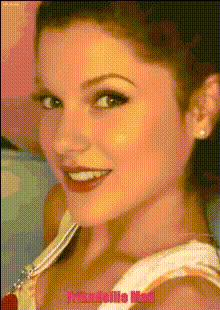
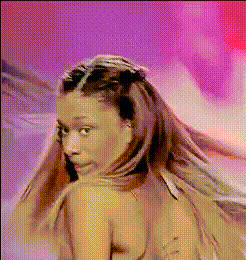
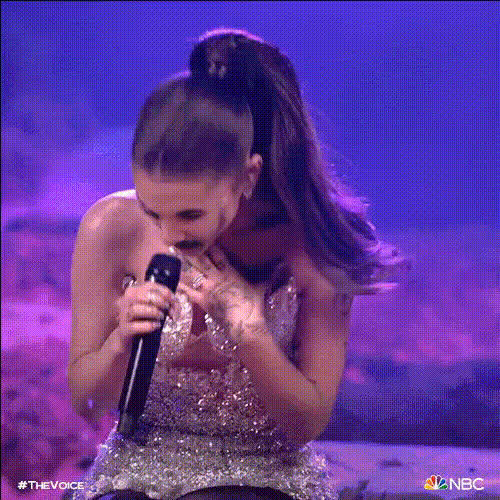
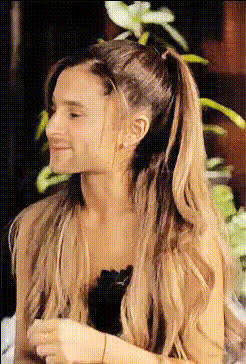
Ariana Grande Edit
face-swap
Any aspect ratio
Tags
music videoAriana Grande Edit – Face Swap Video Template
Create Ariana-Style Edits in Minutes
Turn any selfie or video clip into a high‑gloss Ariana‑inspired edit using Magic Hour’s face swap video tools. This template is built for fast, professional‑looking results: think music‑video energy, close‑up beauty shots, and social‑ready clips you can post the same day.
Use this page as a starting point to remix your own version of the “Ariana Grande Edit” in Magic Hour. You can:
- Swap your face into an Ariana‑style scene
- Remix with your own footage, outfits, and backgrounds
- Export in any format for TikTok, Reels, Shorts, or YouTube
What This Template Is Best For
- Short vertical edits styled like pop‑star music videos
- Fan edits and reaction content
- Promo clips for music, remixes, covers, or fan projects
- Creator intros, channel trailers, and “glow‑up” videos
Core Technology: AI Face Swap
This template is powered by Magic Hour’s AI Face Swap engine, designed for high‑quality identity replacement in video. It uses deep learning–based face detection, alignment, and blending to map your face onto a target performance while preserving:
- Lighting and shading from the original footage
- Expression, head turns, and motion
- Makeup, hair, and scene styling from the source clip
If you want to explore face swapping more broadly, you can also try:
- Face Swap Video Creator – general‑purpose face swap for any clip
- Face Swap GIF – quick reaction GIFs and memes
- AI Face Editor – refine facial details before or after a swap
How to Remix This Template in Magic Hour
You can recreate your own “Ariana Grande Edit”–style template by combining Magic Hour’s tools. A typical workflow:
- Start from a Face Swap Video
Open the Face Swap Video tool and upload:- A selfie or portrait you want to insert
- A performance clip or stylized video you want to swap into (e.g., close‑up singing, dancing, or aesthetic shots)
- Refine Your Source Face
For best results, prep your face image:- Use a clear, front‑facing portrait with good lighting
- Optionally enhance it with the AI Image Upscaler or AI Headshot Generator
- Run the Face Swap
Generate your swapped video, then preview the result. Look for:- Consistent skin tone and lighting
- Natural expressions during singing or lip movement
- Clean blending around hairline and jaw
- Add Movement or Variations
Want more cinematic shots? You can:- Transform still images into clips with Image to Video
- Create stylized motion from existing footage using Video‑to‑Video
- Try animated looks or stylized characters with Animation Templates
- Sync to Audio (Optional)
If your edit includes singing or spoken parts, you can:- Match lip movements to audio with the Lip Sync tool
- Generate or clone voices using AI Voice Generator and AI Voice Cloner
- Polish and Export
Finally, use:- Video Upscaler for sharper, higher‑resolution output
- Auto Subtitle Generator if you’re posting on social platforms
Styling Your Ariana‑Inspired Edit
To get closer to the polished, pop‑star aesthetic:
- Lighting & Glamour
Use high‑key, soft lighting in your base footage or images. You can also:- Generate beauty‑shot backgrounds with the AI Background Generator
- Experiment with stylized looks using the AI Art Generator or AI Anime Generator for alternate styles
- On‑Brand Backgrounds
Create stages, neon sets, or dreamy pastel scenes with:- AI Image Generator or AI Photo Generator
- Convert photos into stylized sketches with Photo to Sketch for edit transitions
- Outfits & Styling
If you’re designing thumbnails or promo images, you can:- Experiment with stage outfits using the AI Clothes Changer or AI Outfit Generator
- Generate full‑body stage poses via the Full Body Generator
- Thumbnails & Cover Art
For YouTube and streaming platforms, design art with:- Thumbnail Maker
- Album Cover Generator
- Book Cover Generator if you’re extending the aesthetic into long‑form brands or stories
Best Practices for Realistic Face Swaps
To maximize quality and minimize artifacts in your Ariana‑style edits:
- Use clean, front‑facing source photos – sharp, well‑lit images significantly improve the swap.
- Match angles where possible – if the performance video has strong head turns or tilts, choose source photos with similar poses.
- Enhance inputs, not just outputs – upscale and clean your images using the AI Image Upscaler or fix blur with Unblur Image before swapping.
- Respect likeness and platform policies – always comply with local law and the terms of the platforms where you publish. If you’re using real people’s faces, get consent where appropriate.
Advanced Remix Ideas for Creators & Teams
If you’re a creator, marketer, or startup team building repeatable content formats, you can push this template further:
- Series‑style content
Build a recurring “pop‑star POV” or “music‑video‑filter” series. Keep the workflow identical, only swapping faces and audio each episode. - Multi‑character edits
Use multiple swaps in one video (e.g., different team members as different pop‑star archetypes) by chaining passes in the Face Swap Video tool. - Talking photos for social
Turn still fan art or portraits into short talking clips using AI Talking Photo, then overlay with your face via face swap for stylized announcements or teasers. - AI‑native campaigns
Combine:- AI QR Code Generator on posters or social banners
- Text to Video for story‑driven concepts
- AI Meme Generator for reaction spinoffs of your main edits
Who This Template Is For
- Creators & editors wanting fast, repeatable music‑video‑style edits
- Marketers testing AI‑driven personality and fan campaigns
- Startups & studios exploring AI‑native formats, virtual talent, or stylized UGC
Build Your Own “Ariana Grande Edit” Today
You don’t need a dedicated VFX team or advanced editing skills to get Ariana‑inspired results. Start with the Face Swap Video creator, bring your own footage and audio, and remix this template into your own branded format. From there, you can layer in lip sync, AI‑generated backgrounds, and upscaled exports to ship polished, on‑trend edits at scale.