Michael Jackson Beat It

face-swap

1 clip
293 uses

Any aspect ratio

Tags

music video

Michael Jackson “Beat It” – AI Video Face Swap Template

Turn Yourself Into the Star of “Beat It”

Use this Michael Jackson “Beat It” face swap video template to drop yourself straight into one of the most iconic music videos of all time. In a few minutes, you can generate a share‑ready, AI‑edited clip where your face replaces the original performer—perfect for social media, fan content, marketing campaigns, and creative experiments.

This template is powered by Magic Hour’s production‑grade AI Face Swap engine, designed for creators, developers, marketers, and startups who need fast, high‑quality video personalization at scale.

What This Template Does

  • Face swap Michael Jackson with you (or anyone): Upload a single photo and generate an AI‑edited version of the “Beat It” performance with your face seamlessly integrated into the video.
  • Multiple clip options: The template includes several pre‑cut “Beat It” moments, so you can quickly test different shots and choose what fits your channel, ad, or campaign best.
  • Platform‑ready exports: Create versions that work for YouTube, TikTok, Instagram Reels, Shorts, and more by selecting an aspect ratio that fits your distribution strategy.

How to Use This Template in Magic Hour

  1. Open the Face Swap video creator
    Start from the Face Swap Video page in Magic Hour. This is where you’ll find ready‑made templates like “Michael Jackson – Beat It.”
  2. Upload your source face
    Add a clear, front‑facing photo of the person you want to appear in the video. For best results, use:
    • Good lighting (no harsh shadows or overexposure)
    • A neutral or natural facial expression
    • Unobstructed features (minimal glasses, masks, or heavy filters)
  3. Select the “Michael Jackson – Beat It” template
    Choose the template from the library of face swap videos. Preview the available clips to see which angles and choreography moments work best for your use case—fan edits, reaction content, or promo material.
  4. Generate your video
    Hit generate and let Magic Hour process the swap. Once done, you can download and use the clip anywhere you publish video—social, email, landing pages, or internal demos.

How to Remix or Build Your Own Version

You can treat this template as a starting point and easily remix it into your own concept or workflow:

  • Swap in different faces: Use the same “Beat It” base and try different people—your team, clients, community members, even AI‑generated faces created with the AI Face Generator or Avatar Generator.
  • Combine with lip sync: After generating your face swap, take the output into AI Lip Sync to match mouth movements to a specific audio track—covers, voiceovers, translations, or cloned voices via the AI Voice Cloner.
  • Chain into video‑to‑video effects: Pass your face‑swapped “Beat It” clip into Video‑to‑Video to restyle the footage (e.g., anime, comic book, cinematic grading) while preserving your performance.
  • Create stylized variants: Use the AI Image Editor, AI Art Generator, or AI Anime Generator to design alternate thumbnails, cover art, or promotional stills that reference your “Beat It” video.
  • Turn stills into motion: Generate a Michael‑inspired still frame with the AI Image Generator or AI Photo Generator, then bring it to life using Image‑to‑Video or Animation.

Why “Beat It” Works So Well for Face Swap

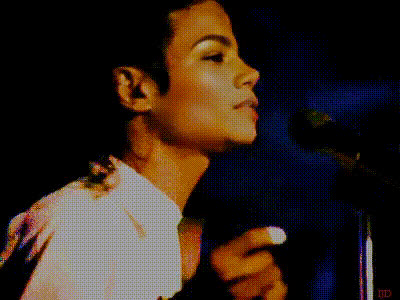
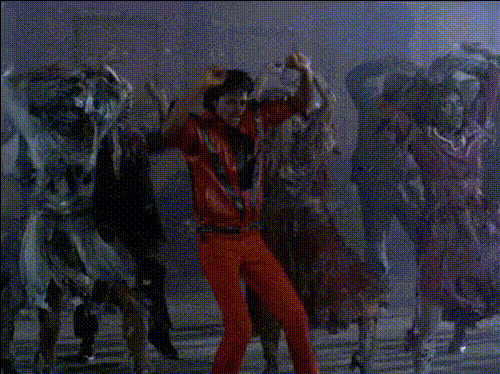
“Beat It,” released in 1982 on Michael Jackson’s album Thriller (Epic Records), is one of the most visually distinctive music videos in pop history. Directed by Bob Giraldi, it blends narrative street‑gang storytelling with tightly choreographed dance sequences that have become cultural shorthand for 80s music video style. The high‑contrast lighting, close‑up performance shots, and clear facial angles make it a strong foundation for modern AI face swapping.

For creators, that means:

  • Recognizable context – Audiences instantly understand the reference, which boosts engagement and shareability.
  • Dynamic motion – The choreography and camera movement stress‑test the quality of the swap, useful if you’re evaluating AI pipelines or demonstrating capabilities to clients.
  • Brand‑safe nostalgia – 80s aesthetics continue to be reused in ads, product launches, and social content, making “Beat It”‑style visuals valuable for campaigns and experimentation.

Best Practices for High‑Quality Face Swaps

  • Use clean, high‑resolution photos
    Aim for a clear portrait with:
    • Face centered in frame
    • Even lighting (avoid strong backlight or neon color casts)
    • Minimal motion blur or compression artifacts
  • Match expression and angle where possible
    If you can, choose a source photo whose pose roughly matches the primary angles in the “Beat It” clip (e.g., facing slightly toward camera). This helps the model maintain realism in fast movement and extreme poses.
  • Think about final distribution
    Decide early whether this is for TikTok, Reels, Shorts, or desktop playback and generate a version that suits that viewing context. You can create separate exports for different platforms and A/B test them.
  • Combine with upscaling and cleanup
    For sharper delivery, run your final video through the Video Upscaler. For still frames or thumbnails, use the AI Image Upscaler and Unblur Image tool.

Advanced Use Cases for Creators & Teams

  • Campaign concepts & pre‑viz: Quickly mock up “Beat It”‑style creative for pitches, moodboards, and client presentations without costly live shoots.
  • Influencer & UGC variations: Put different community members or ambassadors into the same template and generate a bank of consistent but personalized clips in one workflow.
  • Localization: Combine with AI Talking Photo, AI Voice Generator, and Auto Subtitle Generator to produce localized variants of your “Beat It” content for multiple markets.
  • Content testing: Run A/B tests across different face swaps, visual styles, or thumbnails using tools like the Thumbnail Maker to see what drives the highest click‑through and watch time.

Related Magic Hour Tools for Music & Pop‑Culture Edits

If you like this “Beat It” template, you may also want to explore:

  • Face Swap GIF – Turn short MJ‑style moments into looping GIFs for chats and social.
  • AI Meme Generator – Layer captions, meme formats, and reaction text over your face‑swapped clips and stills.
  • Album Cover Generator – Design retro 80s‑inspired covers to match your “Beat It” video concept.
  • Text‑to‑Video – Generate original music‑video‑style scenes from prompts, then add yourself using the Face Swap tools.

Start Creating Your “Beat It” Face Swap

The Michael Jackson “Beat It” AI face swap template gives you a fast, production‑ready way to step into a legendary music video and repurpose it for modern channels—without a studio budget or complex editing tools.

Open the Face Swap Video creator, choose the “Beat It” template, upload your photo, and generate your first clip in minutes. From there, remix it with Magic Hour’s other tools, test different faces and formats, and integrate it into your broader content strategy.

More Like This