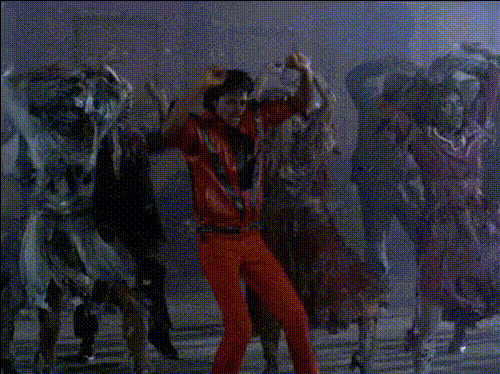
Black or White Music Video - Michael Jackson
face-swap
Any aspect ratio
AI Face Swap Video Template
Produce realistic, studio-quality AI face swap videos in minutes—directly in your browser. This template is powered by Magic Hour’s production-ready AI Face Swap engine, so you can replace faces in any video while preserving expressions, lighting, and motion. It’s built for creators, marketers, agencies, and product teams who need on-brand video at scale, without coordinating shoots or hiring extra talent.
What You Can Do With This Face Swap Template
- Personalize campaigns at scale – Swap in different faces for the same video creative to localize spokespeople, test demographics, or run multi-market ad variations.
- Create UGC-style content safely – Simulate creator-style or influencer-style videos without relying on talent availability, usage rights, or reshoots.
- Prototype casting and characters – Quickly test different actors, personas, or visual identities in the same scene for pitch decks, storyboards, and previsualization.
- Recover and repurpose old footage – Update casting, branding, or storylines by swapping faces in legacy footage instead of re-shooting.
- Generate viral and meme content – Turn any clip into a shareable, face-swapped video for TikTok, Instagram, YouTube Shorts, or X.
- Enable a “put yourself in the story” experience – Let users drop their own face into your scenes as part of interactive campaigns, onboarding, or product demos.
Under the hood, this template leverages modern methods for facial identity transfer and face reenactment similar to techniques described in recent research on GAN- and diffusion-based face editing and deepfake detection (see, for example, work summarized by Partnership on AI, and academic surveys such as Deepfake Generation and Detection: A Survey in ACM Computing Surveys). Magic Hour packages these capabilities into an interface designed for real production teams—so you get robust, repeatable outputs without needing to implement models yourself.
How to Remix This Template in Magic Hour
You can create your own version of this workflow using Magic Hour’s Face Swap Video template. Remixing takes a few minutes and lets you adapt it to your brand, product, or pipeline.
-
Start from this template or from Face Swap Video
Open this template in Magic Hour and click “Remix” to duplicate it into your workspace, or start a fresh project using Face Swap Video. From there you can:- Swap in your own source faces (team members, ambassadors, fictional characters).
- Replace the target footage with your ad creative, product demo, or training clip.
- Chain additional tools (lip sync, styling, voice, subtitles) into a repeatable workflow.
-
Choose your target video
Use any video where the subject’s face is reasonably visible. Strong candidates include:- Product explainers and feature walkthroughs
- Performance ads and launch campaigns
- Customer testimonials and founder messages
- Educational and training content
- Social-first vertical videos
- Relatively consistent lighting and minimal extreme shadows
- Limited motion blur or handheld shake
- Front or 3/4 views of the subject’s face for at least a few seconds
- Design a base frame with the AI Image Generator or AI Photo Generator, then animate it with Image to Video before applying face swap.
- Use Text to Video to generate scenes from a text prompt, then run them through Face Swap Video.
-
Add and prepare your source face
Upload a clear photo of the person whose face you want in the target video. To improve identity preservation and realism:- Start from a sharp, high-resolution image (you can enhance it with the AI Image Upscaler or Unblur Image).
- Use even, front-facing lighting without harsh shadows or color casts.
- Avoid heavy sunglasses, face masks, or obstructions over eyes, nose, and mouth.
- Optionally clean up the portrait with the AI Image Editor or fine-tune facial details (age, subtle style) with the AI Face Editor.
-
Combine with other Magic Hour tools (optional but powerful)
Many teams use this face swap template as one building block in a larger AI video stack. Common chains include:- Lip Sync – Make the face-swapped subject speak any script or localized voiceover. Ideal for personalized outreach, multi-language campaigns, and training content.
- Video to Video – Restyle your face-swapped clip into anime, comic-book, cinematic, or brand-specific looks without re-editing the core footage.
- Animation – Turn static shots into animated sequences, then apply face swap for stylized characters, explainer videos, or storytelling formats.
- AI Talking Photo – Turn a single image into a speaking avatar, then composite that avatar into other scenes or remix it with Face Swap Video.
- AI Voice Generator and AI Voice Cloner – Generate synthetic voices or clone approved speakers to match your face-swapped subject.
- Auto Subtitle Generator – Add subtitles automatically for accessibility, SEO, and silent autoplay on social feeds.
-
Export and repurpose across channels
Once your clip is ready, you can:- Use it directly in paid media and run A/B tests by swapping faces or personas.
- Send personalized videos in outbound sales, success onboarding, or account-based marketing.
- Integrate into LMS modules, knowledge bases, or internal training content.
- Cut shorter segments for TikTok, Reels, Shorts, and other social platforms.
- Convert key moments into GIFs with the AI GIF Generator or Face Swap GIF for memes, reactions, and chat-friendly assets.
Advanced Uses for Teams and Builders
Magic Hour is designed for teams who treat video as a product surface—not just a one-off asset. This template supports more advanced and programmatic use cases:
-
Creative testing and performance optimization
Swap different faces, demographics, or personas into the same narrative and measure downstream performance (CTR, watch time, conversion). This is especially useful for:- Ad creative testing across regions or audience segments.
- UX experiments where the “host” or guide may influence trust and engagement.
-
Brand-controlled virtual ambassadors
Define a consistent visual identity (face + style + voice) and reuse it across campaigns:- Design stylized personas using the Avatar Generator or AI Character Generator.
- Create fully animated characters with the Animated Characters Generator, then incorporate those designs into your video workflows.
- Adjust outfits or looks with the AI Clothes Changer or AI Outfit Generator to maintain brand consistency across series.
-
Productized and user-facing video experiences
Founders and dev teams can integrate face swap workflows into:- Onboarding portals where users insert themselves into tutorials or stories.
- Interactive marketing campaigns (“star in your own trailer”, “be the hero in this game world”).
- Internal tools that auto-generate personalized training, compliance, or enablement content.
Recommended Complementary Tools
To streamline your pipeline and improve visual quality, many teams pair this template with:
- AI Image Editor – Retouch or adjust portraits before swapping (exposure, blemishes, background tweaks).
- AI Face Editor – Subtly modify facial features, age, or style while retaining core identity, especially useful when creating consistent brand characters.
- Remove Object from Photo and AI Remover – Clean distractions or watermarks from images you’ll use in video generation.
- Video Upscaler – Increase resolution and clarity of older or user-generated footage before or after face swapping for sharper final exports.
- Image Background Remover – Prepare portrait cutouts for compositing, thumbnails, or hybrid workflows where you mix live-action and generated scenes.
- Photo Colorizer and Old Photo Restoration – Modernize archival portraits, then use them as source faces in contemporary footage for documentaries or heritage content.
Ethics, Consent, and Best Practices
Face swapping is powerful, and the broader synthetic media ecosystem (including analyses by Partnership on AI and reports such as the EU’s Code of Practice on Disinformation) consistently recommends guardrails for responsible use. When you deploy this template, consider:
- Consent and rights – Only use the likeness of people (employees, customers, talent, public figures) where you have explicit rights and documented permission. This typically means model releases, contract clauses, or written approvals.
- Transparency – For commercial, editorial, or public-facing use, consider disclosing that AI was used to generate or alter faces, especially when realism could cause confusion.
- Context and brand safety – Avoid uses in sensitive domains (e.g., politics, health, finance) where misleading identity or speech can cause harm or regulatory exposure.
- Internal governance – Many teams define internal policies for synthetic media, including approval workflows, watermarks, and documentation of how AI-generated assets are created and used.
Magic Hour tools, including Face Swap, are intended for legitimate creative, educational, and commercial applications such as marketing, prototyping, training, and storytelling—not impersonation, harassment, or deceptive content.
Who This Template Is For
- Marketing, growth, and performance teams – Generate localized or persona-specific variations of the same asset, test systematically, and scale what works.
- Founders and product teams – Ship video-first product surfaces (interactive tutorials, in-product explainers, personalized onboarding) without repeated shoots.
- Studios, agencies, and creative shops – Pitch concepts, test casting, and preview campaigns quickly before committing to full productions.
- Developers, platform builders, and automation teams – Embed face-swapping workflows into dashboards, internal tools, or customer-facing experiences as part of a broader AI media stack.
Next Steps
- Remix this template using Face Swap Video and plug in your own faces and footage.
- Style or re-render your swapped clips with Video to Video, or build animated sequences using Animation.
- Add voice, lip sync, and subtitles with Lip Sync, AI Voice Generator, AI Voice Cloner, and Auto Subtitle Generator.
Use this AI Face Swap Video template as your base layer, then remix and chain Magic Hour tools to match your brand, technical stack, and growth strategy. The outcome: high-impact, realistic face swap videos that are fast to produce, easy to iterate, and ready to scale with your team.