Unknown T Rap
face-swap
Any aspect ratio
Tags
music videoUnknown T Rap Face Swap Video Template
Create High-Energy Rap Videos With AI Face Swap
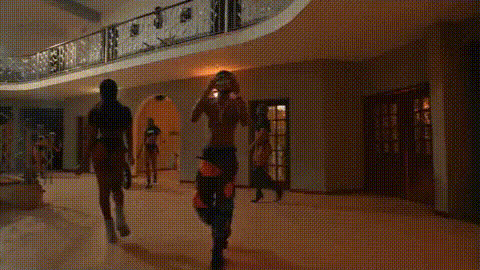
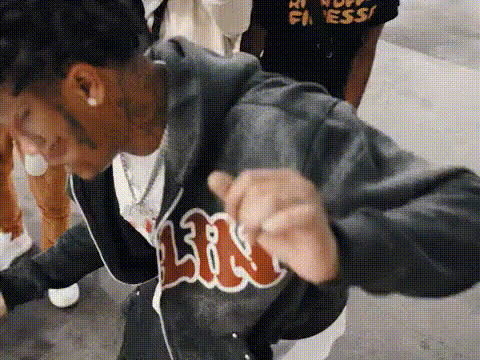
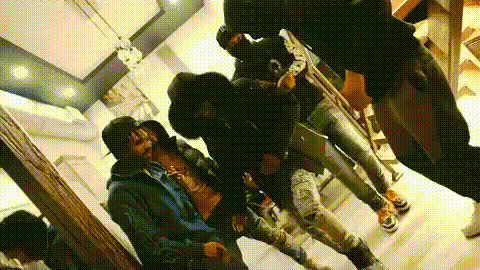
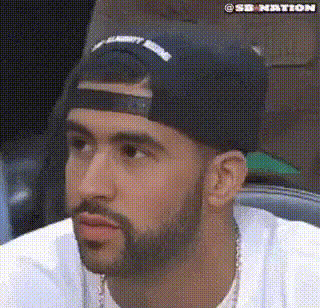
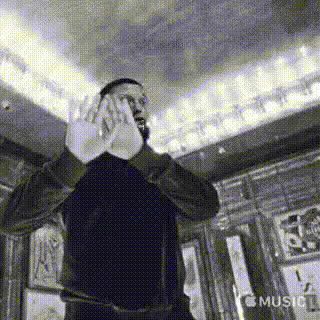
The Unknown T Rap template is a ready-made AI video setup for creators who want to turn any clip into a high-energy rap performance using face swap video technology. Built for music video editors, content creators, and marketers, this template lets you drop in your own face (or a character’s face) and instantly generate a stylized rap performance video in the style of a gritty performance clip.
This template is powered by Magic Hour’s AI Face Swap engine and is compatible with the Face Swap Video creation flow, so you can remix it, customize it, and scale it into your own reusable format.
What You Can Do With This Template
- Create rap performance videos without filming – Turn existing footage into a performance clip by swapping in your face, a client’s face, or a fictional character.
- Prototype music video concepts – Quickly validate ideas for artists, labels, or campaigns before you invest in a full shoot.
- Generate social content at scale – Produce short vertical rap clips for TikTok, Reels, Shorts, or ads using the same underlying template.
- Build characters and personas – Combine this template with Magic Hour’s AI Character Generator and Avatar Generator to create recurring rap personas.
Key Features
-
AI Face Swap (video)
This template is built around Magic Hour’s Face Swap Video workflow. Upload your source face image or video, choose the template, and generate a clip where the template performer’s face is replaced with your target face—while preserving expressions, movement, and lighting as much as possible. -
UK Drill / Unknown T–Inspired Aesthetic
Unknown T is known for his role in UK drill, with tracks like “Homerton B” and collaborations across the UK scene. His videos often lean into dark palettes, urban locations, and intense close-ups. This template channels that energy with:- Tight framing on the performer’s face
- Fast-cut, performance-focused camera moves
- Moody, high-contrast visual style that works well for drill, grime, and trap
-
Music-Performance Friendly
The base motion is designed around a rapper delivering lines to camera, which makes it ideal for:- Syncing to your own track using AI Lip Sync or AI Talking Photo
- Short promo clips, snippets, or lyric teases
- Concept drafts for full-length music videos
-
Flexible for Different Ratios & Platforms
The template supports any aspect ratio, so you can generate:- 9:16 vertical for TikTok, Reels, Shorts
- 1:1 for feed posts
- 16:9 for YouTube, EPKs, or pitch decks
-
High-Quality, Upscalable Output
Export your video, then optionally enhance it with:- AI Video Upscaler for sharper results
- AI Image Upscaler if you’re pulling stills or thumbnails from the video
- Thumbnail Maker to generate platform-ready covers
Template Specs
- Structure: 1 main performance clip composed from 6 video segments (ideal for quick cuts and rhythmic editing)
- Use cases: music videos, social promos, fan edits, concept decks, character demos
- Face input: works with clear, front-facing portraits or video frames for best results
- Audio: you can add your own track or VO in post using any standard editor or your existing workflow
How to Remix This Template in Magic Hour
You don’t need to stick to the original Unknown T–style version. You can clone and adapt this template as your own recurring format. A common workflow:
-
Start from Face Swap Video
Go to Face Swap Video and select this Unknown T Rap template as your base. -
Upload your source face
Use a clear, well-lit face image (or a still from a video). For better identity consistency across multiple videos, keep lighting and angle similar each time. -
Swap the face and generate
Generate the video with the swapped face. Review motion, expressions, and how well the target identity is preserved. -
Customize around the template
For more control, combine this with other Magic Hour tools:- Video-to-Video – stylize or re-interpret the output into different visual looks (anime, comic, hyper-real, etc.).
- AI Image Editor and Background Remover – refine frames or create matching promo art.
- Meme Generator – rapidly spin rap clips into meme formats for social distribution.
-
Add audio and polish
Drop your generated video into your preferred video editor (or reuse Magic Hour outputs):- Sync your track or verse
- Add captions with Auto Subtitle Generator for accessibility and engagement
- Enhance key frames using the AI Image Editor if you need stills for covers or social cards
-
Save as your own template
Once you like the structure and style, reuse your remix to quickly produce new videos with different faces, outfits, or personas by repeating the face-swap step.
Advanced Combinations for Creators & Teams
If you’re building a repeatable content pipeline or a creative product around rap or drill content, consider chaining this template with:
-
AI Character + Outfit Systems
Use:- AI Character Generator or AI Face Generator to design unique artist identities
- AI Clothes Changer or AI Outfit Generator to simulate wardrobe changes for the same persona
-
Cross-Format Content
Repurpose the same persona across:- Short clips using AI GIF Generator
- Animated versions via Animation or Image-to-Video
- Album and single art via Album Cover Generator and Book Cover Generator for playlists or EPs
-
Voice + Performance
If you’re building virtual artists or demoing tracks:- Clone or design voices with AI Voice Cloner or AI Voice Generator
- Align visuals and audio via Lip Sync or AI Talking Photo
Best Practices for High-Quality Face Swap Rap Videos
- Use high-quality, front-facing source images – Clear, well-lit faces improve identity preservation and reduce artifacts.
- Keep identity consistent – For recurring personas, reuse the same or similar source images across projects.
- Plan around the performance – This template is performance-centric; choose tracks where a direct-to-camera delivery makes sense.
- Leverage upscaling and cleanup tools – Combine with AI Image Upscaler, Unblur Image, or Old Photo Restoration if your source materials are low-res.
Who This Template Is For
- Music artists & labels – Quickly prototype video concepts or social snippets around tracks.
- Creators & editors – Produce character-driven rap clips, fan edits, or meme content at scale.
- Marketers & startup teams – Experiment with virtual artists, branded personas, or performance-driven ad creatives without organizing full shoots.
Next Steps
To get started, open the Face Swap Video tool, select the Unknown T Rap template, upload your face, and generate your first clip. From there, you can branch into Video-to-Video, Animation, and other Magic Hour tools to turn a single rap performance into a full content system.