The Glowing Butterfly
- Model
- Nano Banana 2
- Image
- 928 × 1152 px
Prompt
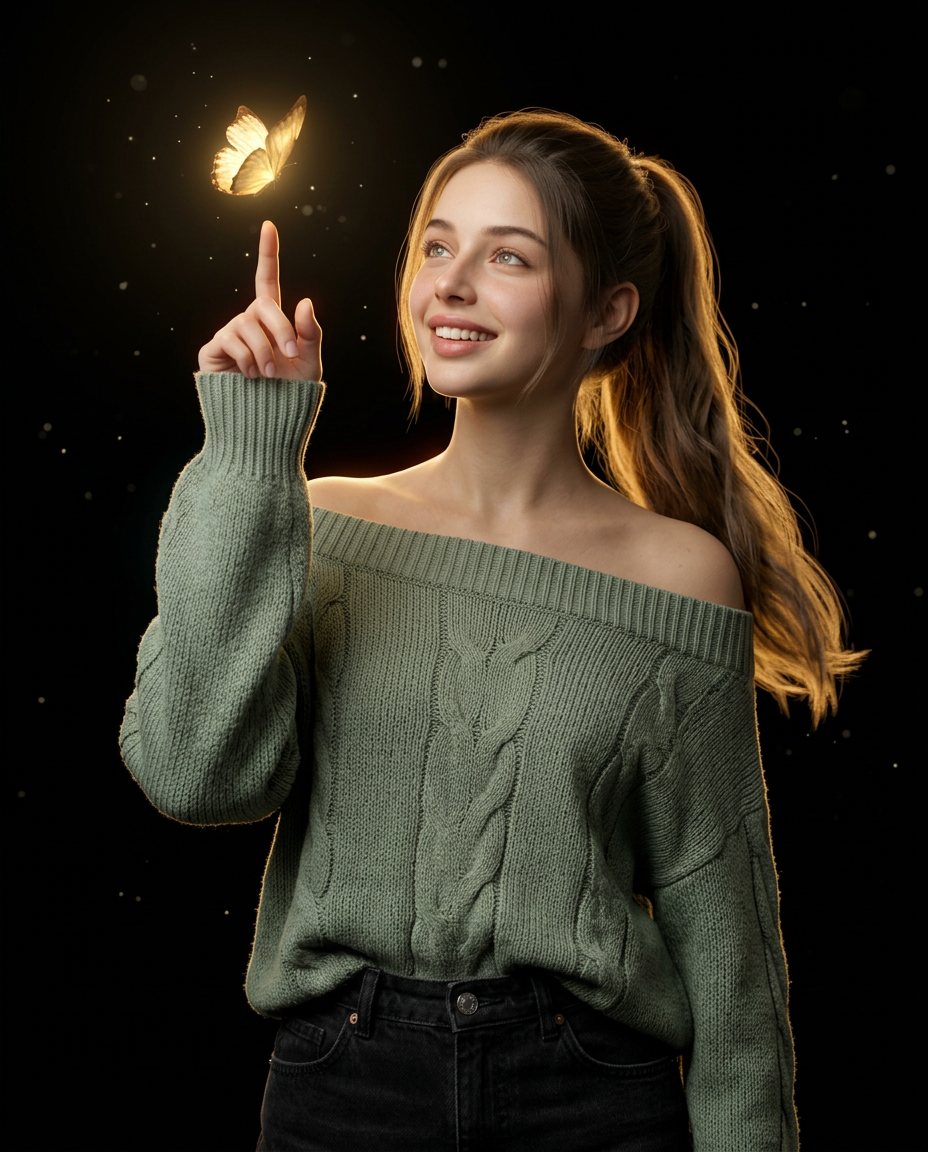
Create an ultra-realistic 4:5 studio portrait of the beautiful woman. Dress her in an oversized sage-green off-shoulder knit sweater with high-waisted black jeans. Pose her with one arm raised and the index finger pointing toward a glowing golden butterfly hovering above it, while she gazes at the butterfly with a soft, fascinated smile. Style her hair in a loose high ponytail cascading over one shoulder. Use a seamless black background, warm golden rim lighting, soft frontal key light, floating luminous particles, and subtle volumetric glow. Mid-thigh framing, 85mm lens, f/2, shallow depth of field, realistic skin and fabric texture, cinematic low-key lighting, high-end editorial quality.Use my uploaded face image as the ONLY facial and identity reference. No other faces, models, datasets, or references are allowed.🔐Absolute Identity locked—non-negotiable.
Any aspect ratio
Overview
"The Glowing Butterfly" template is an AI Image Editor tool designed to transform your imagery into stunning visual effects. Utilizing the nano-banana-2 model, this template intricately combines human and artistic elements to create a captivating scene featuring a character interacting with a glowing butterfly, set against a moody, cinematic backdrop.
What It Does
This template enables the creation of ultra-realistic portraits with precise control over the visual composition. It integrates elements such as lighting, background glow, and realistic textures. The AI Image Generator capabilities ensure high-end editorial quality, producing images that are ready for visual storytelling and artistic displays.
Who It's For
The Glowing Butterfly is tailor-made for photographers, digital artists, and anyone involved in high-end editorial content creation. It's also ideal for professionals in the visual effects industry who want to incorporate intricate visual elements into their work using AI assistance.
Summary
Leverage the power of advanced AI to produce stunning, high-quality visuals. This template is perfect for those seeking to create engaging, imaginative images with ease. For creating animated content, check out our Image to Video options.
How to Use
Choose the Template

Customize Your Image

Generate and Download

Use Cases
Editorial Photo Shoots
- High-end fashion shoots
- Magazine cover images
- Editorial features
Digital Art Projects
- Art installations
- Conceptual art
- Digital exhibitions
Advertising and Marketing
- Product advertisements
- Brand storytelling
- Marketing assets
Best Practices
Use High-Resolution Inputs
Ensure your uploaded image is high-resolution to achieve the best results.Experiment with Lighting
Adjust lighting settings to add depth and drama to your visual composition.Maintain Identity Standards
Adhere to the identity lock to ensure the image remains true to the reference provided.