Mouse Cream Nap
- Model
- Nano Banana 2
- Image
- 843 × 1264 px
Prompt
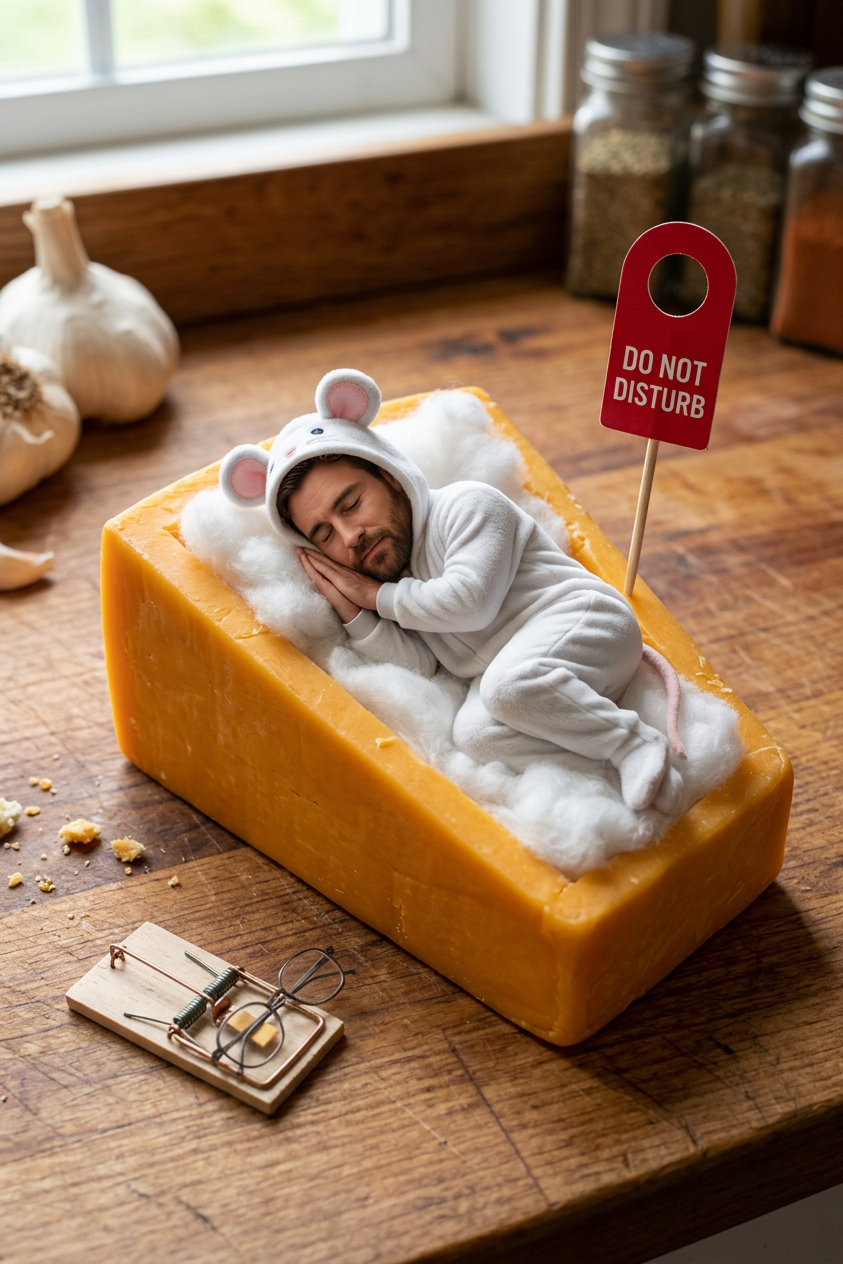
Hyper-realistic miniature comedy scene on a rustic wooden kitchen countertop, a tiny sleeping man with the exact face from the reference photo curled up inside a large wedge of ice cream as if it were a cozy bedroom. He wears an adorable white mouse onesie pajama decorated with tiny love icons, oversized mouse ears on the hood, sleeping peacefully on fluffy cotton bedding tucked into a carved ice cream cavity. A tiny stuffed teddy bear rests in his arms. Beside the cheese is a miniature warning sign reading: "DO NOT DISTURB. ICE CREAM IN TRANSITION." A small mousetrap lies nearby holding tiny eyeglasses, creating a humorous visual joke. Fresh parsley leaf acts as a blanket over his legs. In the background, realistic kitchen elements including garlic, spice jars, and a blurred cat tail suggest looming danger. Shallow depth of field, cinematic macro photography, ultra-detailed textures, warm morning window light, whimsical storytelling, photorealistic, 8K, professional food photography, tilt-shift effect, highly detailed facial features, funny miniature world, cozy atmosphere, Pixar-level charm mixed with realistic photography, vertical composition 9:16.
Any aspect ratio
Overview
The "Mouse Cream Nap" template offers a unique way to create whimsical, hyper-realistic scenes with your personal photos. This AI Image Editor template leverages the nano-banana-2 model to craft detailed and humorous miniature worlds. Perfect for anyone looking to infuse charm and storytelling into their images, this template transforms your reference photo into an adorable, Pixar-level scene.
What It Does
This template creates a highly detailed comedy scene where a miniature version of a person, derived from a provided photo, sleeps within a wedge of ice cream. Dressed in a mouse onesie, the scene is styled with photorealistic textures and professional food photography elements, providing a perfect blend of humor and visual appeal. The result is a stunning visual piece that captures viewer attention with cinematic macro photography and AI enhancements.
Who It's For
This template is designed for creative individuals, advertisers, and artists who aim to present their images in a unique and captivating way. It's particularly useful for social media content creators and those in marketing roles wanting to produce eye-catching visuals. Additionally, this tool is an excellent choice for educators and storytellers who wish to add a whimsical and narrative-rich touch to their visual materials, similar to how the AI GIF Generator animates static images.
Summary
Experience a new dimension of visual creation with the "Mouse Cream Nap" template. Transform your photos into intricate, photorealistic miniatures that amuse and engage your audience. Perfectly engineered for those who demand more from their images, this tool is part of our broader suite of AI-driven photo creation services, akin to the AI Image Generator.
How To
Choose Your Template

Customize Your Scene

Generate Your Image

Use Cases
Social Media Engagement
- Craft personalized humor scenes for viral potential.
- Use as visual stories across Instagram or TikTok.
Marketing Campaigns
- Embed within email marketing for higher conversion.
- Used in print for product packaging and launch events.
Educational Content
- Visualize complex ideas simply and playfully.
- Appeal to younger audiences with animated characters.
Best Practices
Select High-Resolution Photos
For optimal results, use high-quality, high-resolution photos that emphasize facial features clearly.Emphasize Storytelling
Think about the story your image will tell. Elements like the warning sign or props should complement the main subject to enhance the narrative.Consider Lighting
Adjust the lighting in your reference images to match the warm morning light described in the prompt for consistency.
Frequently asked questions
More Like This