Claw Machine
- Model
- Nano Banana
- Image
- 768 × 1344 px
Prompt
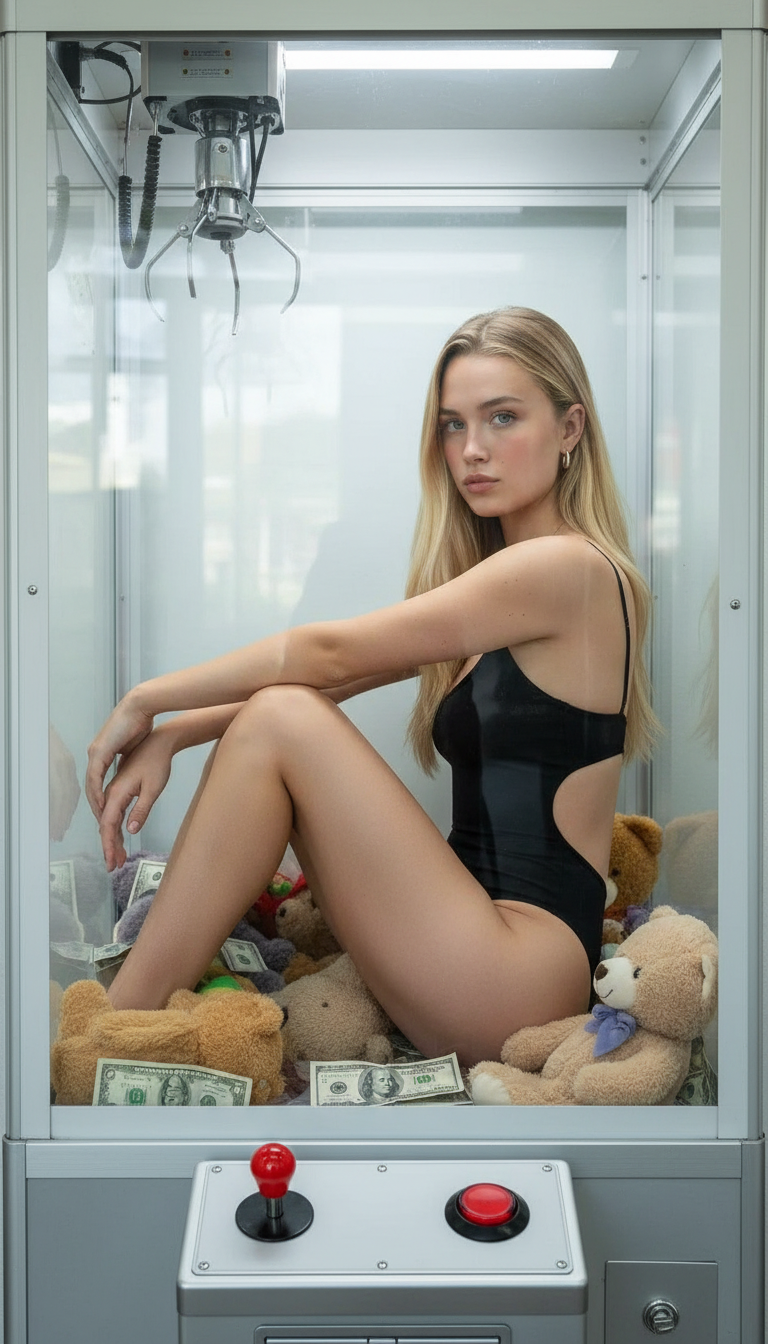
A realistic, high-fashion photo of a woman inside a clear glass claw machine. She is fully enclosed, striking a natural, semi-curled pose with knees gently pulled to her torso and relaxed, asymmetrical arms. She wears a sleek, black, minimalistic bodysuit with thin straps, high hip cuts, and open sides, tightly fitting her body and clearly visible in the compact pose. The claw machine features thick glass with realistic reflections and soft glares, a light-colored back panel, a visible metal frame, the claw mechanism at the top, and a control panel with joystick and button at the bottom. Plush teddy bears and scattered genuine US dollar bills are visible around her body. The lighting is soft yet editorial, maintaining photorealism, texture detail, and depth, while reflections add authenticity without obscuring her unchanged facial expression and emotion.
Any aspect ratio
Overview
The "Claw Machine" template in the AI Image Editor offers a unique approach to high-fashion imagery by placing subjects within the surreal context of a claw machine. Utilizing the power of the nano-banana model, it provides a distinct blend of photorealism and editorial aesthetics, perfect for marketing, ads, or creative projects seeking a standout visual impact.
What It Does
This template allows users to create striking images with a high-fashion theme inside a glass claw machine. You'll adjust elements such as pose, attire, and surrounding props to fit your creative vision. The AI ensures that reflections and lighting maintain photorealism, enhancing the image's authenticity.
Who It's For
Ideal for fashion designers, marketers, and creative directors, this tool helps craft images that stand out in advertising and editorial spaces. Whether designing a campaign or adding unique content to social media, this template's capability supports diverse creative aspirations.
Summary
Incorporate innovative visuals into your projects with the "Claw Machine" template. By utilizing AI image editing, you deliver imagery that captivates while reflecting a modern aesthetic. The process ensures quality and accuracy, making it a valuable addition to your creative toolkit.
How To
Choose Your Template

Customize Your Image

Generate And Save

Use Cases
Fashion Advertising
- Engage audiences with unique high-fashion images
- Amplify brand storytelling through creative visuals
Social Media Campaigns
- Create share-worthy, viral content
- Enhance follower interaction with compelling imagery
Creative Projects
- Elevate project visuals with high-fashion elements
- Introduce a cinematic quality to visual storytelling
Best Practices
Focus on Composition
Ensure that the placement of the subject and props leads to a balanced, cohesive image. Symmetry and asymmetry can both work well when intentionally integrated.Lighting Considerations
Keep the lighting soft yet editorial, as recommended. Adjust reflections to prevent obscuring key elements of the image while maintaining realism.Prompt Specificity
Use detailed and specific descriptions in the prompt to guide the model accurately in producing the image. Clear inputs lead to high-quality outputs.