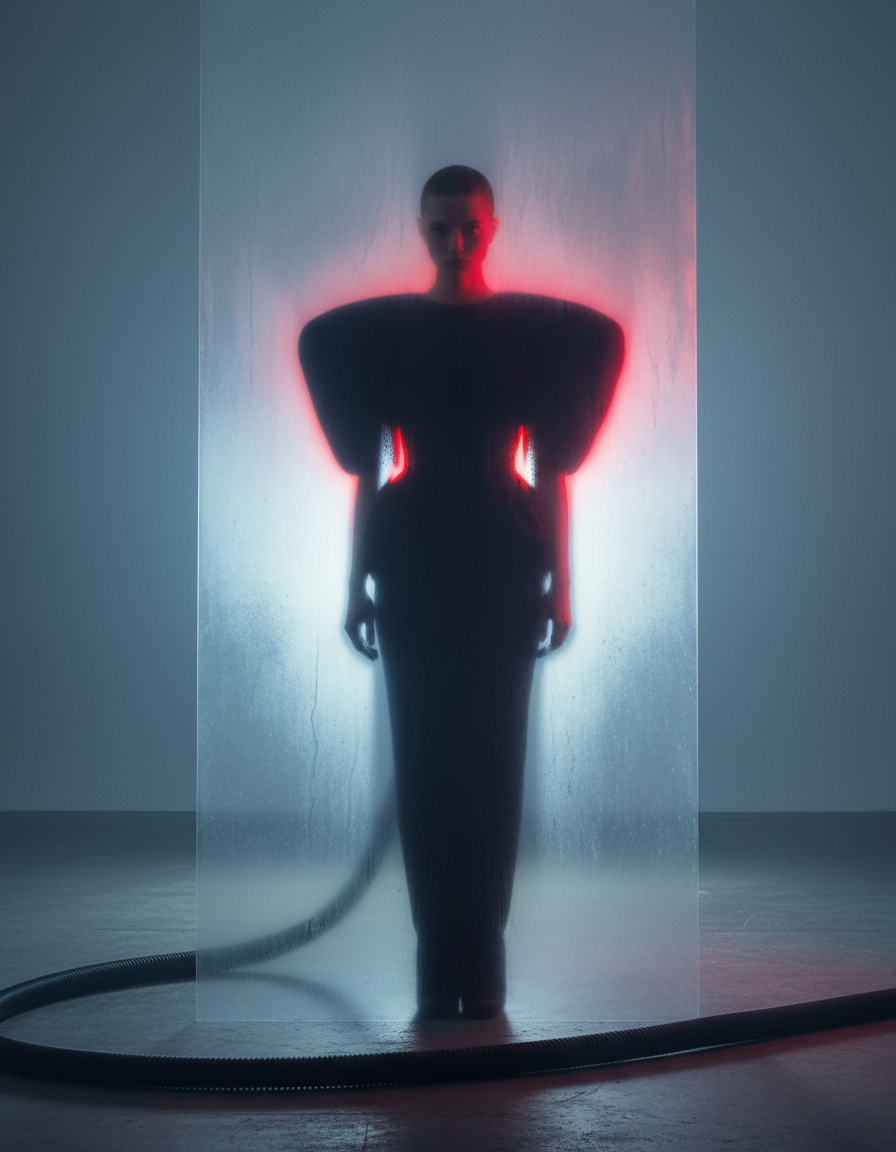
Crimson Backlit Plexiglass Couture

Crimson Backlit Plexiglass Couture

ai-image-editor

1 clip
0 uses

Any aspect ratio

Prompt

A full-body shot of a high-fashion model with a buzz cut, standing behind a large vertical sheet of fogged, semi-transparent plexiglass. The model wears an avant-garde structural black gown with massive exaggerated puffy shoulders and a cinched waist, forming a bold sculptural silhouette against the light. The scene is set in a cool, misty blue-grey studio atmosphere with a cinematic, industrial mood. A strong intense red backlight illuminates the subject from behind, bleeding through the translucent glass and creating a vivid red glow that outlines the edges of the dark outfit while emphasizing depth and separation between layers. The plexiglass surface carries subtle condensation and mist texture, softly diffusing and partially obscuring the figure behind it. In the foreground, a black industrial vacuum hose or thick cable snakes across the concrete floor in front of the glass, enhancing the layered composition and adding a raw laboratory aesthetic. The overall lighting is dramatic and cinematic, combining cold ambient tones with aggressive red backlighting to create high contrast, volumetric depth, and a moody experimental fashion editorial atmosphere.

AI Image Editor Template: Turn Any Photo Into Studio-Grade Visuals in Minutes

Use this AI Image Editor–based template to transform, clean up, and restyle any photo directly in your browser. Whether you’re a marketer refreshing ad creatives, a founder polishing pitch visuals, or a creator iterating on concepts, this template gives you a fast, repeatable workflow you can remix inside Magic Hour.


What This Template Is For

This template is built on the AI Image Editor and is designed for:

  • Product photos – remove distractions, change backgrounds, and create multiple variations for A/B tests
  • Creator & brand content – refine thumbnails, banners, social posts, and channel artwork
  • Headshots & profile images – clean up lighting, background, and details using tools like the AI Headshot Generator
  • Concept art & design – iterate on UI mockups, packaging, book covers, or illustrations using the AI Art Generator and AI Illustration Generator
  • Photography cleanup – remove objects, fix distractions, and restore older photos with tools like Remove Object from Photo and Old Photo Restoration

Because this is a template, you can remix it to match your brand visuals and workflows, then reuse it across campaigns, clients, or projects.


How to Use & Remix This Template in Magic Hour

You can recreate or customize this template quickly inside Magic Hour. The general workflow:

  1. Upload or select your base image

  2. Edit and enhance with AI Image Editor
    With the AI Image Editor, you can:

  3. Turn images into motion (optional)
    If your end goal is video or motion assets, you can plug this template output into:

  4. Save as your own reusable template
    Once you like the flow:

    • Save it as a reusable preset for your team or client
    • Duplicate it and tweak for different brands, color systems, or content verticals
    • Create separate variants for ads, organic social, landing pages, and email campaigns

Practical Use Cases for Teams and Creators

For Marketers & Growth Teams

  • Ad creative testing

    • Generate multiple background and layout variations from one product photo.
    • Use Thumbnail Maker for performance-led YouTube or social creatives.
    • Produce creative concepts faster, then validate via standard A/B testing tools.
  • Landing pages & email

For Founders & Product Teams

  • Prototype brand visuals without a full design team

  • Product visualization & UI concepts

    • Combine the editor with AI Illustration Generator to produce interface mockups, UX flows, or feature illustrations that are “good enough to test” before handing to design.

For Creators & Designers


Example Remix Workflows You Can Build

You can use this template as a starting point and extend it into more complex, multi-step pipelines inside Magic Hour:

  1. E‑commerce Product Upgrade Flow

    • Generate clean product photos with AI Photo Generator or your own shots
    • Use AI Image Editor to remove background and imperfections
    • Replace with brand-consistent scenes via AI Background Generator
    • Upscale for marketplace standards with AI Image Upscaler
    • Export variants for Amazon, Shopify, and paid social.
  2. Creator Headshot to Talking Avatar

  3. IP & Character-Based Content Flow


Technical Notes & Best Practices

  • Resolution and clarity

  • Brand consistency

    • Build multiple remixed versions of this template that reflect different brands or campaigns.
    • Use consistent lighting, background types, and composition across all outputs for a unified look.
  • Legal & ethical considerations

    • When using faces, ensure you have the appropriate rights and consent. Tools like Gender Swap, AI Face Generator, and AI Face Editor are powerful—use them within your legal and ethical guidelines.
    • For IP-based or fandom content (e.g., Pokémon-style, Disney-style, superheroes), clearly distinguish fan work from official brands and follow platform and jurisdiction rules. Tools like Pokemon Generator, Superhero Generator, and Disney AI Generator are best used for exploration, concepting, and parody.

Connect Images to Video, Audio, and Beyond

This AI Image Editor template can be part of a broader multi-modal pipeline:


Why Use a Template Instead of Starting from Scratch?

For busy teams and builders, templates in Magic Hour:

  • Reduce creative overhead – You standardize a workflow once, then reuse it across assets and campaigns.
  • Improve consistency – Visuals match across channels, teams, and time.
  • Speed up experimentation – You can quickly remix this template into new flows (e.g., headshot → talking avatar → explainer video) without rebuilding core steps.
  • Scale with your stack – Plug into other Magic Hour tools as your needs expand (voice, video, avatars, QR codes, etc.).

Start Remixing This AI Image Editor Template

Use this template as your base layer for visual quality, then:

Remix, duplicate, and adapt this AI Image Editor template to fit your brand, product, or content pipeline—and use it as the visual backbone for everything else you build in Magic Hour.

More Like This