Red Alert
- Model
- Nano Banana 2
- Image
- 928 × 1152 px
Prompt
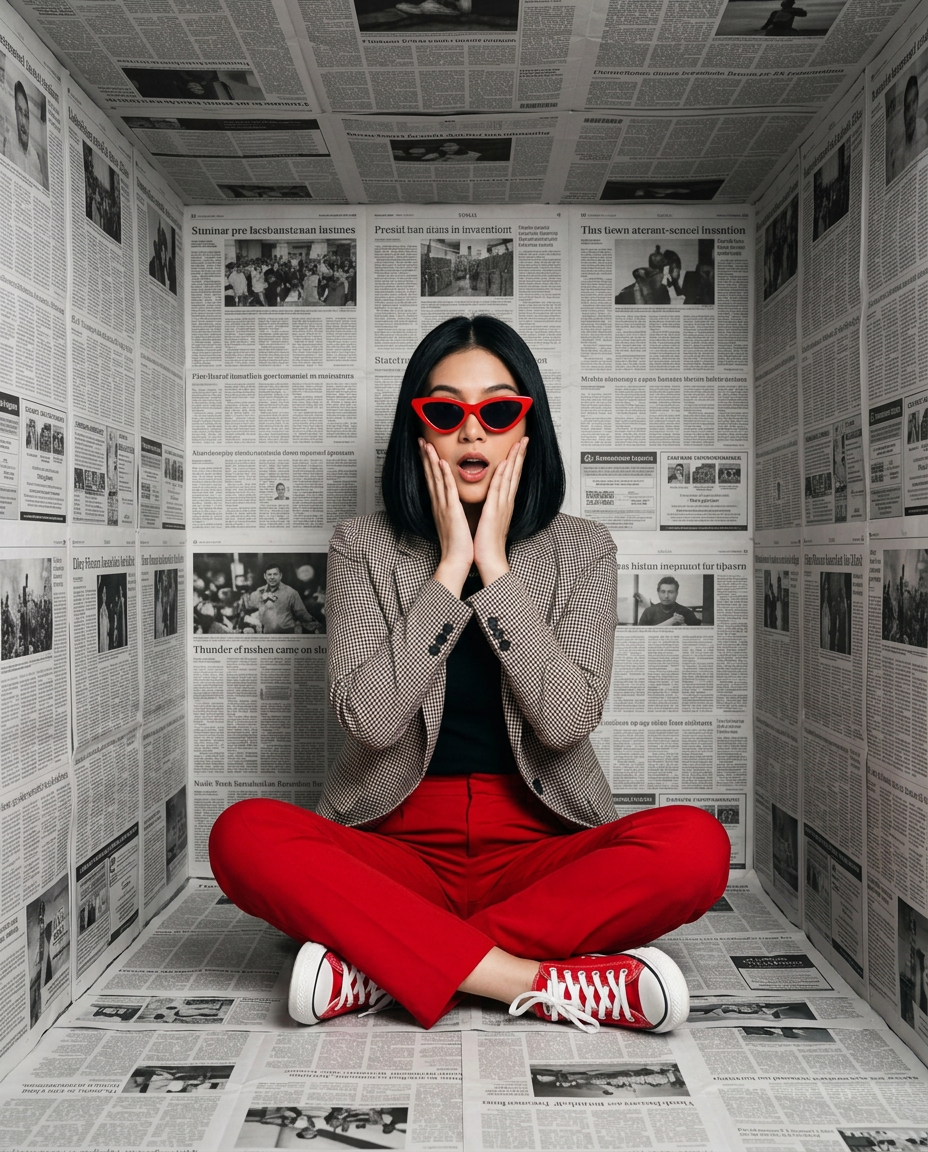
Use the uploaded photo as the exact face reference and preserve 100% facial identity, facial structure, skin tone, hairstyle, and likeness; create a high-fashion editorial portrait of me sitting cross-legged inside a small cube-shaped room completely covered with black-and-white newspaper pages on the walls, floor, and ceiling, centered composition, facing the camera with a surprised expressive look, both hands gently pressed to my cheeks, wearing bold red trousers, red canvas sneakers with white soles, bright red cat-eye sunglasses, a black top layered with a black-and-white micro-check blazer, sleek natural dark bob hairstyle, modern avant-garde fashion aesthetic, conceptual art installation atmosphere, soft frontal studio lighting with subtle overhead fill, evenly illuminated newspaper textures, realistic shadows beneath the legs, ultra-detailed skin texture, crisp fabric details, sharp newspaper typography, premium magazine photography, cinematic editorial style, shallow depth of field, photorealistic, 4K, high-end fashion campaign, clean framing, centered symmetry, vertical 4:5 aspect ratio. Negative Prompt: low quality, blurry, extra fingers, extra limbs, distorted face, deformed anatomy, duplicate person, cropped body, bad hands, overexposed, underexposed, watermark, logo, text overlay, cartoon, anime, painting, CGI, plastic skin, unrealistic proportions, messy composition, tilted frame, cluttered background.
Any aspect ratio
Overview
The "Red Alert" template utilizes the advanced capabilities of the nano-banana-2 model to transform your images into striking high-fashion editorial portraits. This AI Image Editor template focuses on preserving your facial identity while placing you in a conceptually artistic environment. Whether you're looking to create a premium magazine cover or a unique social media visual, this template delivers photorealistic results with cinematic detail and sharpness.
What It Does
"Red Alert" creates a high-fashion editorial portrait using your uploaded photo as the exact facial reference. It emphasizes preserving facial details and likeness while embedding you into a creatively structured scene—a cube-shaped room covered in newspaper, with a focus on symmetry and advanced lighting effects. This template ensures the output is a photorealistic masterpiece, ideal for fashion campaigns.
If you’re interested in experimenting with various facial modifications, the Face Swap tool can offer complementary features. For designing outfits, consider checking out the AI Clothes Changer.
Who It's For
The "Red Alert" template is perfect for fashion photographers, creative directors, and social media influencers aiming for high-quality visual content. It benefits those seeking to produce distinctive campaign visuals or elevate personal branding with premium imagery. Visual effects artists can also utilize this template to experiment with magazine-style aesthetics and conceptual art.
For broader adjustments on facial features, the AI Face Editor can be used in conjunction with this template.
Summary
Harnessing the precision of the nano-banana-2 model, "Red Alert" is a sophisticated AI Image Editing template designed for realistic high-fashion photography. It centers around a creative visual installation, maintaining exact facial likeness and delivering magazine-quality output. Ideal for professionals in the fashion industry or content creators seeking impressive, visually compelling images.
How-To

Customize

Generate

Use Cases
Fashion Editorials
- Maintain realistic shadows and light effects
- Highlight detailed textures of clothing and accessories
Social Media Campaigns
- Craft cohesive feeds with artistic portraits
- Utilize consistent visual themes for branding
Creative Conceptual Art
- Explore new artistic expressions and compositions
- Engage audiences with visually thought-provoking imagery
Best Practices
Focus on Lighting
Ensure your original photo is well-lit with even lighting to maximize the quality of the final image.Facial Reference Accuracy
When uploading images, ensure the facial features are clear and unaltered for accurate reproduction.Complementary Tools
Use the AI Image Upscaler for even higher clarity results on large prints.