Christmas Photo
- Model
- Nano Banana Pro
- Image
- 1568 × 2720 px
Prompt
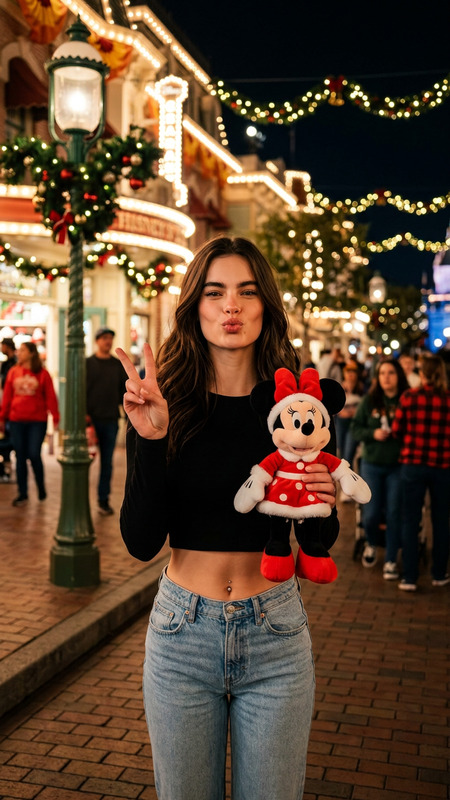
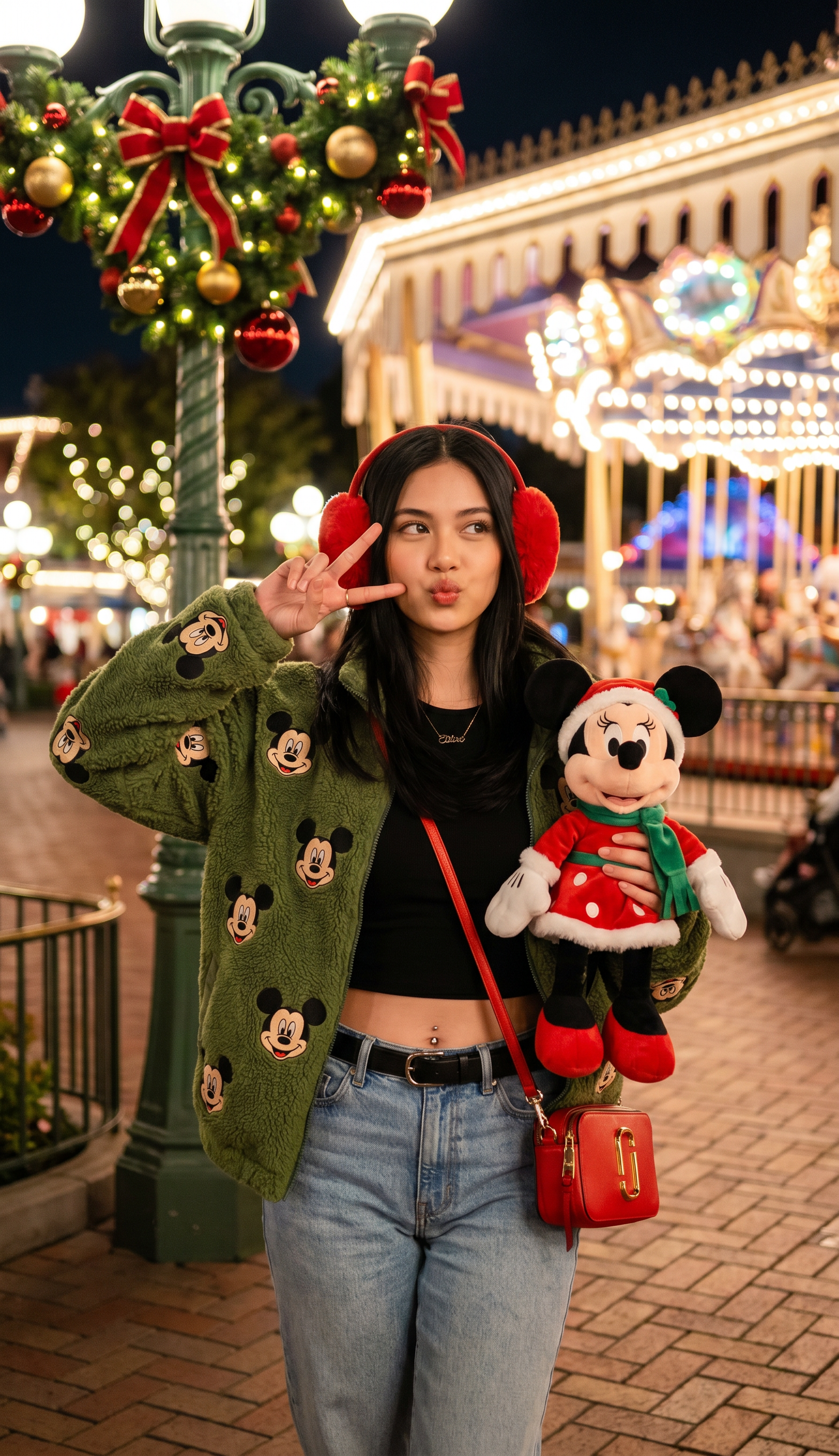
Using my reference image. DO NOT CHANGE THE FACE — keep all facial features exactly the same. Create a highly detailed, festive nighttime scene at a Disney theme park during Christmas season. A young woman stands in the foreground, centered in the frame. She wears red fluffy earmuffs, a green fuzzy jacket embroidered with multiple smiling Mickey Mouse faces, a black crop top revealing a subtle navel piercing, high-waisted light blue jeans with a black belt, and carries a small red crossbody purse with gold hardware. In her left hand, she holds a plush Minnie Mouse doll dressed in a red Santa outfit with white trim and a green scarf, while making a playful peace sign near her face and puckering her lips in a cute kiss pose. A delicate gold necklace with a small pendant adorns her neck. The shot is an eye-level, straight-on medium portrait from the waist up, captured with a Fujifilm professional camera, using shallow depth of field to keep her in perfect focus while softly blurring the background. Behind her, a classic green lamppost wrapped in Christmas garland, twinkling warm white lights, red ribbons, gold ornaments, and red baubles decorates the scene. To the right, a glowing carousel with a white canopy and colorful string lights illuminates the festive night. The ground is paved brick, and distant bokeh lights from park attractions create a magical atmosphere. The overall mood is joyful, whimsical, and full of holiday spirit — vibrant colors, warm golden lighting, cinematic composition, photorealistic style, and 8K ultra-HD quality.
Any aspect ratio
Overview
The Christmas Photo AI Image Editor template is designed to transform your images into a festive masterpiece. Using cutting-edge AI technology, it crafts a vibrant holiday scene at a Disney theme park, ensuring the highest attention to detail while maintaining the integrity of facial features. This template leverages the powerful nano-banana-pro model to deliver stunning, photorealistic results.
What It Does
This template uses your reference image to create a highly detailed, festive nighttime scene captured in impressive 8K ultra-HD quality. It retains all facial features exactly as they are, ensuring personal expressions remain untouched while adding elements like red fluffy earmuffs, a green fuzzy jacket with Mickey Mouse faces, and a Christmas-themed Minnie Mouse doll. The backdrop is faithfully populated with classic holiday decorations, a glowing carousel, and bokeh lights for a magical, cinematic effect.
Who It's For
Perfect for photographers, social media influencers, and Disney enthusiasts, this AI Image Editor template caters to those looking to inject a dose of holiday spirit into their images. It's ideal for anyone wanting to combine personal portraiture with the whimsical magic of a Disney Christmas setting.
Summary
Utilizing the AI Image Editor capabilities of this template, you can enhance your images with vibrant holiday themes set in a Disney park atmosphere. Maintaining photorealism and personality-specific details, this tool is perfect for creating seasonal content that is both joyful and visually compelling. Find more creative tools in our AI GIF Generator and AI Clothes Changer.
How-To
Choose

Customize

Generate

Use Cases
Personal Holiday Greetings
- Add a touch of Disney magic to family photos.
- Preserve unique facial features while enhancing festive elements.
- Ensure 8K quality for printing or digital sharing.
Holiday Marketing
- Ideal for social media posts and advertisements.
- Seamless incorporation of branded clothing and accessories.
- Creates a festive atmosphere that draws attention.
Best Practices
Maintain Originality
Ensure your reference image is clear and matches the desired framing for best results.Enhance with Accessories
Use clothing and accessories that add to the festive theme without overwhelming the composition.Utilize High-Resolution Images
Upload the highest quality reference images to make full use of the 8K rendering capability.