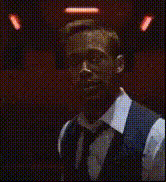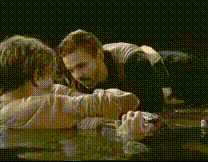
Leonardo Dicaprio In Titanic
Overview
Transform your videos by inserting Leonardo DiCaprio into iconic scenes from "Titanic" with this Video Face Swap template. Whether you're creating content for fun or exploring creative editing, this tool offers an innovative approach by allowing you to blend faces in video clips seamlessly.
What It Does
This template utilizes advanced face swapping technology to replace the face of any character in "Titanic" scenes with Leonardo DiCaprio's. Building on tools like the Video Face Swap and Image to Video services, it maintains the scenes' aesthetics while dynamically adjusting to different angles and lighting conditions.
Who It's For
Ideal for filmmakers, content creators, and social media enthusiasts looking to create unique and engaging content. This template serves those in need of quick and professional-grade edits without the hassle of complex manual operations. It’s also well-suited for educators and fans recreating memorable moments for presentations or personal projects.
Summary
The Leonardo DiCaprio In Titanic Video Face Swap is a specialized tool that allows users to blend visual creativity with technical precision. Whether you're enhancing a scene for storytelling or exploring transformations, this template, alongside the AI Video Generator, offers ample possibilities for customization and engagement.
How-To
Choose Your Template

Customize Inputs

Generate Your Video

Use Cases
Social Media Content
- Engage followers with creative edits
- Use for challenges and social media trends
Film and Video Projects
- Enhance narrative storytelling
- Demonstrate digital editing techniques
Personal Entertainment
- Reimagine iconic scenes
- Share fun videos with friends
Best Practices
Optimize Video Clips
Use high-resolution video clips for better quality and accuracy in face swaps. Proper lighting within the clip will enhance the final result.Select Clear Faces
Ensure the faces in your video clips are clearly visible to achieve a more realistic swap. Avoid using clips where faces are obscured or moving too fast.Fine-Tune Adjustments
Make use of the adjustment sliders to align Leonardo’s facial features precisely to match lighting and angles in the original clip for a cohesive look.