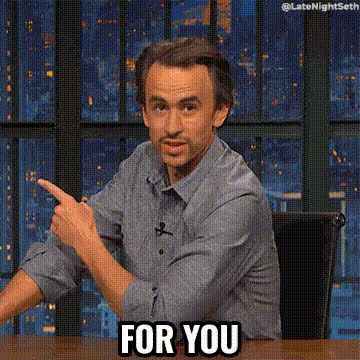
Leonardo Dicaprio Pointing
Overview
Bring the magic of the movies into your projects with the Leonardo Dicaprio Pointing video face swap template. Ideal for meme generation or creative edits, this tool allows you to swap faces in existing videos with that of Leonardo Dicaprio, capturing his iconic, cinematic expressions. Whether you are aiming to create viral content or add a fun twist to personal videos, this template is designed to meet your needs.
What It Does
The Leonardo Dicaprio Pointing template leverages advanced video face swap technology to replace faces in any video scene with Leonardo Dicaprio's. Perfect for creating high-quality memes or entertaining edits, this template taps into Dicaprio's expressive range, adding layers of humor and recognition. It pairs well with other tools like the Video Face Swap and AI GIF Generator for extended creativity.
Who It's For
Creators, meme enthusiasts, and video editors aiming to add a Hollywood twist to their content will find this template invaluable. It's particularly suited for those familiar with editing workflows and interested in enhancing their videos with familiar faces. Paired with tools like the AI Meme Generator, it empowers users to produce engaging and viral content with ease.
Summary
From producing viral memes to cinematic video edits, the Leonardo Dicaprio Pointing template offers endless creative possibilities. Utilize it alongside AI Image Editor and Text-to-Video products to maximize your editing capabilities. This template is your gateway to crafting memorable content that stands out in a crowded digital landscape.
How to Use
Choose the Template

Customize Your Video

Generate Your Content

Use Cases
Meme Creation
- Create iconic meme moments
- Add Hollywood flair to current memes
Entertainment Edits
- Add a humorous touch to home videos
- Edit family footage to include a famous face
Social Media Content
- Create unique, shareable content
- Increase engagement rates with familiar faces
Best Practices
Use High-Quality Footage
Ensure your source video is of high resolution to achieve the best swap results.Pay Attention to Lighting
Good lighting in your video enhances face recognition and swap accuracy.Experiment with Angles
Test different angles in your footage for the most dynamic and realistic swaps.