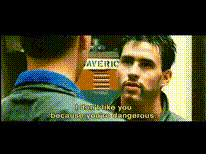
Template preview

tom-cruise-in-sunglasses

face-swap

1 clip
4 uses

Any aspect ratio

Tags

transformations

Face Swap Video Template: Turn Any Clip into a Branded, On‑Face Story

Use this Face Swap template to instantly put your (or your actor’s) face into any video and turn existing footage into fresh, on‑brand content. Ideal for social ads, UGC variations, founder-led content, character videos, and rapid A/B testing—without new shoots or complex editing.

This template is built on Magic Hour’s AI Face Swap technology and the reusable Face Swap Video workflow, so you can remix it in minutes.


What You Can Do with This Template

Use this template as a starting point to:

  • Localize and personalize existing videos
    • Replace the original actor with a local presenter or your own face
    • Produce region‑specific or persona‑specific variants from one master asset
  • Scale ad and UGC creative
    • Turn one top‑performing video into dozens of on‑face variations for different audiences
    • Test new hooks, intros, or characters without reshooting
  • Create founder / expert videos at scale
    • Put the founder’s face into product demos, explainers, and onboarding videos
    • Maintain consistency across campaigns while updating scripts and formats
  • Build character‑driven content
    • Swap real faces onto stylized or animated bodies
    • Combine with tools like AI Talking Photo and Animation to create recurring characters

Face swapping is widely used in marketing, entertainment, and localization workflows to repurpose assets and increase personalization while keeping production costs low—see, for example, industry overviews from MIT Technology Review and Stanford HAI on responsible synthetic media.


How to Remix This Template in Magic Hour

You can recreate or adapt this template with just a few assets:

  1. Open the base workflow

    • Start from the Face Swap Video page.
    • Load this template if available, or use it as a reference and build your own variation.
  2. Add your source face

    • Upload a clear, well‑lit photo or a video frame of the person whose face you want to insert.
    • For best results, use a forward‑facing shot with natural expression and minimal occlusion (no heavy shadows, masks, or large sunglasses).
  3. Choose your target video

    • Use any existing clip where you want to replace the original face:
      • Product demos and explainers
      • UGC or testimonial videos
      • Lifestyle, B‑roll, or talking‑head segments
    • Ensure the target face is visible and not fully blocked for the segments you care about.
  4. Run the face swap

    • Generate the swapped video and quickly review:
      • Does the identity match your source person?
      • Are expression and head movement transferred naturally?
    • If needed, try an alternative source image (different pose, lighting, or expression) to improve realism.
  5. Iterate and version for campaigns

    • Duplicate the project and swap in:
      • Different team members or creators for multivariate testing
      • Different personas for localized ads or product lines
    • Export final videos and plug them directly into your ad platforms or content calendar.

Because this template is built on a reusable workflow, you can treat it like a “macro” for your creative operations: drop in new faces and new target footage to continuously refresh your pipeline.


Advanced Remix Ideas for Creators, Marketers, and Builders

If you’re experimenting beyond a single video, combine this template with other Magic Hour tools:

  • Turn static images into on‑face videos

  • Create character / avatar series at scale

  • Hyper‑personalized communication

  • Consistent brand identities and headshots

    • Use AI Headshot Generator to create on‑brand portraits for your team.
    • When you feature them in videos, reuse their face data with face swap to keep identity and style consistent across campaigns.

Best Practices for High‑Quality Face Swaps

To get production‑quality outputs that work in real campaigns:

  • Use high‑quality, rights‑cleared assets

    • Always have permission to use a person’s likeness and the target footage, especially for commercial use.
    • Prefer original or licensed clips over scraped or low‑res content.
  • Prioritize lighting and clarity

    • Sharp, well‑lit source and target faces dramatically improve realism.
    • Avoid extreme motion blur, heavy shadows, or strong color casts when possible.
  • Match angle and expression where you can

    • A neutral, front‑facing source image works across many targets, but
    • For challenging angles or strong emotions, experiment with multiple source images.
  • Respect platform policies and disclosure norms

    • Major ad platforms and social networks now require disclosure for synthetic or AI‑modified content.
    • Clearly label AI‑assisted assets and follow your industry’s compliance guidelines.

Related Magic Hour Tools for Your Workflow

Depending on your pipeline, this template often pairs well with:


Who This Template Is For

This Face Swap template is designed for:

  • Performance marketers who need more ad variations from fewer shoots
  • Startup teams and founders who want to appear in more content without spending all day on camera
  • Creators and agencies building recurring characters, spokespeople, or localized content at scale
  • Developers and product teams prototyping AI‑powered media workflows or personalization features

Use it as a drop‑in building block: start with this template, swap in your face and footage, and quickly evolve it into a bespoke pipeline tuned to your brand, product, and audience.

More Like This

Insufficient credits