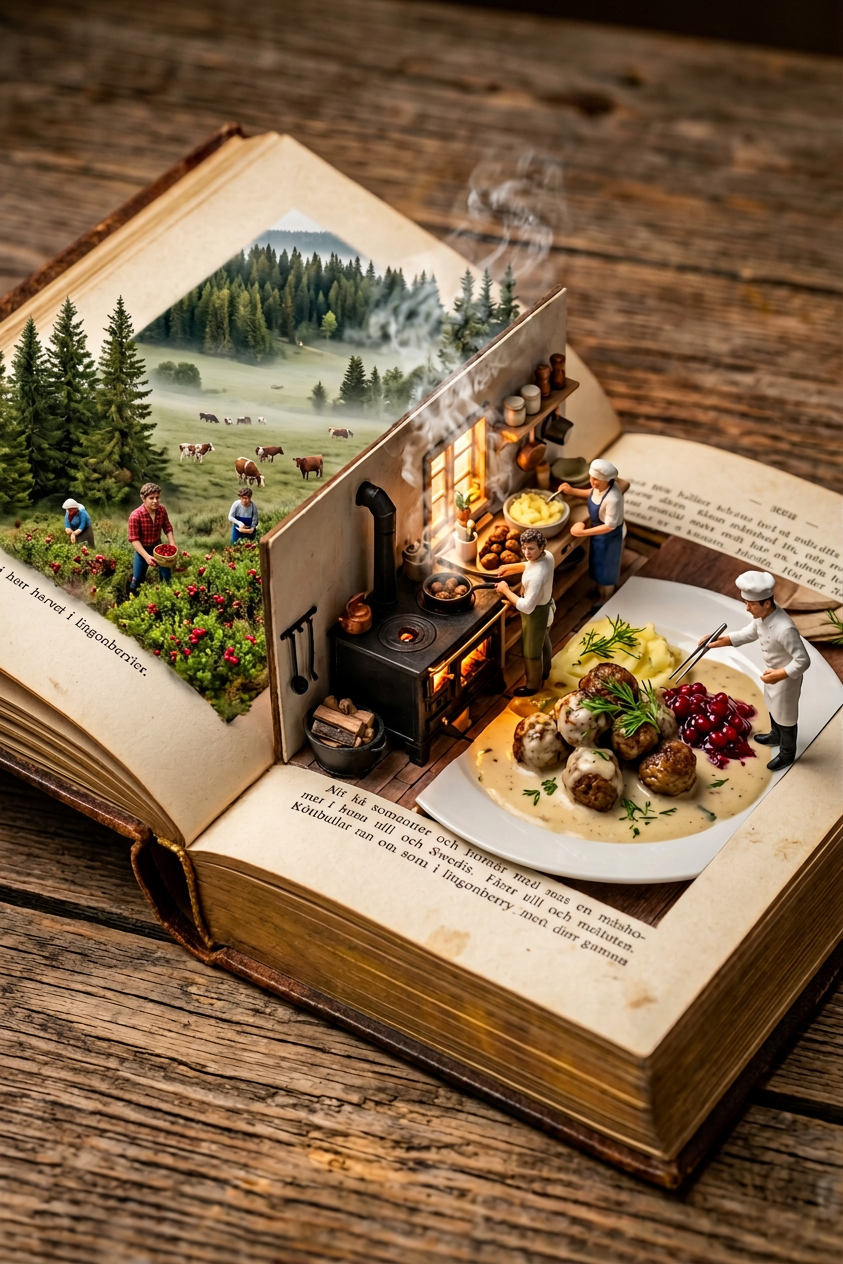
Culinary Pop-Up Spread

Culinary Pop-Up Spread

ai-image-editor

1 clip
0 uses

Any aspect ratio

Prompt

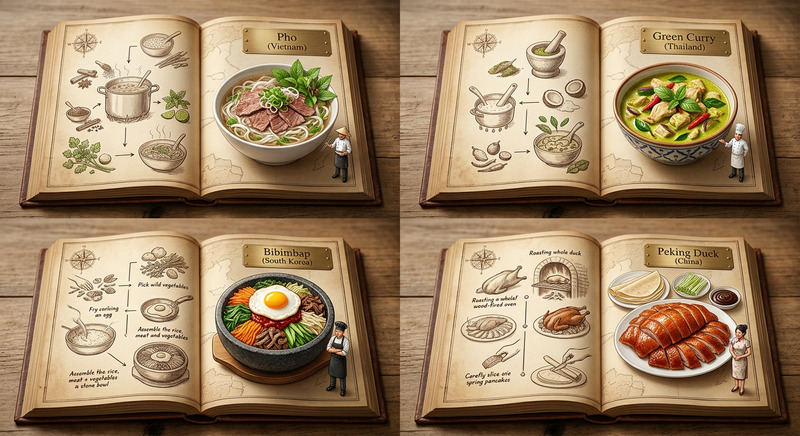
Subject transforms into a miniature 1:87 (HO scale) pop-up cookbook diorama set within an ancient leather-bound book on a rustic wooden table. Left page reveals a dense Swedish pine forest with misty pastures and lingonberry bushes, where tiny foragers harvest berries and farmers tend cattle. The center gutter becomes a transformation zone with a classic wood stove and cast-iron skillet, emitting warm buttery steam and savory smoke. Right page presents the final dish—Köttbullar (traditional Swedish meatballs) in rich cream sauce with mashed potatoes—while miniature chefs garnish with dill and lingonberry jam. Tilt-shift photography, warm rustic lighting, cozy Scandinavian hygge aesthetic, ultra-detailed 8K.

Transform any portrait into a stylized digital illustration with this Magic Hour AI Image Editor template. It’s designed for fast, repeatable results: clean lines, smooth shading, and a consistent “brandable” look you can reuse across profiles, presentations, pitch decks, and social media.

This page explains what the template does, why it works, and how you can remix it to create your own version in Magic Hour.


What this template does

Using the AI Image Editor, this template:

  • Converts a real photo into an illustration-style avatar
  • Preserves identity (facial structure, expression, key features)
  • Smooths skin and tones while avoiding “plastic” over-smoothing
  • Adds mild stylization suitable for professional use (LinkedIn, portfolios, team pages)
  • Works well on single-subject, front-facing portraits

It’s ideal if you want:

  • Consistent illustrated headshots for a team or startup
  • A recognizable but stylized profile image for LinkedIn, X, GitHub, or your personal site
  • A visual style that’s easy to standardize across brand assets

If you need something more photo-real but polished, combine this with the AI Headshot Generator or AI Face Editor.


Best use cases

1. Founders, creators, and experts

Turn a single selfie into a clean illustrated portrait you can reuse across:

  • Pitch decks and investor docs
  • Personal landing pages and newsletters
  • Podcasts, YouTube thumbnails, and speaking promo assets

Pair this with the Thumbnail Maker for cohesive YouTube or webinar visuals.

2. Startup and agency teams

Generate a unified illustrated style for your whole team while keeping each person recognizable:

  • Use one base style and remix it for multiple teammates
  • Export consistently for “About” pages, slide templates, CRM thumbnails
  • Refresh visuals quickly as your team grows

For higher resolution output, upsize results using the AI Image Upscaler.

3. Brand and social media systems

Use this template as a base to build a reproducible “house style”:

  • Create style variants for founders, product shots, and community members
  • Reuse the same look across LinkedIn carousels, Twitter/X threads, and blog author bios
  • Combine with the AI Image Generator to design backgrounds or supporting illustrations in a matching aesthetic

How to use this template in Magic Hour

You can start from this template as-is, or quickly remix it to fit your brand.

Step 1: Open the template in AI Image Editor

  1. Go to the AI Image Editor.
  2. Upload a clear portrait photo (good lighting, face visible, minimal obstruction like sunglasses).
  3. Apply the template to instantly convert the image into an illustration-style avatar.

You’ll get a stylized version that maintains core identity while smoothing details and simplifying shapes.

Step 2: Remix for your own style

Once you have a result you like, you can remix it into a custom, reusable style for your project:

  • Change the mood
    Use a more serious, corporate look for LinkedIn, or a brighter, playful style for creator brands and social media.

  • Adjust background concepts
    After creating the portrait, use the AI Background Generator or Image Background Remover to:

    • Place your avatar on brand colors or gradients
    • Insert office, studio, or abstract tech-inspired scenes
    • Create profile-ready transparent PNGs
  • Build a full-character look
    If you need full-body illustrations or branded character art:

  • Create multiple style variants
    Remix and save different versions for:


Tips for high-quality results

To get the most out of this template:

  • Use sharp, well-lit photos
    Clear lighting and visible facial features produce more accurate, flattering stylizations. If your image is slightly blurry, you can pre-process it with Unblur Image.

  • Keep the composition simple
    Single person, minimal background clutter, and a clear view of the face work best. Complex scenes are better handled with a dedicated AI Art Generator.

  • Aim for consistency
    For teams or multi-image sets, upload images that:

    • Have similar framing (head and shoulders)
    • Use roughly similar lighting
    • Keep facial expressions relatively neutral
  • Post-process when needed


Going beyond a single image

Once you have an avatar style you like, you can turn it into a broader content system with other Magic Hour tools:


Why this template works well with generative tools

From a technical and workflow standpoint, this AI Image Editor template is optimized for:

  • Structure preservation
    It keeps key facial geometry, which makes it compatible with tools like Face Swap, AI Selfie Generator, or AI Face Generator in follow-up steps.

  • Stable style transfer
    Because it simplifies textures and noise, it provides a strong base for:

  • Reusable prompts and remix paths
    Once you find a look that fits your brand, you can reuse the same approach as a starting point for:

    • Illustrated team photos
    • Creator identity systems
    • Product mascots or recurring characters

How to remix this template into your own

To create your own version of this AI Image Editor template inside Magic Hour:

  1. Start from this template and apply it to a few diverse test photos.
  2. Identify what you want to tweak: more realistic, more stylized, brighter, darker, or themed (e.g., “tech founder,” “creative director,” “gaming streamer”).
  3. Save your favorite variations and reuse them as your “house style” for new uploads.
  4. Connect that style with complementary tools (e.g., AI Background Generator, Thumbnail Maker, AI Art Generator) to build a coherent content pipeline.

Because everything lives in the Magic Hour ecosystem, you can move from:

Use this template as your baseline, then iterate until your illustrated portraits feel like part of a unified brand identity.

More Like This