Luxury Pancake Shot
- Model
- Nano Banana 2
- Image
- 768 × 1365 px
Prompt
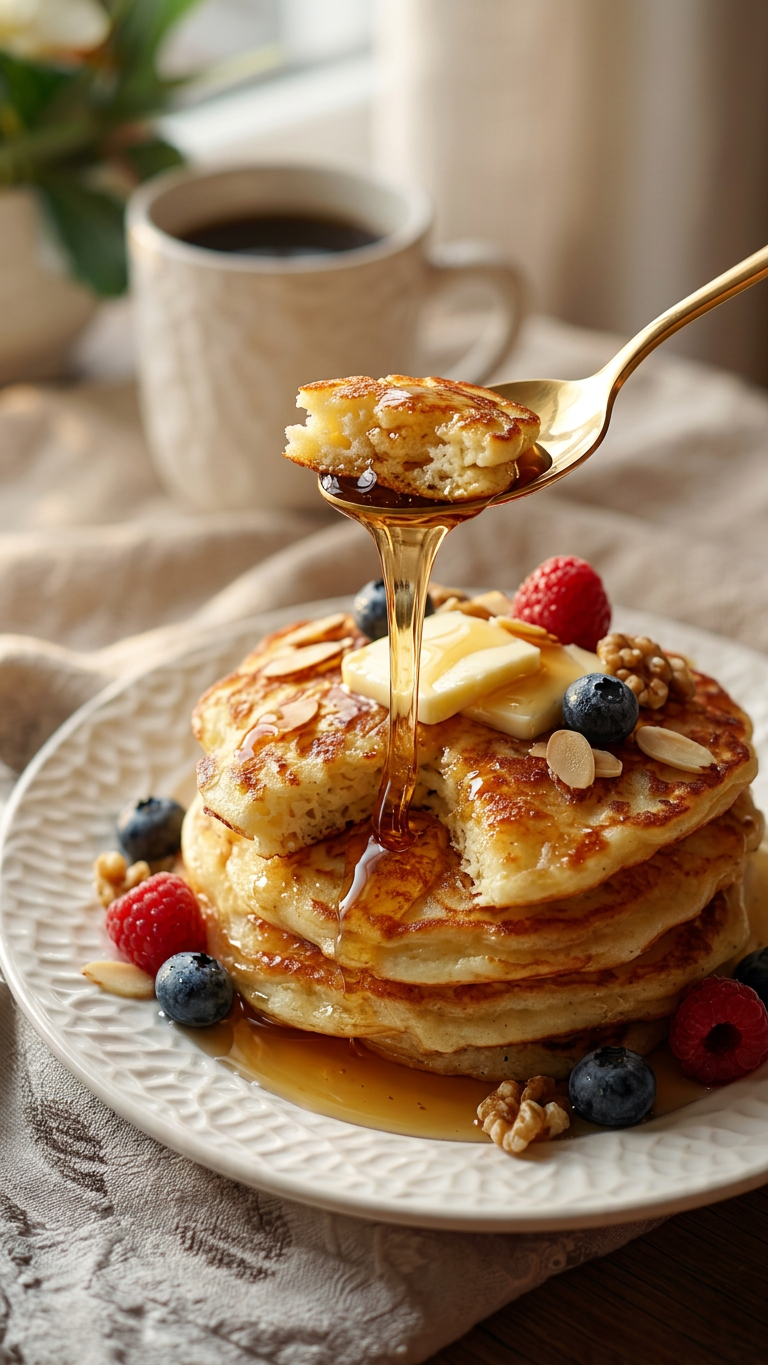
Subject is a stack of thick, fluffy American pancakes with golden-brown edges, topped with glossy maple syrup dripping slowly, fresh berries, and nuts; a golden spoon gently takes a bite with realistic syrup stretch; minimal high-end plating, soft beige blurred background; warm morning light with cinematic feel; close-up shot, shallow depth of field, ultra-realistic textures, high detail, commercial food photography style, 8K quality.
Any aspect ratio
Overview
The Luxury Pancake Shot template is designed for those who want to achieve high-end, ultra-realistic images of gourmet dishes. This AI Image Editor comes with predefined settings to capture the warmth of a morning glow, lavish textures, and intricate details, turning a simple stack of pancakes into an elegant visual masterpiece. It's perfect for commercial food photography or enticing social media posts.
What It Does
This template leverages the capabilities of the AI Image Editor to transform ordinary pancake images into opulent, cinematic shots. With a focus on high detail and realism, it captures every glossy droplet of syrup and texture of fresh berries, creating an indulgent image that elevates your food photography to new heights.
Who It's For
Whether you are a food photographer, blogger, content creator, or an entrepreneur running a cafe or food delivery service, the Luxury Pancake Shot is perfect for showcasing your culinary delights. It suits anyone looking to make a strong visual impact with mouth-watering imagery. This template is also ideal for product videos and advertising campaigns that aim to highlight quality and luxury.
Summary
Bring the sumptuous world of gourmet cuisine into your visual content using the Luxury Pancake Shot. By utilizing the refined capabilities of the AI Image Generator, it adds an atmosphere of sophistication and elegance to your images, making them irresistible to viewers. Perfect for high-end food marketing and digital menus.
How to Use
Choose the Template

Customize Your Scene

Generate Your Image

Use Cases
Food Blogging
- Draws viewer's attention
- Increases engagement
Restaurant Advertising
- Professional quality
- Attracts customers
Social Media Posts
- Viral potential
- Shares prominently
Best Practices
Focus on Lighting
Utilize warm lighting settings to maintain the template's sophisticated morning ambiance, enhancing the luxury feel.Emphasize Texture
Ensure the texture of your pancakes is highlighted to add realism and depth to your images, mimicking high-end photography.Keep It Minimal
Stick to minimalist plating to not overshadow the scene's elegance and keep the focus on the pancakes themselves.