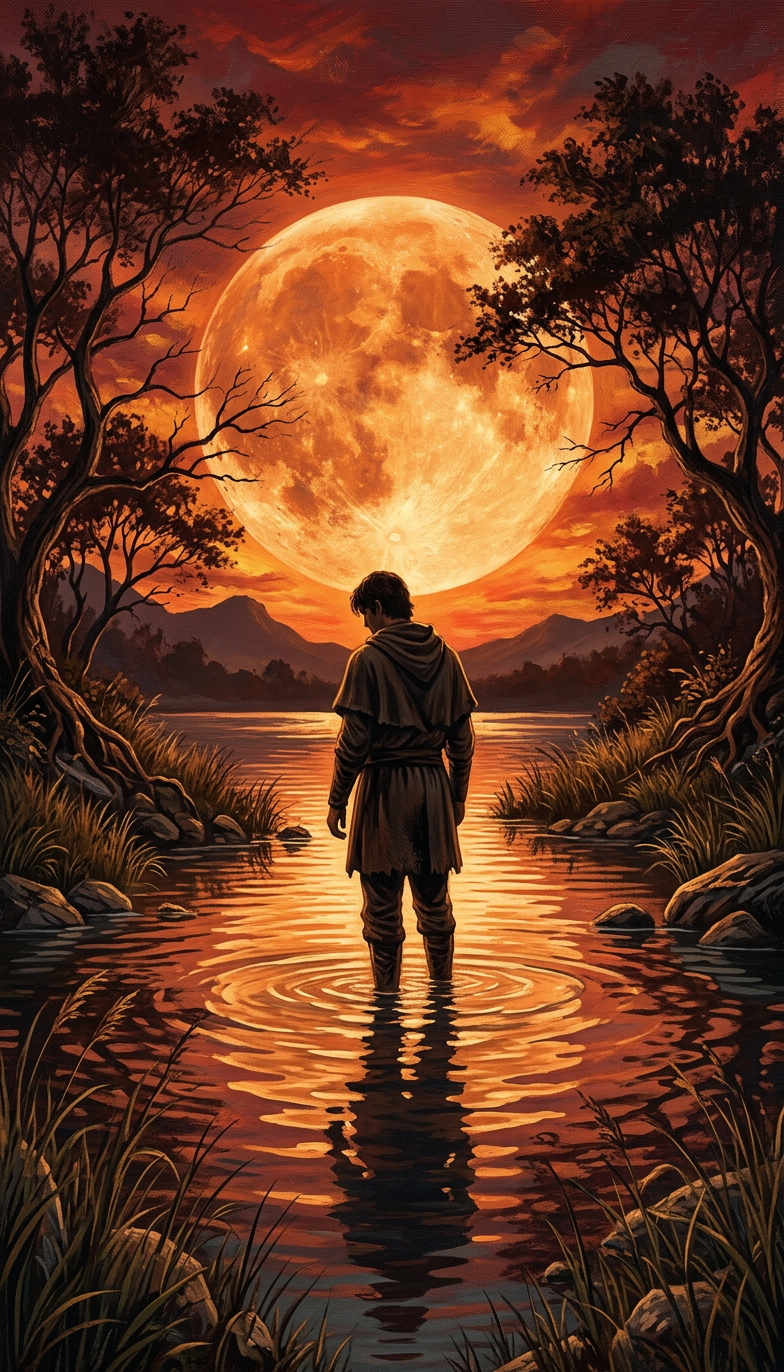
Moonlit River Silhouette
- Model
- Nano Banana 2
- Image
- 784 × 1372 px
Prompt
Generate a cinematic digital painting of a solitary subject standing knee-deep in a calm river, viewed from behind and centered in the composition; the subject faces a massive glowing orange full moon dominating a fiery sunset sky; the scene is bathed in intense warm hues of orange and red, with dramatic lighting reflecting across the water’s surface; silhouetted trees with dark foliage and bare branches frame the composition, their reflections rippling softly in the river; distant mountains sit beneath the vibrant sky, adding depth; the riverbanks are lined with tall grasses and scattered rocks; the overall aesthetic is painterly with subtle texture, creating a serene, mystical, and contemplative atmosphere.
Any aspect ratio
Overview
Explore the exquisite "Moonlit River Silhouette" template, a unique offering from the AI Image Editor. This template empowers creators to produce an evocative digital painting that combines the realism of AI with the artistic touch of a master painter. Using the nano-banana-2 model, this design captures the tranquility and beauty of a solitary subject immersed in a serene natural setting.
What It Does
"Moonlit River Silhouette" employs advanced image editing technology to transform ordinary visuals into cinematic masterpieces. The template allows for the integration of vibrant hues, dramatic lighting, and intricate textures. Users can customize elements such as the moon's glow, water reflections, and the texture of the trees using the AI Image Editor interface.
Who It's For
Ideal for photographers, digital artists, and content creators looking to enhance their projects with a touch of elegance and mysticism. This template fits perfectly for those involved in creating promotional materials, social media imagery, or artistic portfolios. It also caters to users interested in product videos where serene and captivating visuals are a requirement.
Summary
The "Moonlit River Silhouette" template is designed for those who wish to infuse their visual content with depth and emotion. Leveraging the capabilities of the nano-banana-2 model and the flexibility of the AI Image Editor, users can expect an eloquent blend of artistry and technology, resulting in stunning output every time.
How To
Choose Your Template

Customize Your Inputs

Generate Your Image

Use Cases
Social Media Imagery
- Instagram posts featuring dreamy night scenes.
- Facebook cover photos with artistic elements.
Promotional Materials
- Brochures for travel and nature tours.
- Flyers for ambient music events.
Digital Art Portfolios
- Add depth and serenity to your artwork collection.
- Showcase your versatility in digital manipulation.
Best Practices
Experiment with Lighting
Adjust the brightness and contrast settings to emphasize the moon's glow and the water's reflections.Focus on Composition
Arrange elements like trees and mountains to enhance depth and guide the viewer's eyes to the focal point.Leverage Textures
Use painterly textures to add a layer of subtlety and refinement to the scene, enhancing the image’s ethereal quality.