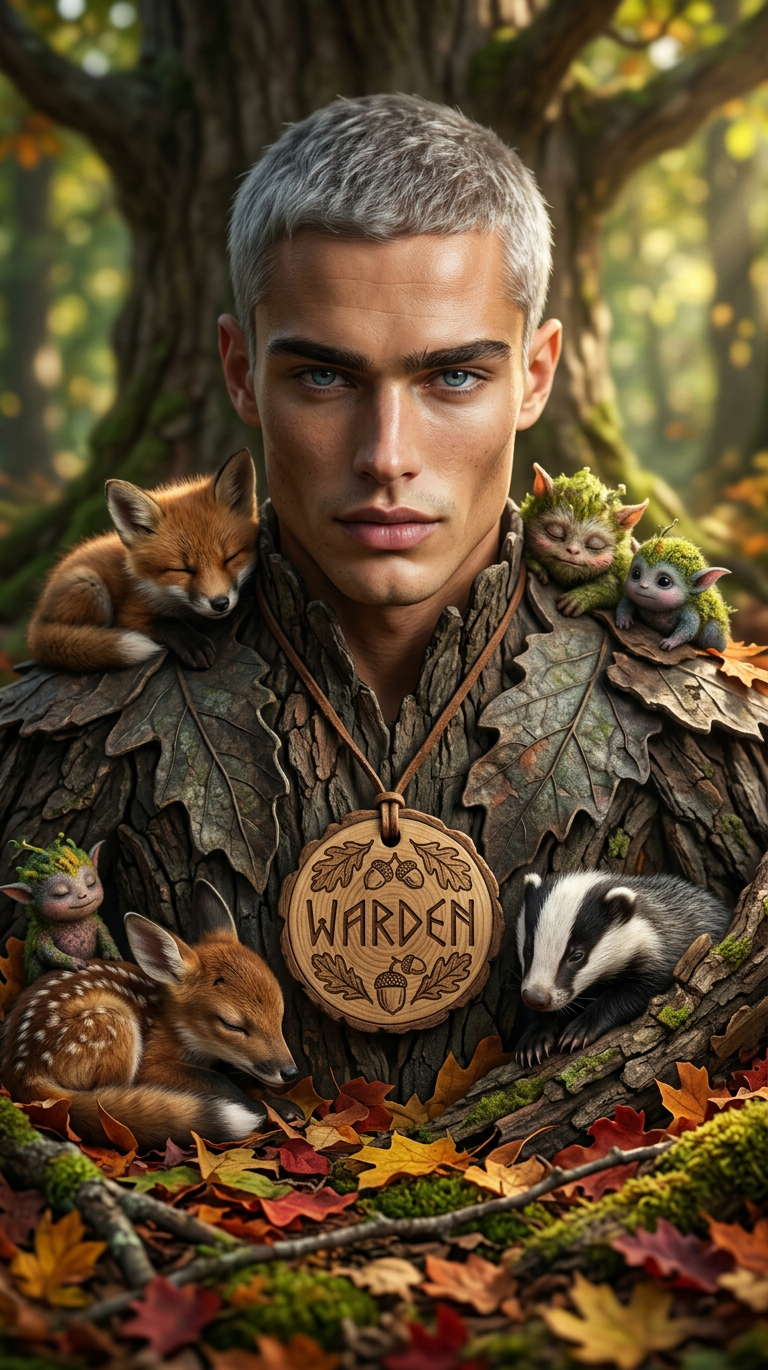
Autumn Forest Gathering
- Model
- Nano Banana 2
- Image
- 768 × 1370 px
Prompt
Subject: A photorealistic large central creature wearing a round engraved wooden tag, surrounded by six smaller creatures nestled together on a forest floor. The subject is set among vibrant autumn leaves in red, orange, and yellow with patches of green moss and small branches, while blurred tree trunks and soft sunlight create a warm natural atmosphere. Highly detailed textures, cozy and heartwarming mood, rich earthy tones.
Any aspect ratio
Overview
Explore the enchanting beauty of autumn with the Autumn Forest Gathering template. This AI Image Editor is tailored to bring out the warm and cozy ambiance of the fall season, capturing the intricate details of a vibrant forest setting. Ideal for creative professionals looking to incorporate seasonal elements into their work, this template makes transforming your images into autumn masterpieces straightforward.
What It Does
The nano-banana-2 model powers this template, providing highly detailed textures and a photorealistic finish. The AI Image Editor enables you to create scenes involving a central creature and smaller companions against a backdrop of brilliantly colored leaves and soft sunlight, offering a rich, earthy tone ideal for storytelling or atmospheric imagery.
Who It's For
This template is perfect for photographers, graphic designers, and nature enthusiasts who want to encapsulate the essence of autumn in their projects. Whether you are designing seasonal cards, enhancing digital media, or crafting a nature-focused art piece, the AI Image Generator offers the tools to create stunning visuals effortlessly.
Summary
With the Autumn Forest Gathering template, capture the warmth and inviting essence of an autumn forest. Leveraging our AI Clothes Changer along with the natural tones and textures, the template makes it simple to realize your vision. Perfect for applying high-detail texturing to your projects, it turns simple ideas into captivating visual narratives.
How To
Choose the Template

Customize Your Scene

Generate Your Image

Use Cases
Seasonal Greeting Cards
- Rich colors and textures
- Photorealistic environments
Nature-Themed Art
- Earthy tones
- Intricate creature designs
Digital Media Content
- Eye-catching visuals
- Warm color palettes
Best Practices
Keep It Natural
Use earthy tones to maintain the natural feel, ensuring elements like leaves and moss complement the central scene.Leverage Lighting
Make use of the soft sunlight features to cast warm highlights on your subjects, enhancing the heartwarming mood.Focus on Details
Utilize the AI Image Editor's capability to edit textures for a richly detailed and realistic scene.