Mars Bloom Astronaut

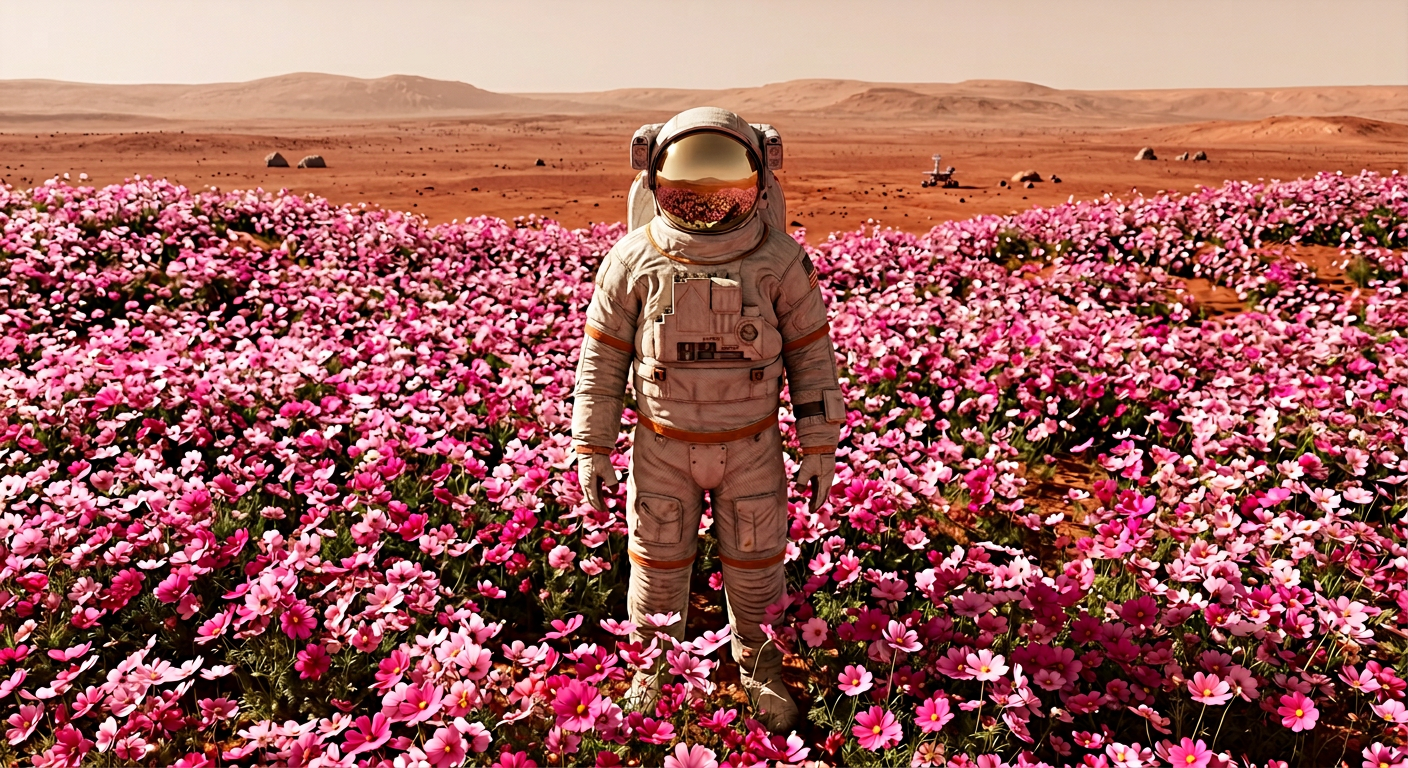
Mars Bloom Astronaut

ai-image-editor

1 clip
1 uses

Any aspect ratio

Prompt

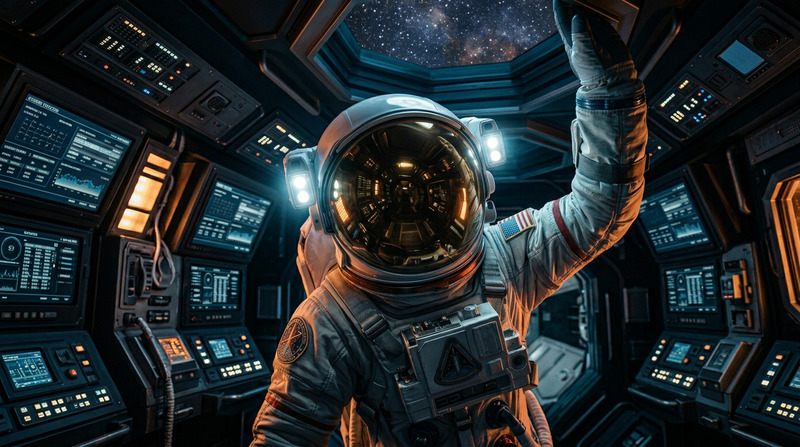
A hyper-realistic full-body portrait of an astronaut standing in a vast field of vibrant pink cosmos flowers on Mars. The subject wears a lifelike, intricately textured space suit with visible creases, subtle wear, and realistic visor reflections. The flowers rise to mid-height and gently sway, surrounding the subject. Captured from a high vantage point, revealing a wide expanse of pink blooms against the red Martian terrain. Bright sky with soft sunlight and warm, diffused shadows creates a dreamy yet realistic atmosphere. Ultra-detailed, cinematic, 8K quality.

AI Image Editor Template: Clean Up, Transform, and Remix Any Image in Minutes

Use this AI Image Editor–powered template to quickly enhance, fix, or radically transform any image—without manual Photoshop work. Ideal for marketers, designers, founders, and creators who need on-brand visuals fast.

This template is built on the AI Image Editor, so you can:

  • Remove unwanted objects, text, and distractions
  • Replace or regenerate backgrounds
  • Change faces, outfits, or styles while keeping structure and composition
  • Upscale, sharpen, and restore older or low-resolution images
  • Create multiple variations for A/B testing and campaigns

What You Can Do With This Template

Use this template as a starting point for:

  • Marketing & product shots

    • Clean up e‑commerce photos by removing clutter or props
    • Replace backgrounds to match brand palettes or campaign concepts
    • Generate multiple versions of hero images for landing pages and ads
    • Pair with the AI Image Upscaler to make images crisp for high-res displays
  • Social & creator content

    • Remove awkward objects from photos with the AI Remover
    • Turn a basic selfie into an on-brand avatar with the Avatar Generator
    • Edit faces or expressions using AI Face Editor and then refine details in this template
    • Generate memes and then clean them up or localize them with the AI Meme Generator
  • Branding, decks, and product storytelling

    • Create consistent visual styles across pitch decks and product shots
    • Remove watermarks from your own assets with the Watermark Remover (for assets you own rights to)
    • Generate illustrations with the AI Illustration Generator or AI Art Generator, then refine them using this image editor template
  • Technical and product teams

    • Iterate on UI mockups by quickly swapping device frames or backgrounds
    • Clean up screenshots for documentation and marketing sites
    • Prepare assets for video workflows using Image to Video or Text to Video

How to Remix This Template in Magic Hour

You can create your own version of this template in a few steps:

  1. Open the AI Image Editor

    • Go to the AI Image Editor.
    • Upload the image you want to improve or transform.
  2. Identify what needs to change

    • Decide whether you want to:
      • Remove objects or people
      • Change the background
      • Edit faces or outfits
      • Enhance quality (sharpen, upscale, restore)
    • For simple removals (logos, people, clutter), you can also start from the “Remove Object from Photo” tool.
  3. Apply focused edits

    • Use the editor to:
      • Erase & inpaint: Remove unwanted elements and let AI fill the gap contextually.
      • Regenerate regions: Select a portion of the image (background, clothing, props) and transform it while keeping the rest intact.
      • Face and portrait tweaks: Combine with tools like AI Face Generator, AI Headshot Generator, or AI Selfie Generator to create or swap faces, then refine details here.
  4. Enhance and finalize

  5. Save your template pattern

    • Once you’ve found a workflow you like (e.g., “remove background → regenerate product context → upscale”), repeat it on new images to effectively create your own reusable “template” within Magic Hour.
    • You can also chain tools:

Advanced Use Cases for Professionals

For teams building repeatable, scalable content pipelines:


Combine With Other Magic Hour Templates

This AI Image Editor template becomes more powerful when combined with other Magic Hour creation templates:

  • Face Swap Video template – Use Face Swap Video to generate dynamic face-swapped clips from your edited still images.
  • Lip Sync template – After creating a clean portrait or character with AI Image Editor, bring it to life with the Lip Sync template.
  • Video to Video template – Turn rough footage into stylized clips using Video to Video and then extract frames for fine-grain editing in the AI Image Editor.
  • Animation template – Design key stills in this template, then animate them using the Animation template.

You can also pair your edited images with:


Inspiration: What Other Users Build With This Template

Creators and teams typically use this template to:


Best Practices for High-Quality Results

  • Start from the highest-quality source you have
    Higher-resolution inputs give the AI more structure to work with. If your input is small or blurry, first use Unblur Image or AI Image Upscaler.

  • Work in logical stages
    For complex edits, break the workflow into steps:

    1. Restore or unblur
    2. Remove objects / clean up
    3. Regenerate regions or backgrounds
    4. Final color and style passes, then upscale
  • Keep brand consistency in mind
    If you’re a marketer or founder, reuse similar color schemes, backgrounds, and composition choices when you remix this template. It helps create a recognisable visual system across campaigns, landing pages, and decks.


Use this AI Image Editor template as your foundation, then remix it freely across Magic Hour tools to build a fast, repeatable visual pipeline—from raw image to production-ready asset.

More Like This