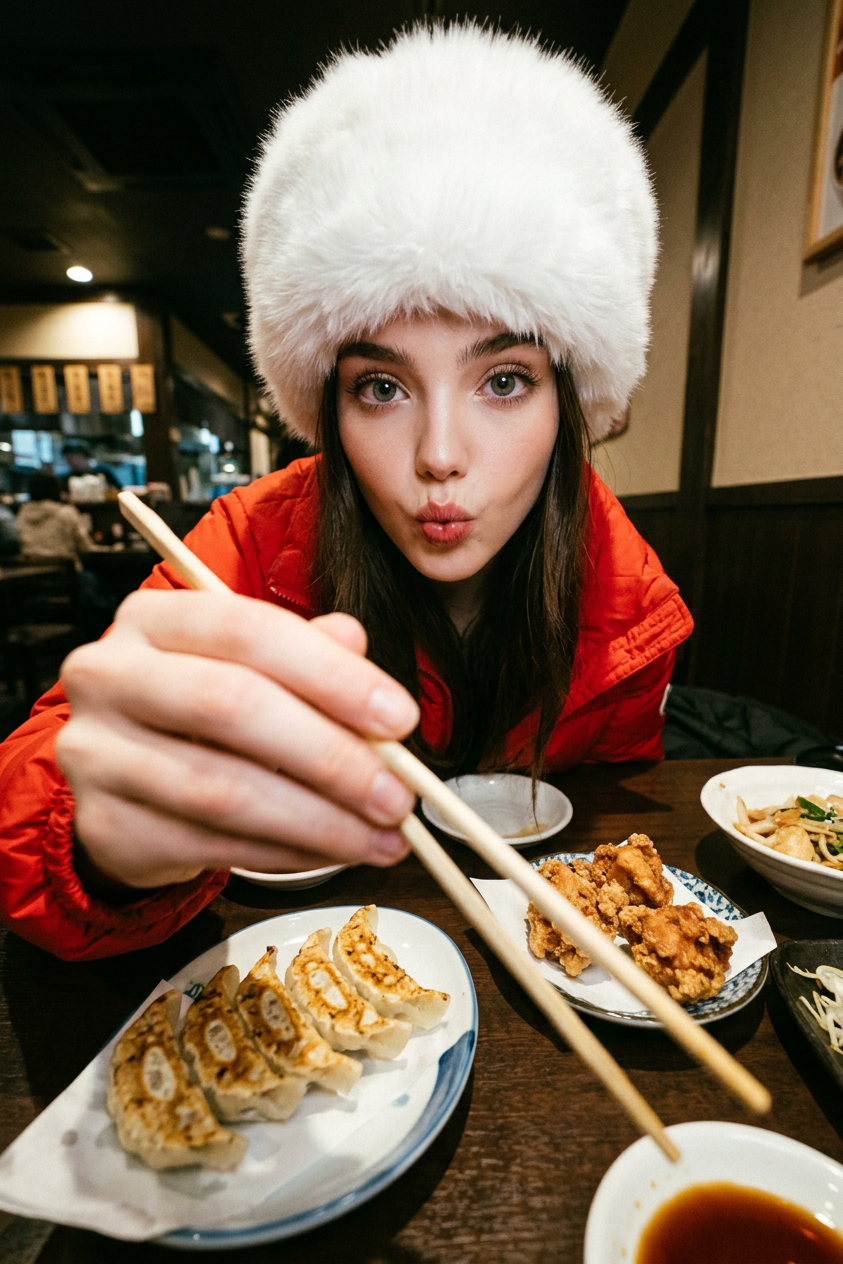
Influencer Shot
- Model
- Nano Banana 2
- Image
- 843 × 1264 px
Prompt
Generate an image of a subject based on a provided portrait in a playful, candid moment inside a dimly lit, casual Asian restaurant, where the subject leans forward over a dark wooden table wearing a large white faux fur hat and a bright red jacket, looking directly at the camera with a slight “fish-lips” expression; the scene is captured as an extreme close-up POV shot from a very low angle at table level using an ultra-wide (0.5x) lens with strong distortion, featuring a hand holding wooden chopsticks dominating the foreground and appearing oversized toward the subject’s face, with plates of gyoza and fried chicken visible, all styled with a candid snapshot, influencer-like aesthetic that feels spontaneous and intimate, using soft contrast, muted shadows, warm indoor tones, subtle grain, and avoiding oversharpening or HDR effects.
Any aspect ratio
Overview
The Influencer Shot template in our AI Image Editor collection offers a creative avenue for transforming a simple portrait into an engaging scene. Leveraging the capabilities of nano-banana-2, it crafts a playful yet intimate snapshot that can captivate any audience.
What It Does
This template generates an ultra-wide-angle image that places you at the heart of an immersive, casual dining experience. With elements like a large white faux fur hat and vibrant red jacket, it captures the essence of an influencer's candid moment. The AI Image Editor ensures every detail, from oversized chopsticks to the subtle indoor tones, is perfectly executed.
Who It's For
The Influencer Shot template is tailored for content creators, brands seeking to elevate their visual identity, and influencers aiming to engage audiences with realistic and artistic visuals. It’s equally valuable for social media managers looking to enhance posts with an influencer feel. Whether you're in AI Talking Photo creation or crafting AI Video Generator content, this template provides a robust solution.
Summary
By integrating the Influencer Shot template into your workflow, you can create visually compelling narratives that resonate with your audience. This tool is ideal for producing standout images that mimic spontaneous, influencer-style shots, making your content not only engaging but memorable as well. Explore more in our AI Image Editor suite to enhance your creativity today.
How-To
Choose the Template

Customize Your Image

Generate Your Scene

Use Cases
Social Media Promotions
- Increase follower engagement
- Enhance brand aesthetics
Content Creators
- Make videos stand out
- Reflect your unique style
Influencer Marketing
- Showcase products in dynamic settings
- Create memorable branded content
Best Practices
Focus on Details
Ensure that elements like lighting and props are distinct yet harmonious for a natural look.Play With Angles
Experiment with extreme close-ups to capture the essence of spontaneity.Incorporate Brand Elements
Add subtle brand elements in the background to maintain consistency across your content output.