Gothic Candlelight Seduction

Gothic Candlelight Seduction

ai-image-editor

1 clip
6 uses

Any aspect ratio

Prompt

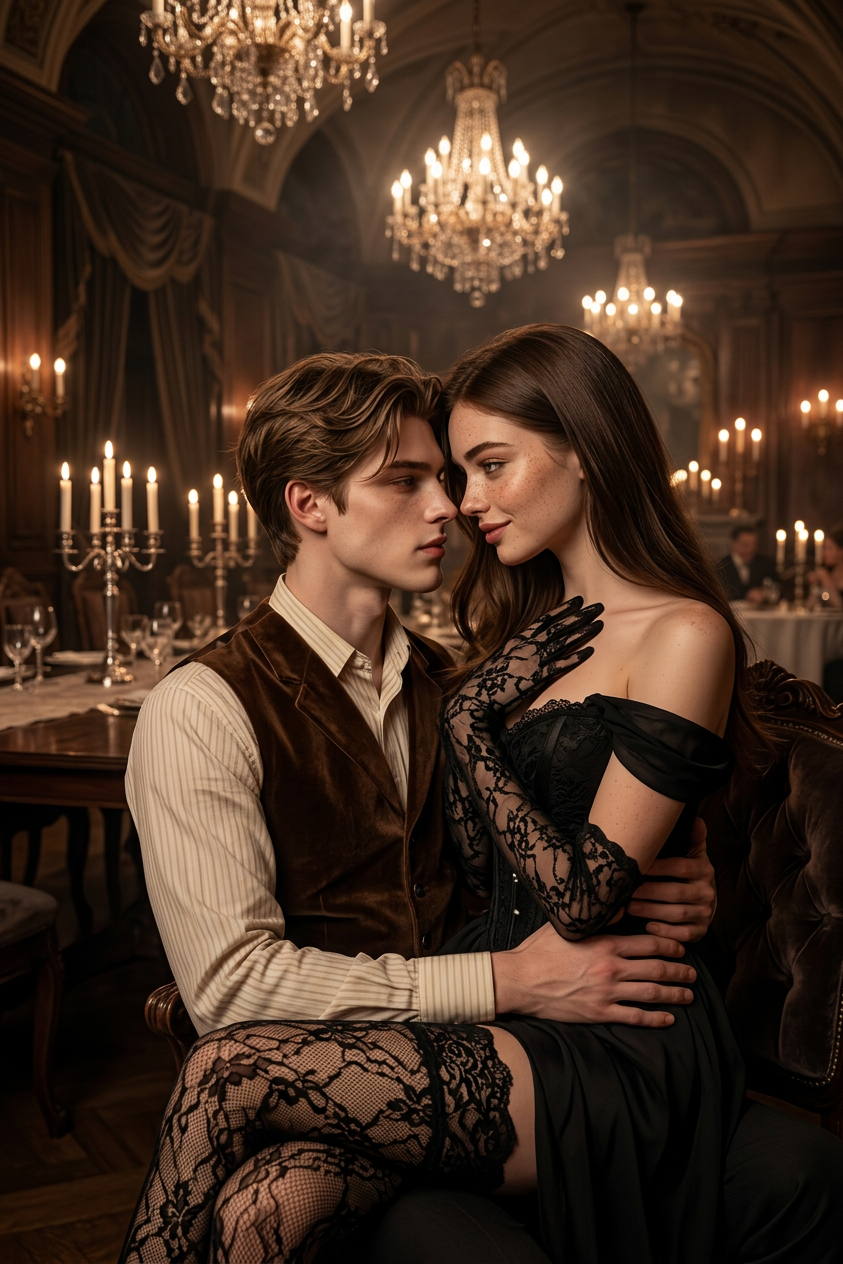
Female subject with long dark brown hair styled straight with soft waves, brown eyes, intense and seductive gaze, smooth skin with prominent freckles across nose and cheeks. Wearing an elegant black off-the-shoulder dress with a corset-style bodice, long sheer black lace gloves, and intricate lace stockings. She sits on a man’s lap, leaning slightly toward him, one hand resting on her chest/neck in a subtle dominant gesture, legs crossed, their faces inches apart. The man is seated, arms firmly around her waist and thighs, creating a close, intimate pose. Set in a grand dining hall or ballroom with a long table adorned with candelabras and flickering candles, surrounded by multiple chandeliers. Gothic-elegant, luxurious, moody atmosphere with slight haze. Warm cinematic lighting with soft side light, strong contrast between deep shadows and illuminated skin, highlighting lace textures and contours. Ultra-realistic 4KHD, sharp focus, classic seduction aesthetic, strictly cinematic framing.

AI Image Editor Template: Clean Logo Cutout & Background Removal

Turn any messy or low-quality logo into a clean, production‑ready asset in seconds with this AI Image Editor template. Use it to remove backgrounds, fix edges, upscale details, and prepare logos for websites, pitch decks, social media, or product mockups—without opening Photoshop.

This template is built with the AI Image Editor and is fully remixable in Magic Hour, so you can adapt it to your own brand, design system, or workflow.


What this template does

This template is optimized for:

  • Fast logo cleanup

    • Remove busy or colored backgrounds
    • Fix jagged edges and artifacts
    • Clean up screenshots, photos, or low-res exports
  • Consistent brand assets

    • Prepare logos for decks, websites, and app stores
    • Generate light/dark variants on neutral backgrounds
    • Standardize logos across campaigns and channels
  • Design-ready outputs

    • High-contrast, centered, and framed correctly
    • Ready for use in mockups, collateral, or UI
    • Suitable for further editing in Figma, Sketch, or Webflow

Because it uses the AI Image Editor, you get non-destructive edits, fine-grained control over regions, and the ability to iterate quickly.


How to use this template in Magic Hour

You can use this template as-is, or remix it into your own reusable “logo cleanup” workflow.

1. Start from the template

  • Open this template in Magic Hour.
  • Upload your logo as an image (photo, PNG, screenshot, or export).

2. Let the AI isolate and clean the logo

  • The editor will detect the logo region and separate it from the background.
  • The background is simplified or removed while preserving sharp logo edges.
  • Imperfections (compression noise, blur, stray pixels) are automatically reduced.

3. Refine with quick edits

You can then:

  • Adjust composition (more breathing room around the logo, better centering)
  • Nudge the placement to work better in your layout
  • Generate alternate backgrounds (solid, gradient, on-brand colors, or subtle textures)

4. Export for your stack

  • Download for use in:
    • Websites and landing pages
    • Pitch decks and investor updates
    • App store screenshots and product pages
    • Social media posts and ads

If you work in a team, save a remixed version as your internal “brand logo processor” template so everyone can create consistent assets in a few clicks.


How to remix this template for your own workflow

Remixing is where this template becomes a reusable tool for your brand or product.

Here are practical ways to adapt it:

1. Create brand-safe variations

Turn one messy source logo into a full asset set:

  • Light mode / dark mode versions
  • Square / horizontal crops for avatars, headers, and navigation bars
  • Transparent background versions for overlays and compositing

You can combine this with:

2. Generate logo-in-context mockups

Once your logo is clean, drop it into realistic scenes:

You can then save a remixed version of this template as “Logo → Hero Image Generator” for fast landing-page visuals.

3. Use it as part of a brand system pipeline

Founders, marketers, and designers can standardize logo handling by:

  • Defining your preferred background types (solid, gradient, glassmorphism, etc.)
  • Establishing consistent aspect ratios for:
  • Creating templates that output “ready-to-drop-in” assets for your CMS, marketing automation, or design system

Who this template is for

This template is designed for people who care about brand quality but don’t want to spend hours inside design tools:

  • Startup founders & operators
    Quickly turn a rough logo file into professional assets for decks, landing pages, and investor updates.

  • Marketers & growth teams
    Standardize logos for campaigns, partner pages, comparison pages, and programmatic creatives.

  • Designers & no-code devs
    Use AI to handle repetitive cleanup, then refine the final assets in Figma, Framer, Webflow, or code.

  • Developers & tool builders
    Prototype internal automations: e.g. “upload a partner logo → auto-clean → auto-size → ready for your site.”


Related Magic Hour tools you can combine with this template

To go beyond simple cleanup, you can chain this template with other Magic Hour tools:


Example remix ideas using this template

If you want to create your own template variants inside Magic Hour, here are some concrete patterns you can copy:

  1. “Partner Logo Normalizer”

  2. “Logo → Social Launch Pack”

  3. “Logo on Product Mockups”


Why use AI Image Editor for logo cleanups?

Traditional logo preparation usually requires manual work in tools like Photoshop or Illustrator. The AI Image Editor automates the tedious parts:

  • Automatic detection of logo regions and backgrounds
  • Smart edge handling to avoid halos and jagged outlines
  • Quick experimentation with different backgrounds and contexts
  • Reusable templates so your team can repeat the same high-quality process without expert design skills

Because everything runs in the browser and is template-driven, it fits well into fast-moving startup or marketing workflows.


Next steps

  1. Open this AI Image Editor template inside Magic Hour.
  2. Upload your current logo (even if it’s just a screenshot).
  3. Let the template clean, isolate, and refine it.
  4. Remix the template to match your brand system, then save your custom version for your team.

Once you’ve done that, you have a reusable, AI-powered “logo cleanup pipeline” you can use for every new brand asset—without needing a full design session every time.

More Like This

Insufficient credits