Hawaii Jazz Vibes

Hawaii Jazz Vibes

ai-image-editor

1 clip
14 uses

Any aspect ratio

Prompt

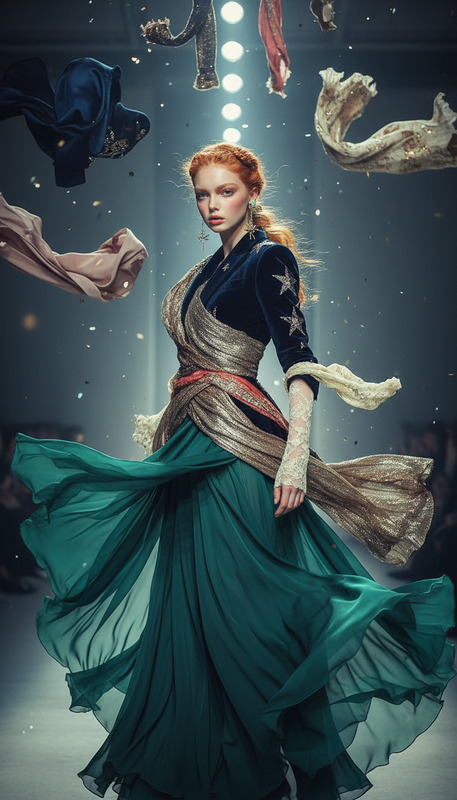
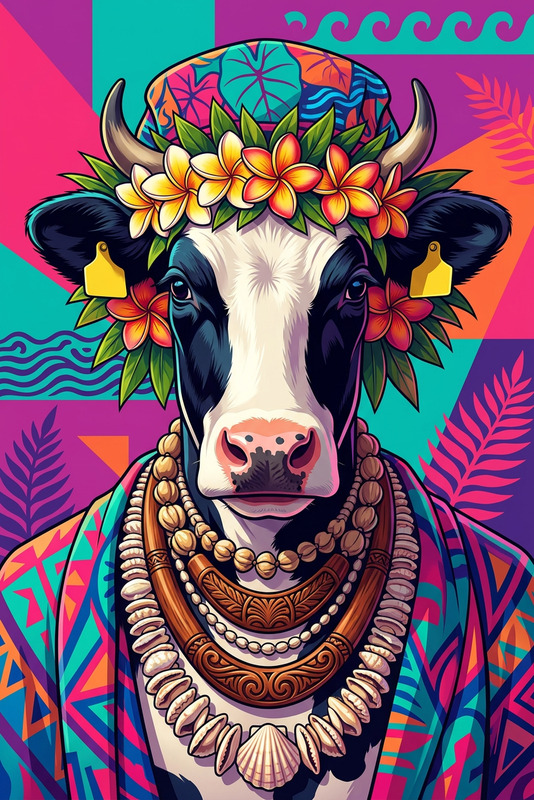
A subject in a sparkling silver top, short metallic skirt, and gold chain necklace dances energetically to upbeat jazz music in a vibrant Hawaii setting. Palm trees sway in the warm ocean breeze, with a golden sunset over the beach and soft waves glowing in the background. Dynamic poses, expressive movement, cinematic lighting, motion blur for rhythm, high detail, playful and stylish tropical atmosphere.

AI Image Editor Template: Turn Any Photo into a Clean Ebook Cover Mockup

Use this template to instantly convert a flat image of your ebook cover into a realistic, front-facing cover mockup—perfect for landing pages, product hunts, sales decks, and social media.

This template is powered by the AI Image Editor, and can be easily remixed to fit your brand, layout, and design style.


What This Template Does

This template takes a base photo (for example, a blank book, tablet, or simple background) and transforms it into a polished ebook cover mockup by:

  • Replacing the existing cover or screen area with your design
  • Keeping lighting, shadows, and perspective realistic
  • Cleaning up backgrounds and distractions
  • Matching colors, contrast, and overall visual style

The end result: a production-ready visual of your ebook that looks like it was designed in Photoshop—but created fully with AI.


When to Use This Template

This ebook mockup template is useful for:

  • Landing pages & lead magnets – Promote PDFs, guides, whitepapers, and reports
  • Product launches – Visualize playbooks, frameworks, and digital products
  • Sales & investor decks – Show deliverables clearly without spending design time
  • Social media & ads – Create consistent, branded ebook visuals for campaigns
  • Content marketing – Turn any long-form content into a “product” with a visual cover

If you already have an ebook cover design (e.g., from Figma, Canva, or your designer), this template lets you showcase it in minutes.


How to Use or Remix This Template in Magic Hour

You can either use this template as-is or remix it to create your own version.

1. Start with the AI Image Editor

  1. Open the AI Image Editor in Magic Hour.
  2. Upload a base image:
    • A blank book or notebook on a table
    • A tablet or laptop screen
    • A clean, minimal background you want to place your ebook onto

2. Define the Editable Area

Use the editor to mark the area where your ebook cover should appear—for example, the book cover, the tablet screen, or a rectangular area on the background.

3. Add or Swap Your Ebook Cover

  • Upload your cover art or a reference image
  • Use natural language to describe what you want:
    • “Replace this book cover with a minimalist ebook cover for a SaaS growth guide.”
    • “Turn this blank notebook into a digital marketing playbook cover in my brand colors.”

The AI will integrate your cover into the scene, preserving lighting, perspective, and texture.

4. Refine the Design

You can then use the AI Image Editor to:

  • Adjust text legibility (e.g., “make the title bolder and more readable”)
  • Clean up or simplify the background (e.g., “remove clutter and keep a soft gradient background”)
  • Add subtle elements like brand colors, icons, or patterns

5. Save as a Reusable Template

Once you like the result, save it and reuse the same base layout for:

  • New ebooks
  • Different language versions
  • A/B testing titles and subtitles

You can also duplicate and tweak the template to create a full series of ebooks with a consistent style.


Advanced Remix Ideas with Other Magic Hour Tools

If you want to go beyond a static ebook image, you can combine this template with other Magic Hour tools:

  • Turn your ebook cover into a short video:

    • Use Image to Video to create subtle motion (camera moves, light shifts) around your ebook mockup for landing pages or social posts.
    • For more stylized motion or animated sequences, explore Text to Video.
  • Generate your cover art from scratch:

  • Clean, enhance, and polish assets before editing:

  • Create branded ebook “systems” for your startup or agency:


Why Use AI for Ebook Mockups Instead of Manual Design?

For founders, marketers, and content teams shipping regularly, AI-based ebook mockups save:

  • Time: No need to set up 3D mockups or advanced Photoshop workflows for every new lead magnet.
  • Design cost: You can iterate on covers quickly before handing off to a designer—or skip that step entirely for smaller campaigns.
  • Consistency: Maintain a stable layout and brand system while swapping titles, colors, and background imagery.
  • Experimentation: Quickly test multiple creative directions, messages, and visual styles without heavy production overhead.

With the AI Image Editor, your template becomes a repeatable system rather than a one‑off file.


Example Workflows You Can Copy

1. Content Marketing Team

  • Draft: Come up with 3–5 ebook ideas (e.g., “Founders’ Guide to PLG,” “Technical SEO Playbook”).
  • Design: Use the ebook cover template + AI Image Editor to produce consistent covers for all.
  • Distribution: Use the Thumbnail Maker to adapt ebook visuals for YouTube, blog, or social thumbnails.

2. SaaS Founder or Solo Builder

  • Generate: Use AI Art Generator or AI Character Generator to create a brand mascot or motif.
  • Apply: Integrate that visual into a reusable ebook cover mockup with the AI Image Editor.
  • Extend: Turn the cover into a short teaser clip with Image to Video for launch posts.

3. Agency or Studio

  • Build: Create multiple ebook cover “families” (different layouts for different client industries).
  • Automate: Reuse the same template structure for each client’s PDFs, audits, and reports.
  • Enhance: Use Unblur Image and Old Photo Restoration on legacy assets clients send you, then incorporate them into modern covers via AI Image Editor.

Tips for Strong Ebook Cover Mockups

To get results that stand out:

  • Focus on clarity first. Make sure title and subtitle are legible at small sizes (think social feeds and mobile).
  • Keep backgrounds simple. Use clean backgrounds so the ebook cover remains the main focus.
  • Use limited color palettes. Stick to 2–3 core brand colors to avoid visual noise.
  • Align with your brand. If you have a design system, use AI to adapt to it—not replace it. Reference existing assets or landings in your prompts.
  • Test multiple versions. Create several variants (different layouts, imagery, or color schemes) and A/B test on landing pages or ads.

Related Magic Hour Tools for Visual Content Systems

If you’re building a broader visual stack around your ebooks, these tools can help:


Use this AI Image Editor template as a starting point, then remix it into your own ebook cover system. The more you reuse and refine it, the more it becomes a core part of your content and growth engine.

More Like This

Insufficient credits