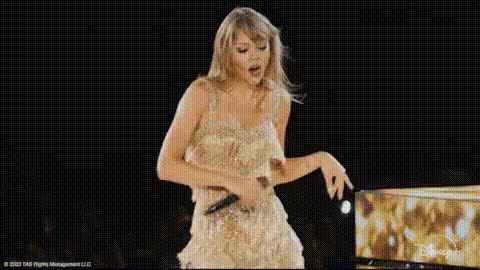
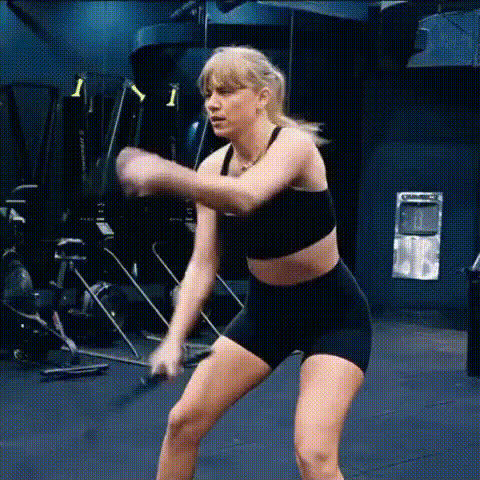
Taylor Swift hip thrust

face-swap

1 clip
7 uses

Any aspect ratio

Tags

music video

Taylor-Style Hip Thrust Face Swap Template

Overview

Turn an iconic pop performance into your own personal meme, reaction, or promo asset. This Taylor-style hip thrust face swap template lets you drop your face into a high-energy concert-style dance clip in just a few minutes using Magic Hour’s AI Face Swap tools.

It’s built for creators, marketers, and developers who want fast, polished, high-engagement video content for TikTok, Reels, Shorts, and social ads—without needing editing skills or motion capture.

What This Template Does

This template uses Magic Hour’s AI Face Swap technology to:

  • Replace the performer’s face in the hip thrust dance with your own (or any face you upload)
  • Preserve original body movement, timing, and lighting for a natural-looking result
  • Generate a ready-to-share video sized for social media

Under the hood, Face Swap uses deep-learning–based face detection, alignment, and blending to keep facial expressions, head angle, and skin tone consistent across frames while preserving the original video’s motion and background.

Best Use Cases

  • Creators & influencers: Reaction clips, dance challenges, fan edits, and parody content that feels “big-budget” but is made in minutes.
  • Marketers & growth teams: Eye-catching hooks for ads, UGC-style creatives, and A/B test variations using different faces or personas.
  • Startups & apps: Demo content for AI, video, or creator tools; quick prototypes for campaigns and product launches.
  • Developers & technical founders: Concept videos, community memes, and marketing assets without needing motion capture or professional editing.

How to Remix This Template in Magic Hour

You can recreate or customize this template in a few steps using Magic Hour’s Face Swap Video workflow:

  1. Start from a Face Swap base
    Go to Face Swap Video and upload (or select from your library) a concert-style or dance clip with clear hip thrust or high-energy movements.
  2. Upload your face (or someone else’s)
    Add a clear, front-facing photo for best results. You can generate new faces or characters first using tools like the Avatar Generator, AI Character Generator, or AI Anime Generator, then swap those into the dance.
  3. Run the face swap
    Magic Hour will detect faces, align them to the motion in the video, and produce a preview with your new face seamlessly blended over the performer.
  4. Refine your visuals
    After your face-swapped video is generated, you can:
  5. Export and share
    Download your finished clip and publish it to TikTok, Instagram Reels, YouTube Shorts, or use it as a hook in paid campaigns.

How Face Swap Works (For Technical Users)

Magic Hour’s Face Swap stack uses a combination of:

  • Face detection & landmark tracking to follow head position, pose, and expressions across the video
  • Face alignment & warping so your uploaded face matches angles and proportions in each frame
  • Neural blending to match lighting, color, and skin tone, minimizing harsh edges or “mask” artifacts
  • Temporal consistency to reduce flicker and keep the swap stable from frame to frame

This makes it suitable for fast-paced dance shots like hip thrusts, head turns, and exaggerated stage movements, where naive frame-by-frame editing would usually break down.

Creative Variations & Advanced Combos

If you want to go beyond a straightforward face swap, you can layer other Magic Hour tools on top of this template:

Tips for Best Results

  • Use a high-quality face source
    A clear, well-lit face photo (no heavy shadows or obstructions) improves landmark detection and blending. You can pre-clean photos with the AI Remover or Remove Object from Photo.
  • Match angles where possible
    Choose face photos with a similar angle to the main pose in the dance video (frontal, 3/4, or profile). This reduces distortion.
  • Watch for fast motion & occlusion
    Face swap works best when the face isn’t fully blocked by hands, microphones, or hair for long periods. Short occlusions generally still work.
  • Consider resolution & platform
    If you’re targeting TikTok or Reels, keep vertical framing in mind. For higher-end deliverables, run the result through the Video Upscaler.

Related Magic Hour Tools Worth Exploring

To build a more complete workflow around this template, many teams pair it with:

Responsible & Legal Use

Face Swap is powerful—and should be used responsibly. When working with real people (especially public figures, clients, or teammates), always:

  • Obtain consent before using someone’s likeness
  • Avoid misleading or deceptive contexts (e.g., false endorsements)
  • Respect platform policies and applicable laws in your region

Many brands and creators use face swap ethically for parody, internal demos, and clearly-labeled fan content. If you’re working on commercial campaigns, consult your legal team regarding rights and usage.

Start Remixing This Template

To create your own version of this Taylor-style hip thrust face swap:

  1. Pick a dynamic concert or dance performance video
  2. Head to Face Swap Video
  3. Upload your chosen face and run the swap
  4. Optionally enhance with tools like Video Upscaler, Lip Sync, or AI GIF Generator
  5. Publish, test, and iterate as part of your content or growth strategy

This template is a fast, reliable starting point for high-impact social content—and a flexible building block you can remix into campaigns, experiments, and prototypes across your entire creative stack.

More Like This