Rihanna Live

face-swap

1 clip
11 uses

Any aspect ratio

Tags

music video

Rihanna Live – AI Video Face Swap Template

Overview

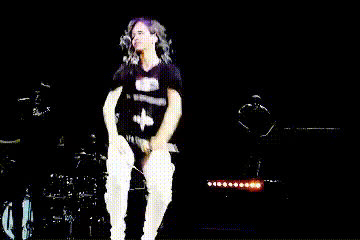
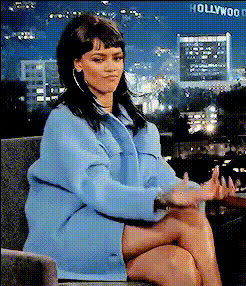
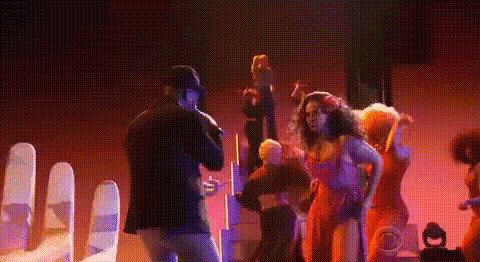
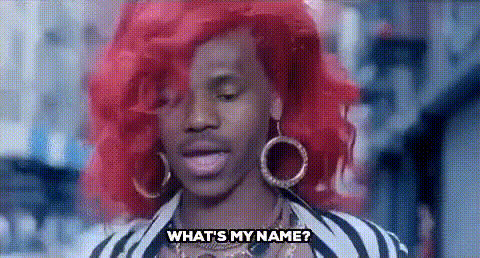
Step into the spotlight and perform like a global pop icon. The “Rihanna Live” video face swap template lets you seamlessly place your own face into a high-energy concert performance, complete with dynamic lighting, camera moves, and choreography inspired by modern music videos.

This template is built on Magic Hour’s AI Face Swap technology and can be remixed, customized, and extended for your own projects—whether you’re a creator, marketer, developer, or startup team prototyping AI video experiences.

What You Can Do With This Template

  • Create concert-style performance videos featuring your own face (or a collaborator’s) in a Rihanna-inspired live setting.
  • Produce short-form content for TikTok, Instagram Reels, YouTube Shorts, and Snapchat with shareable, music-video aesthetics.
  • Prototype fan engagement campaigns (for artists, labels, or brands) where fans “step on stage” in a premium-looking performance.
  • Test AI video workflows that combine face swap with lip sync, text overlays, and additional AI enhancements.

Key Features

High-Quality AI Face Swap

The “Rihanna Live” template uses Magic Hour’s core face swap engine to realistically map your face onto the performer:

  • Identity preservation: The AI keeps your facial structure and key features, so the result still looks like you.
  • Expression matching: Your swapped face follows the performer’s expressions, head motion, and angles for a natural performance.
  • Lighting and color matching: The system adapts to the concert lighting for a cohesive, non-plastic look.

Under the hood, this class of models typically combines facial landmark detection, deep generative models (e.g., encoder–decoder architectures), and advanced blending to keep the swap stable across frames and camera movements.

Optimized for Any Aspect Ratio

The template works well across vertical, square, and horizontal formats. You can comfortably create:

  • Vertical clips for TikTok, Reels, and Shorts
  • Landscape videos for YouTube, music video concepts, or pitch decks
  • Square formats for social feeds and paid social experiments

For more advanced format experimentation or storyboard-style content, you can combine this template with Magic Hour’s Video-to-Video tools to iterate on different visual looks while keeping the same performance.

Music-Video-Style Cinematics

The “Rihanna Live” template is staged like a professional performance video:

  • Dynamic lighting: Concert-style color washes, backlights, and movement add energy.
  • Choreography and motion: The performer’s dance and mic work give your swapped face a believable onstage presence.
  • Cinematic framing: A mix of close-ups and wider shots, ideal for cutting into social edits or highlight reels.

How to Use (and Remix) This Template in Magic Hour

1. Start from the Rihanna Live Face Swap Flow

Open Magic Hour’s Face Swap Video creator. From the template gallery, choose the “Rihanna Live” template as your base. This gives you a pre-built performance video where the performer’s face is the only element you need to replace.

2. Add Your Face (or Someone Else’s)

Upload a clear image or video of the face you want to swap in. For best results:

  • Use a front-facing shot with a neutral or slight smile.
  • Avoid heavy shadows, sunglasses, or strong obstructions.
  • Use at least one high-resolution image (e.g., from a smartphone camera or headshot).

If you need a high-quality source face, you can generate one using:

3. Remix the Concept for Your Brand, Channel, or Artist

Once you’ve created a first version, you can build variations without starting over:

  • Change the performer’s identity: Swap in different faces (team members, influencers, fictional characters) to A/B test what resonates.
  • Build a series: Create multiple short clips with the same “Rihanna Live” environment but different faces or text hooks for campaigns.
  • Localize content: Generate different language versions by pairing with AI voice tools (see below) and text overlays.

Many creators use this pattern to quickly test fan personalization flows, interactive campaign ideas, or “insert yourself into the show” product experiments.

4. Add Voice, Lip Sync, and Talking Photo Variants

To go beyond a simple face swap and align the performance more closely with your own audio:

  • Use Lip Sync to match the performer’s mouth movements to your own vocals or voiceover.
  • Clone or generate a voice that fits your brand with AI Voice Cloner or AI Voice Generator.
  • Create still-image performances with AI Talking Photo if you want a simpler talking-head variant of the same persona.

This is particularly useful for:

  • Music promos and pre-release teasers
  • Creator-branded hooks (“watch me perform this track on stage”)
  • Prototype experiences for virtual concerts or fan experiences

5. Enhance Visuals and Add Overlays

Once your base performance is ready, you can enhance it further:

How to Build Your Own Version of This Template

If you want a template with a similar structure but different creative direction (for another artist, brand, or character), you can recreate the pattern using other Magic Hour tools:

  1. Start from a base performance video.
    • Use recorded footage of a performer or dancer.
    • Or stylize an existing clip using Video-to-Video to match a specific visual style.
  2. Ensure face visibility. Pick footage with clear views of the performer’s face across the performance for more stable swaps.
  3. Apply face swap using the creator. Go to Face Swap Video, upload your footage as the target video, and upload the faces you want to support.
  4. Systematize naming and prompts. Use clear template titles (“Artist Live,” “Stage Performance,” “Tour-Style Promo”) and organize your assets so you can reuse them for multiple collaborators or clients.
  5. Layer in additional AI components. Combine with:

This workflow gives you your own reusable “Live Performance Face Swap” template for your artist, IP, or brand universe.

Ethical & Practical Considerations

AI face swap and performance recreation are powerful tools and should be used responsibly:

  • Use content you have rights to: Respect copyrights, image rights, and likeness rights, especially with celebrities or public figures.
  • Be transparent when needed: In professional or commercial contexts, disclose AI-generated or AI-modified content in line with platform and legal requirements.
  • Align with platform policies: Check the latest policies on deepfakes and synthetic media for platforms where you plan to publish.

Tips for High-Impact Results

  • Prioritize strong source material: Use high-resolution face images and high-quality performance footage. Both sides of the swap matter.
  • Match face angle and vibe: If the performer is expressive and high-energy, pick a source face photo with similar energy and angle for more believable results.
  • Use consistent branding: Add your logo, campaign tagline, or artist mark using generated assets from tools like AI Logo Generator and integrate them into your videos or thumbnails.
  • Test multiple variations quickly: Swap in different faces, intros, or hooks and measure performance across platforms.
  • Polish the final asset: Upscale with Video Upscaler and create compelling cover visuals with Album Cover Generator or Thumbnail Maker.

Related Magic Hour Tools for Music & Performance Content

  • Lip Sync – Align mouth movements with your vocals or voiceover.
  • Animation – Turn characters or artwork into animated performers.
  • AI Meme Generator – Turn your performance clips into shareable meme formats.
  • Face Swap GIF – Generate looping, lightweight performance GIFs from your Rihanna Live clips.

The “Rihanna Live” template gives you a ready-made, concert-style environment to experiment with AI face swap and performance content. Use it as-is, or treat it as a blueprint to build your own live-performance templates and fan experiences on top of the Magic Hour ecosystem.

More Like This