Rihanna - Umbrella
face-swap
Any aspect ratio
Tags
music videoRihanna “Umbrella” Face Swap Video Template
Turn Yourself Into the Star of an Iconic Music Video
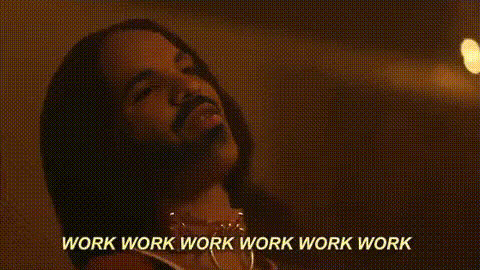
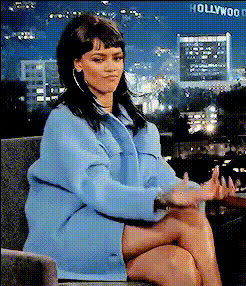
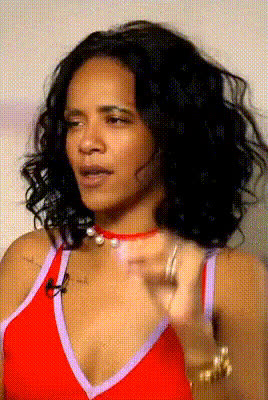
This Rihanna “Umbrella” Face Swap template lets you drop yourself directly into one of the most recognizable pop videos of the 2000s. In a few clicks, you can transform the lead performer’s face into your own and generate short, shareable clips that feel like a real music-video production.
It’s built on Magic Hour’s AI Face Swap technology and our Face Swap Video creator, so you can remix this template, iterate quickly, and adapt it for campaigns, social content, or personal projects.
What Is AI Face Swap?
AI face swap uses deep learning–based face detection, alignment, and blending to replace the face in a source video with a face from an input photo or another video. Properly implemented, it:
- Tracks facial expressions and head movement across frames
- Matches lighting, colors, and perspective
- Blends edges so the result looks natural in motion
Magic Hour’s Face Swap engine is optimized for short-form content, social clips, and UGC-style campaigns, making it fast enough for experimentation and A/B testing while preserving facial detail. For looping edits, you can also use the dedicated Face Swap GIF tool.
Template Overview
This Rihanna “Umbrella” template recreates the visual energy and choreography of the original “Umbrella” era, so you can:
- Step into a polished, pre-edited music video scene instead of building everything from scratch
- Generate on-brand clips for TikTok, Instagram Reels, YouTube Shorts, or campaigns
- Test creative concepts rapidly by swapping different faces or characters into the same sequence
You can remix this base setup into your own template inside Magic Hour, combine it with other AI tools, and adapt it for marketing, fan engagement, or entertainment.
Key Use Cases
- Creators & influencers: Turn yourself into the star of a stylized music clip to hook viewers in the first seconds of a short-form video.
- Brands & agencies: Create fan- or customer-activation experiences where users “perform” in an iconic-style video and share branded outputs.
- Music marketers: Build UGC-style challenges, contests, or pre-save campaigns using face-swapped clips.
- Developers & startups: Prototype AI-powered video personalization flows or in-app experiences using a ready-made template.
How to Remix This Template in Magic Hour
You can use this Rihanna-style template as a starting point and build your own version inside Magic Hour in minutes. At a high level:
- Start with Face Swap Video
Open the Face Swap Video creator. Use this template as your reference for pacing, framing, and shot selection. - Choose or upload your base clip
Use a music-video–style clip of a performer that roughly matches your desired poses and camera angles. You can reuse this template’s structure, or import a different performance video to create your own “Umbrella-inspired” version. - Add your face (or your talent’s face)
Upload a clear, front-facing photo or portrait of the person you want to insert. The better the lighting and resolution, the more realistic the swap. - Preview and iterate
Generate a preview, review how well expressions and angles are tracked, then iterate with alternate photos, different base footage, or slight framing tweaks until it feels natural. - Export and repurpose
Once you’re happy with the result, export your clip and reuse it across shorts, ads, stories, or landing pages.
You can further evolve your remix by connecting it with other Magic Hour tools (see below) to generate new visuals, tighten the edit, or create variants at scale.
Advanced Remix Ideas Using Other Magic Hour Tools
- Generate custom characters for the video
Use the Avatar Generator, AI Character Generator, or Animated Characters Generator to create stylized faces, then swap them into the performance for alternate versions (cartoon, anime, comic-book, etc.). - Style-shift the scene
Design stylized stills or backgrounds with the AI Art Generator, AI Anime Generator, or Disney AI Generator, and integrate those visuals into your video layout. - Add motion from a single image
If you only have a static portrait, convert it into motion with Image to Video, then reuse that generated motion as a base performance for additional face swaps. - Refine and upscale
Improve image fidelity with the AI Image Upscaler and sharpen legacy content using the Unblur Image and Old Photo Restoration tools before using them as sources. - Sync lips or voice for talking segments
For dialogue or singing close-ups, pair this with Lip Sync, AI Talking Photo, AI Voice Generator, or AI Voice Cloner for more immersive performances. - Create alternate vertical or horizontal edits
Use Video Upscaler to maintain detail across formats as you re-edit clips for TikTok, Reels, YouTube Shorts, or web embeds.
About Rihanna’s “Umbrella” Era (Context & Inspiration)
“Umbrella” was released in 2007 as the lead single from Rihanna’s album Good Girl Gone Bad. Co-written by The-Dream, Tricky Stewart, Kuk Harrell, and Jay-Z, it spent multiple weeks at No. 1 in several countries and became one of the defining pop tracks of the late 2000s. The music video, directed by Chris Applebaum, is widely noted for its minimalist sets, high-contrast lighting, and memorable choreography, including the rain and silver-paint sequences. Those visual cues are what inspire the atmosphere of this Magic Hour template.
Best Practices for High-Quality Face Swaps
- Use sharp, well-lit portraits
Clear, high-resolution photos with neutral expressions and good lighting produce more convincing swaps. If needed, enhance them with the AI Image Editor or AI Photo Generator. - Match pose and angle
Try to pick input photos whose head angle roughly matches key moments in the source video. This reduces distortion and improves realism. - Keep continuity
For campaigns, use the same small set of reference photos for all variants so your “Rihanna-style” clips feel consistent across ads, posts, and landing pages. - Respect rights & policies
Always ensure you have the right to use the images and likenesses you upload, and follow platform guidelines when posting derivative content.
Building a Full Creative Workflow Around This Template
Teams often use this Rihanna “Umbrella” template as a building block in a broader AI video workflow:
- Concept: Define the narrative — e.g., “fans become the star of an iconic-style video.”
- Visual generation: Use AI Image Generator, AI Background Generator, or AI Fashion Generator to create costumes, backgrounds, or styleboards.
- Performance: Use this Face Swap template via Face Swap Video to place your subject into the performance.
- Audio & voice: Layer in narration or voice using AI Voice Generator or AI Voice Changer if you need alternate voice identities.
- Finishing & distribution: Enhance visuals with Video Upscaler and add subtitles using the Auto Subtitle Generator for social platforms.
Who This Template Is For
- Content creators & editors who want fast, high-impact visuals without setting up a full production.
- Marketers & growth teams testing AI-personalized video for performance campaigns or fan engagement.
- Founders & product teams exploring AI video in their products and looking for reference flows they can remix.
- Designers & creative technologists prototyping AI-powered visual concepts rooted in recognizable pop-culture aesthetics.
Get Started
Open the Face Swap Video creator, use this Rihanna “Umbrella” Face Swap template as your base, and start remixing. Swap in your own face, your community’s faces, or AI-generated characters, then iterate into a version that matches your brand, your story, or your next campaign.