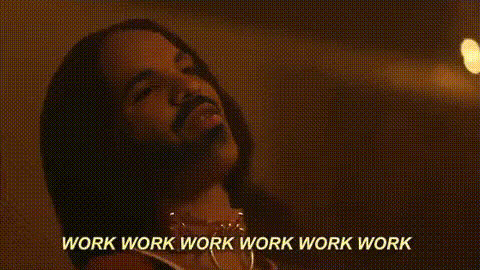
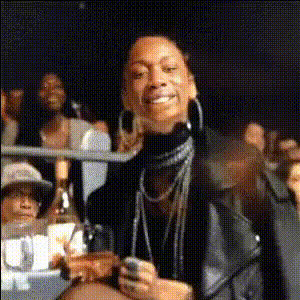
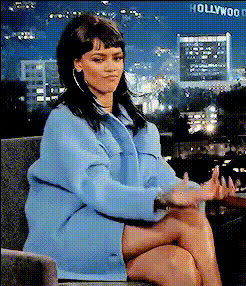
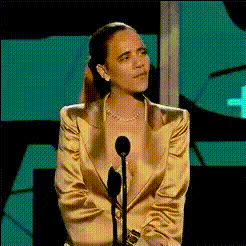
"Where have you been all my life?" - Rihanna

face-swap

1 clip
6 uses

Any aspect ratio

Tags

music video

“Where Have You Been All My Life?” – Face Swap Video Template

Overview

The “Where Have You Been All My Life?” template lets you turn Rihanna’s iconic hook into a personalized, shareable face swap video in minutes. Built on Magic Hour’s Face Swap Video tool, this template makes it easy to drop your own face (or a friend’s, creator’s, or character’s) into a music-inspired clip and automatically generate a polished, social-ready video.

This template is inspired by Rihanna’s 2012 single “Where Have You Been” from her sixth studio album Talk That Talk, a global hit that reached the top 10 of the Billboard Hot 100 and charts worldwide, and whose official video has amassed hundreds of millions of views. It’s designed for creators, marketers, and startups who want fast, high-impact content that feels instantly recognizable and meme-ready.

What This Template Helps You Do

Use this template to:

  • Create short, looping face swap videos synced to the “Where have you been all my life?” moment.
  • Turn selfies, profile photos, or brand mascots into performance-style clips.
  • Prototype campaigns, social posts, or meme concepts in seconds—without video editing skills.
  • Test engagement concepts for TikTok, Reels, YouTube Shorts, or paid social.

How the Face Swap Works

This template is powered by Magic Hour’s core AI Face Swap technology:

  • Face detection & alignment: The model detects faces in the target video and aligns them with your source image or video.
  • Identity preservation: It preserves facial structure, skin tone, and key identity traits while matching lighting, angle, and expression.
  • Frame-by-frame consistency: Each frame is rendered to keep the swapped face stable, natural, and expressive throughout motion.

If you want to go beyond this specific template, you can also start from scratch with the general Face Swap Video creator and build your own sequences.

Template Contents

The “Where Have You Been All My Life?” template is set up as a ready-to-remix Face Swap project. It typically includes:

  • Pre-timed video segment: A short clip structured around the “Where have you been all my life?” line, ideal for 5–15 second social posts.
  • Clear focal framing: The subject’s face is centered and well-lit to maximize face swap quality.
  • Loop-friendly structure: The motion and timing work well when looped for Reels, TikTok, and GIFs.
  • Optional lyric moments: Space for captions or on-screen text keyed to the “Where have you been all my life?” lyric hook.

How to Remix This Template in Magic Hour

You can treat this template as a starting point, then customize it for your brand, audience, or joke. To create your own version:

  1. Start from Face Swap Video
    Open Face Swap Video. Choose the “Where Have You Been All My Life?” template from the template gallery, or select a similar clip with a close-up of a face and expressive motion.
  2. Upload your face
    Use a clear, front-facing image or short video of the person or character you want to insert (yourself, a teammate, an influencer, a fictional avatar, etc.). The higher the quality of the source image, the more realistic the swap.
  3. Apply the face swap
    Select the template as your target video and your uploaded face as the source. The Face Swap tool will automatically map and render the new face across the clip.
  4. Adjust visuals and storytelling
    After the swap is generated, you can:
    • Add or change overlay text (e.g., “Where have you been all my life?” as a reaction meme, product reveal, or punchline).
    • Integrate branding elements such as taglines or CTAs using another editing pass in your preferred video editor or Magic Hour adjacent tools.
  5. Export for your channel
    Export the finished clip for TikTok, Instagram, YouTube Shorts, or as a snippet inside a longer video. For GIF-style loops, you can also explore the AI GIF Generator.

Advanced Remix Ideas for Creators & Teams

For creators, marketers, and product teams, this template can serve as a repeatable building block:

  • Reaction & meme content: Use the “Where have you been all my life?” line to react to product launches, pricing changes, new features, or trends.
  • Customer persona videos: Swap in different personas (e.g., marketer, developer, founder) to localize messaging across segments.
  • Avatar or character showcases: Combine with the Avatar Generator or AI Character Generator to first create a stylized character, then face-swap it into this template.
  • Brand storytelling: Introduce a mascot or fictional spokesperson by swapping that face into multiple music-inspired templates, not just this one.

Combine With Other Magic Hour Tools

You can extend this template’s impact by pairing it with other Magic Hour products:

Context: Rihanna’s “Where Have You Been”

“Where Have You Been” was released as a single in 2012 from Rihanna’s album Talk That Talk. Produced by Calvin Harris, Dr. Luke, and Cirkut, the track blends dance-pop, EDM, and R&B influences. It peaked at #5 on the Billboard Hot 100 in the United States and reached the top 10 in multiple countries, becoming one of Rihanna’s signature dance anthems. The official music video, directed by Dave Meyers, is known for its desert and water imagery, tribal-inspired choreography, and high-intensity group dance sequences.

Rihanna performed “Where Have You Been” on major platforms including Saturday Night Live and American Idol, and it remained a staple in her live sets and festival appearances. The song and video are widely cited in pop culture roundups of early 2010s dance-pop, making it a strong reference point for nostalgic, instantly recognizable content.

Best Practices for High-Quality Face Swap Videos

To get the most out of this template:

  • Choose a high-quality source face: Use a clear, front-facing photo with good lighting and minimal obstructions (no heavy shadows, large sunglasses, or extreme angles).
  • Match expressions when possible: If the target clip is energetic or expressive, a source image with a neutral or lightly expressive face typically transfers best.
  • Test multiple faces: For campaigns or group content, generate several versions with different faces and test which one drives more engagement.
  • Respect likeness rights: Use faces, brands, and references you have the right to use, especially for commercial or public campaigns.

Who This Template Is For

  • Creators: Quickly generate attention-grabbing clips around a known cultural reference without manual editing.
  • Marketers & growth teams: Prototype ad concepts, A/B test hooks (e.g., different characters delivering the same line), and localize campaigns by swapping different faces for different markets.
  • Product & startup teams: Build lightweight launch assets, onboarding moments, or “Easter egg” experiences around a familiar lyric and meme format.
  • Developers: Experiment with content formats you could eventually automate or integrate into your own flows using similar AI capabilities.

Next Steps

To start using this template now:

  1. Open the Face Swap Video creator.
  2. Select the “Where Have You Been All My Life?”-inspired template from the available options.
  3. Upload your face (or a generated face from tools like the AI Face Generator).
  4. Generate, review, and export your video for your preferred channels.

From there, you can iterate, swap in new faces, combine with other Magic Hour tools, and turn this single template into an endlessly reusable building block for your content strategy.

More Like This