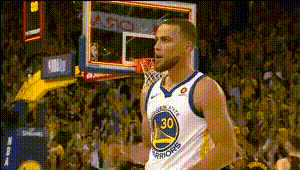
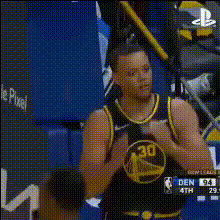
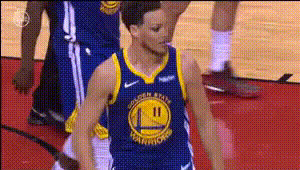
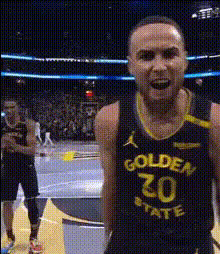
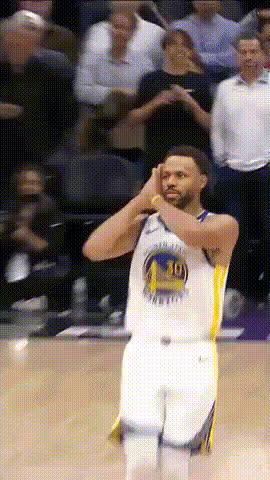
Steph Curry Highlights
face-swap
Any aspect ratio
Tags
sportsSteph Curry Highlights Face Swap Video Template
Overview
The Steph Curry Highlights Face Swap template lets you drop NBA superstar Stephen Curry into your own basketball clips using AI-powered face replacement. Built on Magic Hour’s AI Face Swap technology, this template is ideal for creators who want to turn pickup runs, training sessions, or breakdown videos into share‑worthy highlight content in minutes.
Use it to:
- Transform your footage into Steph-style highlight reels
- Create social content for TikTok, Instagram Reels, and YouTube Shorts
- Prototype campaign concepts for sports brands, trainers, and creators
You can remix this template directly inside Magic Hour’s Face Swap Video creator, or use it as a starting point to build your own sports-focused face swap workflows.
Why This Template Works
- Recognizable persona: Stephen Curry is one of the most influential modern NBA players, widely known for his three‑point shooting and off‑ball movement. Using his likeness (where allowed) instantly signals “elite basketball” in your content.
- Short‑form native: The template is tuned for highlight‑style edits, making it easy to produce clips optimized for vertical feeds and quick consumption.
- Creator‑ready: Designed for creators, coaches, and marketers who need repeatable, fast workflows—not one‑off VFX projects.
Key Features
- High‑quality AI Face Swap
Powered by Magic Hour’s face swap engine, this template automatically maps Steph Curry’s face onto yours (or your subject’s) while preserving:- Head movement and basic expressions
- Lighting consistency between subject and background
- Overall video sharpness (especially when paired with the Video Upscaler)
- Sports‑optimized composition
The template is structured around basketball highlight–style pacing—fast cuts, clear subject framing, and on‑court action—so your swaps feel like real game clips rather than static edits. - Remixable structure
Instead of a rigid preset, this template serves as a reusable “workflow scaffold.” You can:- Swap in your own game or training footage
- Replace Steph Curry with another face (where you have rights to use it)
- Combine with other Magic Hour tools like Lip Sync or AI Talking Photo for commentary and voice‑over content
- Creator‑friendly output
Ideal for:- Vertical social clips and Shorts
- Side‑by‑side analysis videos (“my form vs. Steph’s”)
- Campaign mockups and ad concepts
How to Remix This Template in Magic Hour
You can recreate or customize this template inside Magic Hour using the Face Swap Video workflow. A typical remix flow looks like this:
- Start from the Face Swap Video tool
Open Face Swap Video. This gives you the same core technology used in the Steph Curry Highlights template. - Upload your base basketball footage
Use:- Pickup game clips
- Training or shooting sessions
- Existing highlight reels you’re allowed to edit
- Choose the face to swap in
Provide the target face (e.g., a Curry‑like reference or another player/person you have rights to use). Magic Hour’s AI Face Generator or Avatar Generator can help if you want a stylized or fictional player instead. - Apply face swap and review
Run the AI face swap on your chosen segments. Scrub through the result and verify:- Face alignment during fast moves
- Lighting and skin tone consistency
- Believability on close‑ups vs. wide shots
- Enhance with complementary tools (optional)
- Use Video Upscaler to sharpen older or low‑res game footage.
- Convert static basketball photos into motion with Image to Video, then apply face swap for stylized highlights.
- Create animated or stylized versions of your highlight with Video‑to‑Video or Animation.
- Add commentary using AI Voice Generator or clone your own voice with AI Voice Cloner.
- Auto‑caption the final clip with the Auto Subtitle Generator to boost watch time on muted feeds.
- Export and publish
Once you’re satisfied, export and share to TikTok, Instagram, YouTube, or internal review channels.
Example Use Cases
- Player development & coaching content
Show “train like Steph” or “shoot like Steph” clips by swapping your player’s face onto Steph‑style moves, then break down mechanics with overlays. Combine with:- Text‑to‑Video for quick explainer intros
- AI Talking Photo to have static diagrams explain concepts
- Social challenges & UGC campaigns
Brands and creators can run “Outshoot Steph” or “Move like Steph” challenges, automatically swapping participants into a Steph‑like persona. Pair with:- AI Meme Generator to create reaction memes from your best moments
- Face Swap GIF for looping reactions and quick shareables
- Creator content & sports commentary
Turn yourself into a Steph‑style character while you break down games, trends, or analytics. Layer in:- Lip Sync for synced talking segments
- AI Voice Changer to differentiate characters in your videos
- Concepts for campaigns and pitch decks
Agencies and startups can prototype “what if” ideas for brand collaborations, basketball training apps, or sports tech tools without full‑scale production—use AI face swap plus:- Thumbnail Maker for data‑driven YouTube thumbnail tests
- Book Cover Generator for pitch decks, PDFs, or reports
- Stylized or animated basketball universes
Build alternate‑universe Steph‑inspired characters with:- AI Anime Generator or AI Manga Generator for anime‑style hoopers
- Animation and Animated Characters Generator for fully animated highlight shorts
Best Practices for Realistic Sports Face Swaps
- Use clear, well‑lit footage
Basketball clips with stable lighting and a visible face track produce significantly better swaps. If you’re working with older clips, restore or enhance them with:- Unblur Image and Old Photo Restoration for stills
- Video Upscaler for video sharpness
- Match style to platform
Short, punchy clips (5–20 seconds) work best for TikTok, Reels, and Shorts. Consider:- “One shot, one move” sequences (e.g., step‑back three, behind‑the‑back dribble)
- Before/after sequences (original vs. Steph‑style face swap)
- Use supporting visuals
Enhance your swapped highlights with:- Score overlays or basic stats
- Text callouts generated via AI Logo Generator and AI Icon Generator for branding and icons
- Respect rights and likeness
Always consider:- Whether you have the right to use specific footage and faces
- Platform rules on synthetic and AI‑generated media
- Transparent labeling when content is AI‑modified, especially in paid or commercial campaigns
Template Details
- Core workflow: Built on Magic Hour’s Face Swap Video creation flow.
- Content structure: Optimized for short highlight‑style segments (ideal for social, reels, and trailers).
- Primary tags: sports, basketball, face swap, highlights, Steph Curry.
Related Magic Hour Tools for Sports Creators
To build a complete basketball content stack around this template, you can combine:
- AI Image Generator – generate key art, posters, or thumbnails for your series
- AI GIF Generator – turn your best highlights into looping GIFs
- AI Outfit Generator or AI Clothes Changer – experiment with different jerseys, uniforms, and team looks
- AI Headshot Generator – create pro‑looking profile images for rosters, bios, and player cards
- AI QR Code Generator – drive viewers from printed posters or arena materials to your highlight reels
Community & Inspiration
Creators use this Steph Curry Highlights Face Swap template for:
- Basketball meme content and parody clips
- Game breakdowns where the analyst “becomes” the player on screen
- Training funnels that show “from amateur to Steph‑style form” progressions
- Spec ads and pitch concepts for sports brands, training apps, and performance tools
Explore other creative directions by pairing this template with genre‑specific tools like AI Art Generator, Dark Fantasy AI, Superhero Generator, or Disney AI Generator to reimagine Steph‑style highlights in completely new visual worlds.
Use the Steph Curry Highlights Face Swap template as a fast, flexible foundation for your sports content strategy—then remix it across Magic Hour’s ecosystem to build repeatable, high‑impact video workflows at scale.