Steph Curry Edit
face-swap
Any aspect ratio
Tags
sportsSteph Curry Edit – Face Swap Video Template
Turn Any Clip into a Steph Curry Highlight
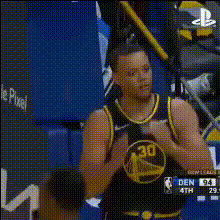
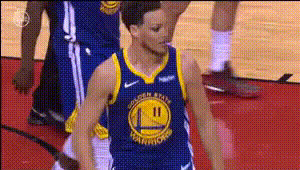
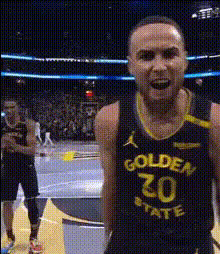
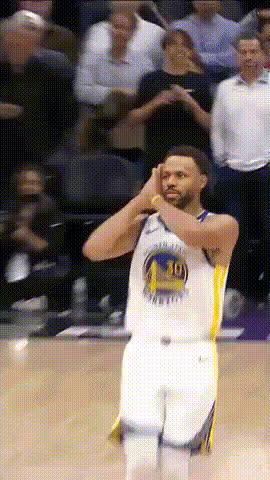
The Steph Curry Edit is a ready-made face swap video template that lets you turn any clip into a Steph Curry-style highlight, reaction, or meme in a few minutes. Built on Magic Hour’s production-grade AI face swap technology, it’s designed for:
- Sports creators and editors
- Brands and startups running NBA- or basketball-themed campaigns
- Developers, marketers, and social teams who need fast, repeatable video workflows
You can remix this template directly using Magic Hour’s Face Swap Video tool—no manual masking or keyframing required.
What This Template Does
- Automatic Steph Curry Face Swap
Upload a video, and the template automatically swaps the original face with a Steph Curry face asset. The AI handles alignment, lighting, and expressions for you. This is ideal for:- Basketball highlight edits and breakdowns
- Reaction videos and watch parties
- Short-form content for TikTok, Reels, YouTube Shorts, and X
- Works Across Social Formats
The template is designed to work with multiple aspect ratios so you can easily repurpose:- Vertical clips for TikTok, Reels, Shorts
- Widescreen breakdowns for YouTube and presentations
- Square or custom formats for paid ads and social feeds
- Creator-Ready, No Editing Experience Needed
The workflow is built for non-technical users:- No complex timelines or color grading required
- Upload video → apply Steph Curry face → export
- Optional touch-ups using Magic Hour’s AI Image Editor and AI Image Upscaler for thumbnails and cover frames
How to Remix This Template in Magic Hour
You can recreate or customize a Steph Curry-style face swap workflow using Magic Hour’s tools. Here’s a practical, repeatable process:
- Start with Face Swap Video
- Go to Face Swap Video.
- Upload the video you want to convert into a Steph Curry edit—this can be:
- Your own basketball footage or B-roll
- Reaction content, podcasts, or talking-head clips (with permission)
- Brand or campaign videos that need a basketball twist
- Apply the Steph Curry Face
- Use a high-quality Steph Curry-style face image as the source for the swap.
- Upload a clear, front-facing image with good lighting for the best tracking and realism.
- The AI automatically maps facial features, expressions, and head movement onto your video.
- Refine Your Edit
- Preview your output and make sure the face swap tracks cleanly through key moments (shots, reactions, celebrations).
- Trim or re-cut your base video in your usual editor if you want a snappier TikTok/Shorts edit, then re-upload for the final swap.
- Add Motion, Lip Sync, or Alternate Styles (Optional)
Extend the template into a full motion system for your content:- Talking Steph Curry Edits: Use Lip Sync or AI Talking Photo to make your Steph Curry face talk to scripted or cloned audio.
- Stylized or Animated Versions: Feed your Steph Curry edit into:
- Video to Video for stylized transformations (anime, comic, cinematic looks).
- Animation or Animated Characters Generator to build animated Steph-inspired content for intros and explainers.
- Short Loops & Memes: Export short moments as GIFs using the Face Swap GIF or AI GIF Generator tools.
- Finalize for Distribution
- Use Video Upscaler if you need higher resolution for YouTube or large screens.
- Generate consistent branding assets (avatars, icons, cover art) for your Steph Curry series using:
Best Practices for High-Quality Steph Curry Face Swaps
- Use Clean, High-Resolution Footage
Face swap quality is heavily influenced by:- Resolution of the source video (higher is better)
- Stable lighting and clear facial visibility
- Minimal occlusions (hands, microphones, masks covering the face)
- Prioritize Clear Facial Angles
For the best result, choose clips where the subject:- Faces the camera for key moments
- Is not heavily shadowed or backlit
- Does not turn completely away from frame for long periods
- Polish Key Frames and Thumbnails
- Grab stills from your best moments and refine them using:
- AI Image Editor for quick touch-ups
- AI Image Generator or AI Art Generator to create custom backgrounds or overlays
- Use Image Background Remover or Remove Object from Photo to clean up cluttered scenes.
- Grab stills from your best moments and refine them using:
- Stay Compliant and Respectful
When working with recognizable individuals and public figures:- Ensure you have rights to the footage you upload.
- Follow platform policies (e.g., TikTok, YouTube, Instagram) for AI-generated and edited media.
- Use clear labeling (e.g., “AI edit”, “face swap”) when appropriate to avoid misleading viewers.
How Creators and Teams Are Using Steph Curry Edits
- Sports Content & Analysis
Analysts and creators use face swaps to:- Reimagine classic plays with a Steph Curry-style presence
- Break down shooting mechanics or off-ball movement in a more engaging way
- Create “what if” scenarios and simulations as short-form explainers
- Campaigns and Brand Content
Growth and marketing teams use Steph-style edits to:- Run themed campaigns around playoffs, finals, or big NBA milestones
- Create internal hype videos and culture content for product launches
- Test AI-powered formats for sports, betting, fitness, or apparel brands
- Memes, Reactions, and Fan Edits
Community creators remix this template for:- Reaction memes (e.g., Steph watching or commenting on something)
- Crossover edits with gaming, tech, or startup culture
- Creative mashups using tools like AI Meme Generator
Advanced Workflows and Related Magic Hour Tools
If you’re building a repeatable AI video pipeline around Steph Curry or basketball content, consider combining:
- Scripted or Voice-Driven Content
- Generate or clone voice with AI Voice Generator or AI Voice Cloner.
- Sync that audio to your Steph Curry visual edits using Lip Sync or AI Talking Photo.
- Text-to-Video Concepts
- Prototype entire scenes or explainer sequences with Text to Video, then layer Steph Curry face swaps on top for continuity.
- Use Image to Video to animate static Steph-style images for intros or transitions.
- Consistent Visual Identity
- Create a recurring “Steph-style” host using AI Character Generator or AI Face Generator.
- Design branded series assets with AI Logo Generator and Album Cover Generator for playlists, channels, and podcast-style content.
Who This Template Is For
- Creators and Editors who want fast, repeatable Steph Curry-style edits for highlight channels, TikTok pages, newsletters, or Patreon content.
- Marketers and Growth Teams testing AI-generated video formats for sports, gaming, fitness, or fan engagement campaigns.
- Developers and Startup Builders exploring AI video as a feature in sports apps, fan platforms, or creative tools, using Magic Hour as the underlying creation layer.
Get Started
To build your own version of the Steph Curry Edit:
- Open Face Swap Video.
- Upload your clip and your Steph Curry-style face image.
- Preview, iterate, and export for your preferred platform.
From there, you can branch into lip sync, animation, memes, and branded series using the broader Magic Hour toolset. The Steph Curry Edit template is a starting point for a full AI-powered basketball content pipeline—customizable, repeatable, and fast enough for modern social publishing schedules.