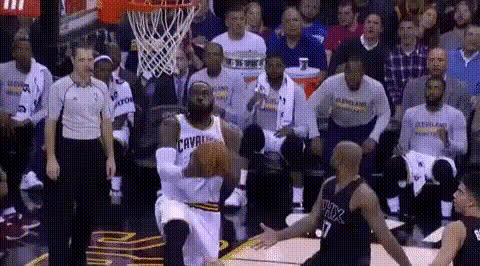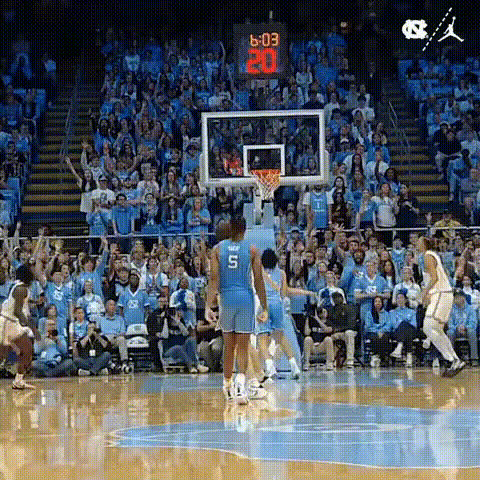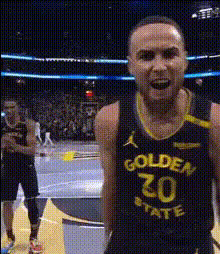
stephen-curry-in-action
face-swap
Any aspect ratio
Tags
transformationsAI Face Swap Reaction Video Template
Turn any video into a high‑impact reaction, testimonial, or character performance with this AI face swap template. Built on Magic Hour’s production‑grade Face Swap technology, it lets you drop your face (or a character’s face) into existing footage in a few clicks—ideal for creators, marketers, and product teams who need fast, repeatable content.
What This Template Is For
Use this template to instantly repurpose or personalize video content:
Creator & influencer content
- React to trending clips without re‑shooting
- Create “duet‑style” or commentary videos at scale
- Localize your content with different on‑camera personas
Marketing & product teams
- Generate personalized video messages for segments or accounts
- Test multiple spokespersons or faces on the same script/scene
- Produce quick variants for A/B tests and multichannel campaigns
Startups & product builders
- Prototype “AI host” or “AI tutor” experiences
- Simulate user reactions or product walk‑throughs
- Create explainer footage without studio time
This template uses Magic Hour’s Face Swap Video workflow so you can go from idea to finished clip in minutes.
How to Remix This Template in Magic Hour
You can use this template as‑is, or treat it as a starting point and fully remix it.
1. Start from the base template
- Open the template in Magic Hour.
- Import the original video you want to transform (reaction format, talking head, product demo, scene, etc.).
For other creative directions, you can also start from:
- Face Swap Video – swap faces in any video
- Video to Video – restyle or re‑stage existing footage
- Animation – turn characters or stills into motion
- Lip Sync – match lip movement to any audio
2. Add the face you want to use
You can:
- Upload a selfie or headshot of yourself, a teammate, or an actor
- For best results, use a clear, front‑facing image with good lighting.
- If you don’t have the right photo, quickly create one with:
- Or design a synthetic character first using:
Then, apply that face to your base video with Face Swap or Face Swap Video.
3. Customize the use case
Here are common patterns you can build by remixing this template:
Reaction / commentary videos
- Take a clip (e.g., product launch, meme, gameplay, ad).
- Swap in your face so you’re the one reacting or explaining.
- Optionally turn still memes into short motion pieces with Image to Video or AI GIF Generator.
Personalized outreach videos
- Record or use a generic spokesperson video once.
- Face‑swap for different regions, markets, or accounts.
- Clone or match voices with AI Voice Cloner or AI Voice Generator.
Character‑driven explainer videos
- Design a mascot or brand character (e.g., with AI Anime Generator or AI Art Generator).
- Use Image to Video or Text to Video to create motion.
- Layer face swap on top so your character “performs” the script.
- Add talking‑photo style behavior using AI Talking Photo.
Localization & A/B testing
- Keep the same core footage (demo, walkthrough, announcement).
- Swap faces to test different presenters, demographics, or styles.
- Combine with Auto Subtitle Generator to localize captions fast.
4. Refine the visuals
You can clean up or enhance visuals around the face swap to make the final piece production‑ready:
- Improve image/video quality with:
- Edit or polish assets with:
- Clean up or remove unwanted elements using:
Best Practices for High‑Quality Face Swaps
To get the most realistic, on‑brand results:
Use clear, high‑resolution source media
- Good lighting and minimal motion blur strongly improve alignment and realism.
- If necessary, restore or enhance assets with:
Keep angles and expressions compatible
- Faces in your source image and target video should be roughly aligned in angle and emotion for a natural look.
- If you need additional character poses, generate variants with:
Respect consent and usage rights
- Only swap faces you are allowed to use (your own, your team’s, licensed actors, or synthetic characters).
- Follow platform and brand guidelines when using public figures or user content.
Match style to platform
- For TikTok/Reels/Shorts, you can generate vertical crops and social‑native visuals using:
Advanced Workflows for Builders & Teams
If you’re using this template as part of a larger workflow or product:
Content pipelines & automation
- Use one master “host” video and dynamically face‑swap for users, cohorts, or campaigns.
- Combine with AI QR Code Generator to link to personalized experiences.
- Pair with AI Voice Changer for regional variants while keeping one visual identity.
Brand & character systems
- Maintain a stable set of brand faces or mascots created via:
- AI Face Generator
- Avatar Generator
- Full Body Generator
- AI Fashion Generator or AI Outfit Generator for clothing changes
- Reuse the same character across:
- Face‑swapped explainer videos
- Static ads and banners (via AI Image Generator)
- Social GIFs and memes (via AI GIF Generator and AI Meme Generator)
- Maintain a stable set of brand faces or mascots created via:
Creative experimentation
- Explore stylistic or narrative variants with:
- Then bring those worlds to life by combining them with this face swap template.
Related Magic Hour Tools to Extend This Template
Depending on your project, you may also want to connect this template with:
Performance & identity
Visual generation & design
Fun & community content
Why Use Magic Hour for Face Swap Templates?
Magic Hour’s face swap stack is designed for creators and teams who care about:
- Speed – Go from raw idea to finished, shareable video in minutes.
- Quality – High‑fidelity swaps that hold up in close‑ups and branded contexts.
- Flexibility – Seamless integrations with image, video, voice, and design tools across the Magic Hour ecosystem.
- Scalability – Reuse this template as a building block for entire campaigns, personalization flows, and product features.
Start by loading this template, swap in your own face or character, and then remix it with other Magic Hour tools to build a repeatable, high‑leverage face swap workflow that fits your brand and product.