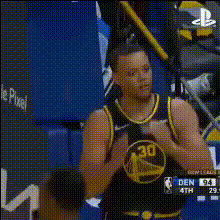
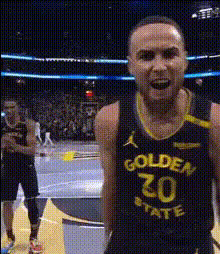
Steph Curry Edit
face-swap
Any aspect ratio
Tags
sportsSteph Curry Edit – AI Face Swap Video Template
Create high‑impact basketball edits and meme‑ready clips in minutes with the Steph Curry Edit template. This template uses Magic Hour’s AI Face Swap technology to map Steph Curry’s face onto any person in your video, giving you pro‑level results without manual masking, tracking, or keyframing.
What You Can Do With the Steph Curry Edit
- Sports content – Put yourself, a friend, or a client “in the league” by swapping their face with Steph Curry in training clips, pickup games, or IRL challenges.
- Social campaigns – Create attention‑grabbing TikToks, Reels, and YouTube Shorts for brand promos, watch parties, fantasy leagues, or bracket launches.
- Meme and reaction content – Turn iconic Curry reactions into personalized memes by swapping his face onto your own clips or vice‑versa.
- Creator collabs – Remix community trends and basketball edits rapidly so you can publish first instead of last.
This template is built on the same core tech as Magic Hour’s standalone AI Face Swap and Face Swap Video tools, so you get consistent, frame‑accurate results across your content pipeline.
How the Face Swap Works (In Practice)
The Steph Curry Edit template uses deep learning–based face detection and face reenactment to:
- Track faces across frames – Automatically identify and follow the subject’s face throughout the video, even with movement.
- Preserve expressions and motion – Map your subject’s expressions, eye direction, and head movement to the Steph Curry face.
- Blend realistically – Match skin tone, lighting, and perspective so the final video feels cohesive rather than “pasted on.”
This approach is similar in principle to research on face reenactment and deepfake generation described in academic work from conferences like CVPR and ICCV, but abstracted into a creator‑friendly workflow so you don’t need to touch code or ML frameworks.
Quick Start: Remix This Template in Magic Hour
You can either start directly from the Steph Curry Edit template or build your own variation in a few steps:
- Open Face Swap Video
Go to the Face Swap Video creator. This is the base tool the Steph Curry Edit uses under the hood. - Upload your source video
Use any clip where at least one face is visible: game footage, gym workouts, IRL challenges, vlogs, or skits. - Choose your target face
For a Steph Curry edit, use a clear Steph Curry reference image or a frame from game photography. For variations, you can swap in teammates, rivals, or your own branded character. - Generate the face‑swapped video
Run the face swap and review the preview. If you want to iterate, try a different input clip or a higher‑quality face reference (frontal, good lighting). - Remix with other Magic Hour tools (optional)
Polish or extend your Curry edits using:- Video‑to‑Video – Stylize the entire clip (comic, anime, cinematic) while keeping the face swap.
- Animation – Turn still images of Steph into animated clips you can later face‑swap onto.
- AI GIF Generator – Export short Curry reactions as looping GIFs for Discord, Slack, or X.
- Video Upscaler – Enhance resolution for platforms that favor HD content.
- Auto Subtitle Generator – Add captions for social platforms where muted autoplay is common.
How to Create Your Own “Curry‑Style” Template
If you’re a creator or marketer who wants a reusable workflow rather than a one‑off edit, you can generalize this template:
- Swap in different athletes or influencers – Use the same steps but change the target face. This is useful for campaigns that localize content across regions, leagues, or teams.
- Build a reaction pack – Generate multiple short Steph Curry face‑swap clips (celebration, disbelief, locked‑in focus) and archive them as a library of reusable reaction assets.
- Combine with AI image tools – Pre‑design your scenes using:
- AI Image Generator or AI Art Generator for stylized courts, locker rooms, or fantasy arenas.
- AI Image Editor and Image Background Remover to clean up and adjust still frames before turning them into video with Image to Video.
- Extend to talking‑head content – For commentary or parody interviews, combine face swap with:
- Lip Sync – Sync Steph’s swapped face to your script or voiceover.
- AI Talking Photo – Animate a Curry photo to deliver lines or sponsor messages.
- AI Voice Generator or AI Voice Changer for fully synthetic voiceovers in different styles.
Best Practices for Realistic Steph Curry Face Swaps
- Use high‑quality input – Higher resolution and good lighting in your source clip and face reference usually produce cleaner swaps and better eye detail.
- Match angle and expression – When possible, pick a Steph Curry reference image with a similar head angle and expression to your subject’s clip for more natural results.
- Keep it recognizable – Don’t over‑stylize to the point where the subject stops looking like Curry. For stylized output, apply styles after the face swap via Video‑to‑Video or Animation.
- Respect rights and platform policies – Public figures appear frequently in transformative fan content, but always check the terms of the platforms you post on, relevant right‑of‑publicity laws in your region, and any brand guidelines you or your clients must follow.
Use Cases for Creators, Marketers, and Builders
For Creators
- Weekly game recap edits with you “as” Steph Curry breaking down plays.
- Skill‑progress videos (e.g., 30‑day shooting challenge) where the end result swaps your face with Curry’s as a payoff.
- Fan tributes and montage edits for playoff runs, all‑star appearances, or milestone achievements.
For Marketers and Brands
- Concept tests and storyboards: prototype campaign ideas using face‑swapped mockups before committing to higher‑cost production.
- Localized fan engagement: create different versions of a concept by swapping in various players or mascots while keeping the same core script.
- UGC prompts: encourage your audience to “become” Steph in your challenge and share their generated clips.
For Developers & Product Teams
- Validate audience interest in AI‑driven sports content formats using low‑friction tools rather than custom ML pipelines.
- Prototype content flows for sports apps, fantasy products, or companion experiences with face‑swapped highlight reels.
- Evaluate how face personalization affects watch time, share rates, and in‑funnel conversion before you build in‑house solutions.
Related Magic Hour Tools for Sports & Face Content
To go beyond this single template and build a broader AI‑assisted workflow around face content, explore:
- AI Face Editor – Fine‑tune facial attributes and expressions before or after swapping.
- AI Face Generator – Create entirely new fictional players or fans to star in your edits.
- Avatar Generator and AI Headshot Generator – Build consistent personal or brand avatars that appear alongside Curry in your videos.
- Face Swap GIF – Rapidly create short, shareable GIF‑format face swaps for social and chat platforms.
Community & Remix Culture
Steph‑themed face swap edits have become a recognizable micro‑genre across TikTok, Instagram Reels, and YouTube Shorts, often used in:
- “POV: You woke up as Steph Curry” skits and day‑in‑the‑life videos.
- Underdog and “zero‑to‑hero” training montages.
- Humorous “before/after” transformations tied to workouts, coaching, or gear.
By using a template built for remixing, you can iterate quickly on these trends instead of building each edit from scratch. When you find a structure that works (hook, payoff, call‑to‑action), you can simply swap in new clips, alter the voiceover, or combine with tools like AI Meme Generator or Thumbnail Maker to ship new variations fast.
Get Started
To create your own Steph Curry Edit:
- Open the Face Swap Video creator.
- Upload your clip and choose a Steph Curry reference image.
- Generate, review, and then extend the result with tools like Video‑to‑Video, Animation, and Video Upscaler.
From there, you can turn the Steph Curry Edit into a repeatable template for your channel, your brand, or your product—ready to remix whenever there’s a big game, a viral moment, or a new campaign to launch.