Commanding Runway Office
- Model
- GPT Image 2
- Image
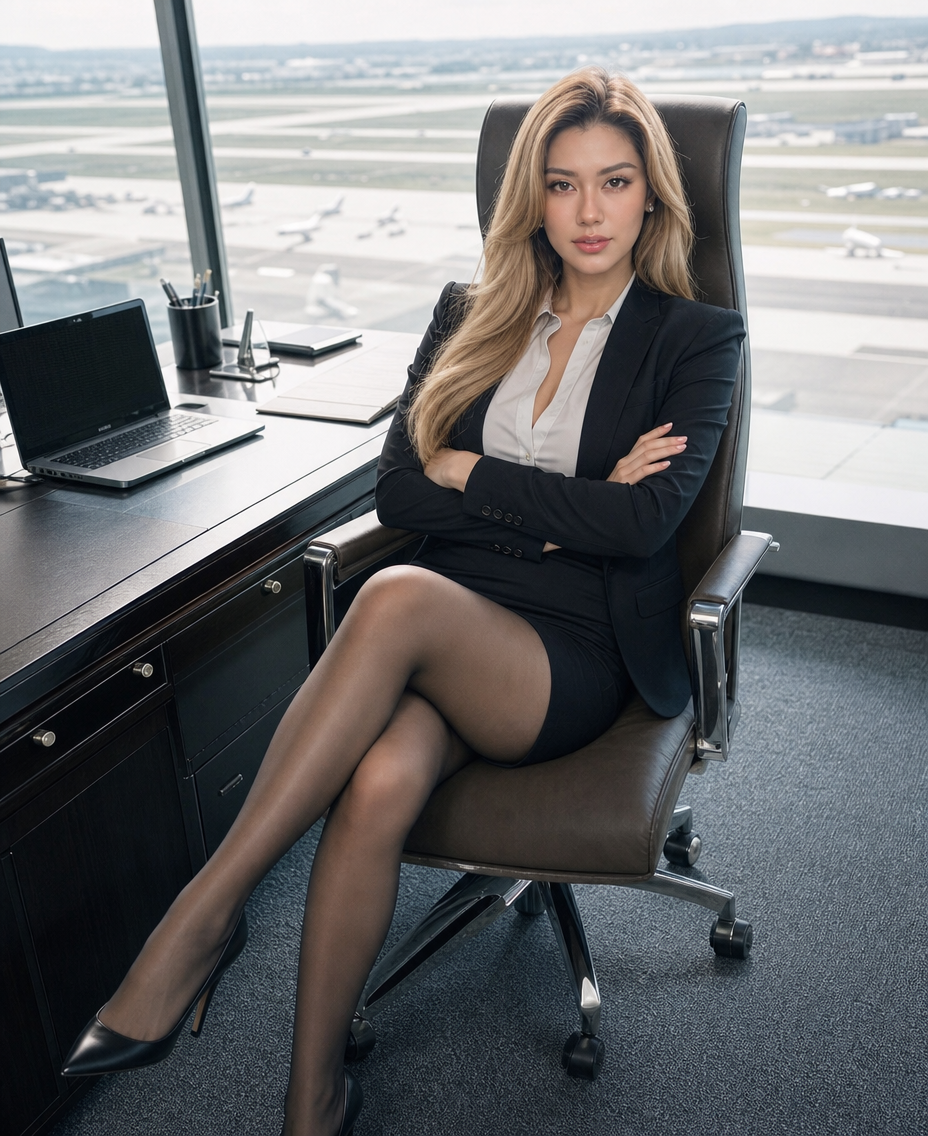
- 928 × 1136 px
Prompt
Full body fashion editorial shot of the subject, an 18-year-old young beautiful blonde with refined elegant facial features, thin arched eyebrows, natural smokey eye makeup, straight nose bridge, full lips in natural nude pink, warm peach skin tone with realistic delicate texture. Wearing small pearl stud earrings, serious composed expression, capable business style attire, a skirt, black stockings, confident and powerful expression, arms crossed over chest, staring directly into the camera with a confident gaze. Sitting in a luxury high-back chair at a desk, creating a soft asymmetrical lower body line, head at a natural angle. The background features a spacious floor-to-ceiling window overlooking a military airport runway, slightly cluttered yet spatial environment keeping the background clear and visible. Pale soft overexposed daylight, cool soft color tones, boosted midtones, creamy pale highlights, teal shadows, vivid saturation, light high-key photography style. High angle view looking down, 315-degree front three-quarter perspective, 50mm standard lens, neutral perspective, shallow depth of field, cinematic Japanese portrait color grading, high detail, realistic spatial depth, 8K hyperrealistic.
Any aspect ratio
Overview
The Commanding Runway Office template uses the AI Image Editor capabilities of Magic Hour combined with the powerful gpt-image-2 model. This template is designed to produce a fashion editorial image with high realism and detail, capturing the essence of a business professional poised in an elegant office setting.
What It Does
This template precisely crafts a fashion editorial shot where the subject is an 18-year-old with delicate facial features and business attire. Positioned in a luxury chair with an airport runway in the backdrop, the template applies a cinematic Japanese portrait color grading, with a focus on high-key photography style. It's ideal for producing ultra-realistic images that blend elegance with professionalism.
Who It's For
Commanding Runway Office is perfect for fashion photographers, editorial artists, and visual content creators who want to experiment with high-end fashion photography setups without needing a physical shoot. It's also well-suited for those in the fashion industry looking to enhance their portfolios with realistic and professionally themed photos.
Summary
Leverage the capabilities of the AI Image Editor and gpt-image-2 model to craft high-detail, hyperrealistic fashion editorial shots. The template provides a rich, photorealistic scene blending elegance and authority, ideal for showcasing impact and professional flair in an editorial setting.
How To
Choose the Template

Customize Your Image

Generate the Image

Use Cases
Fashion Editorials
- Highlight business fashion trends
- Create visual narratives for magazines
Portfolio Development
- Add diversity to shoots
- Showcase ability to create themed photo series
Marketing Campaigns
- Promote business attire lines
- Engage high-end fashion audiences
Best Practices
Focus on Detail
Utilize the template's hyperrealistic capabilities by paying attention to details like skin tone and attire textures.Leverage Lighting
Make use of the overexposed daylight and creamy highlights to enhance the subject’s features.Adjust Perspective
Use the adjustable 315-degree angle to experiment with different expressions and body language.