Grim Reaper Shadow
- Model
- Nano Banana Pro
- Image
- 768 × 1376 px
Prompt
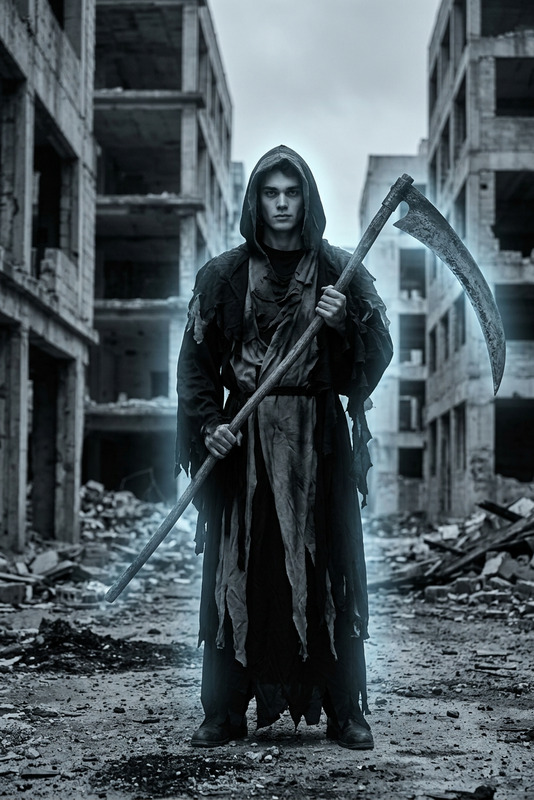
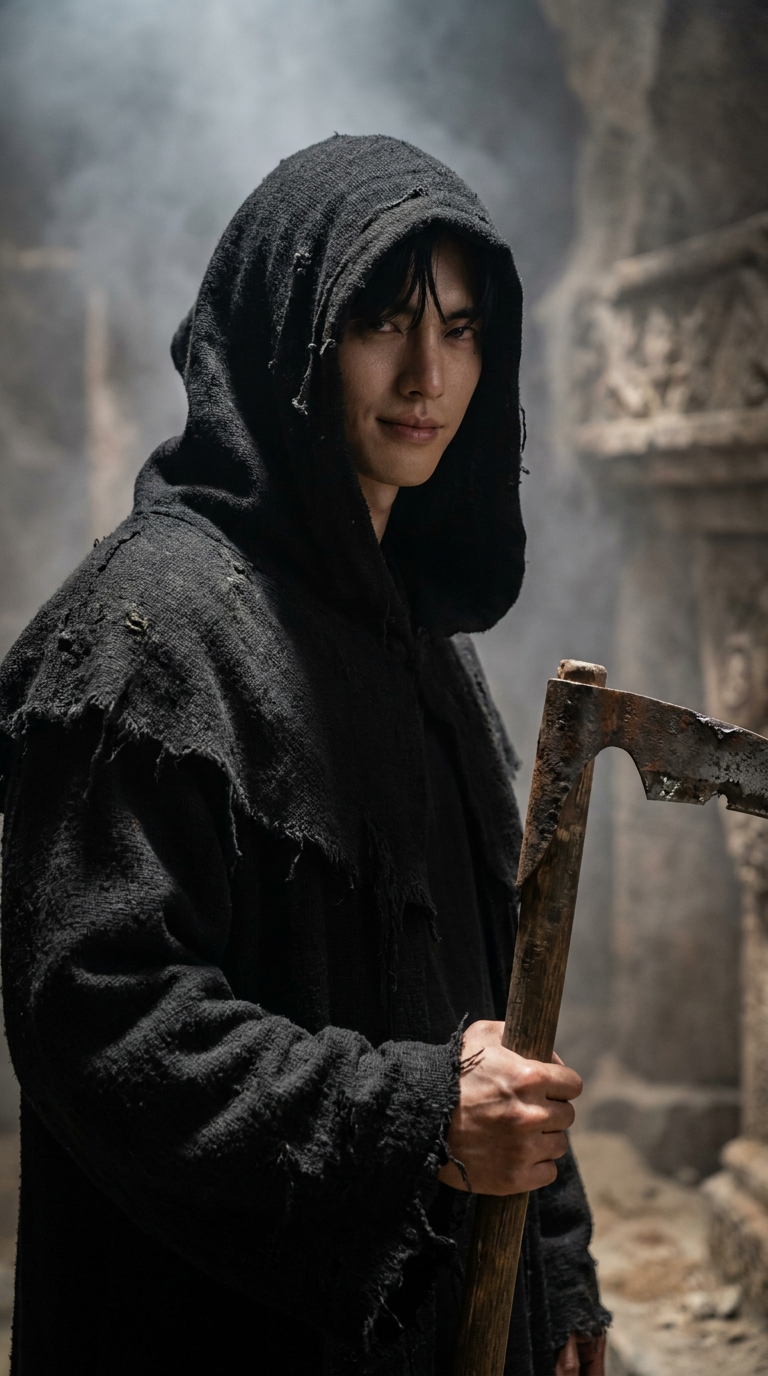
Strongly preserve the person’s real face, eyes, mouth, and facial structure. Transform them into a grim reaper in a hyper-realistic, live-action cinematic style: clad in a tattered black hooded robe that drapes hauntingly, with a weathered scythe in hand. The scene unfolds in a dimly lit ancient tomb or ethereal spectral realm, where mist swirls subtly. Cinematic lighting — featuring soft side lighting and deep, moody shadows — accentuates photorealistic textures: from the robe’s frayed, aged fabric to the scythe’s rusted, worn metal. The atmosphere is mysterious, solemn, and chillingly evocative of death. Avoid CG or video game-style rendering; prioritize the authenticity of a live-action film. 8k resolution, ultra-detailed.
Any aspect ratio
Overview
The Grim Reaper Shadow template uses the AI Image Editor powered by the nano-banana-pro model. It transforms any photo into a cinematic representation of the Grim Reaper, focusing on maintaining distinct facial elements while creating an ominous, hyper-realistic appearance.
Perfect for those looking to blend personal identity with rich storytelling, this tool brings a dramatic and mysterious aesthetic to your images.
What It Does
This template allows you to turn photos into cinematic reimaginings of the Grim Reaper, enriching them with vivid detail and hyper-realistic textures. The focus is on preserving the subject’s identifiable features while draping them in a haunting scenario, complete with a weathered scythe and a dimly lit, ethereal background.
The goal is to achieve a live-action film aesthetic, supporting high-resolution imagery and nuanced lighting effects. Incorporate this with AI Image Generator to further enhance images with various styles.
Who It's For
This image editor is ideal for creatives in film production, digital storytelling, and themed photography who want to add a hauntingly mysterious edge to their projects. It's particularly useful for graphic designers and social media content creators seeking high-impact visuals.
Whether you're working on movie posters or eerie atmosphere pieces, this tool provides the stylistic transformation you need.
Summary
The Grim Reaper Shadow template is a versatile and powerful option for those looking to create captivating, photorealistic images with a touch of darkness. Combining personal features with elaborate visual storytelling, it’s a robust choice for any project requiring a cinematic, eerie flair.
Leverage this template to achieve outstanding results and pair with tools like AI Profile Picture Generator for a comprehensive image editing experience.
How-To
Choose Your Template

Customize Your Image

Generate and Download

Use Cases
Themed Photo Shoots
Film and Game Promotions
Digital Art and Storytelling
Best Practices
Lighting and Texture Emphasis
When using this template, focus on images with strong contrasts in lighting, as this will enhance the cinematic effects and add depth to the textures.Facial Feature Clarity
Choose high-quality photos where the subject's facial features are clear to allow the AI to preserve and transform them accurately.Narrative Consistency
Think about the background setting you choose, ensuring it complements the Grim Reaper transformation for a cohesive atmospheric effect.