Mid-Air Nightmare
- Model
- Nano Banana Pro
- Image
- 896 × 1200 px
Prompt
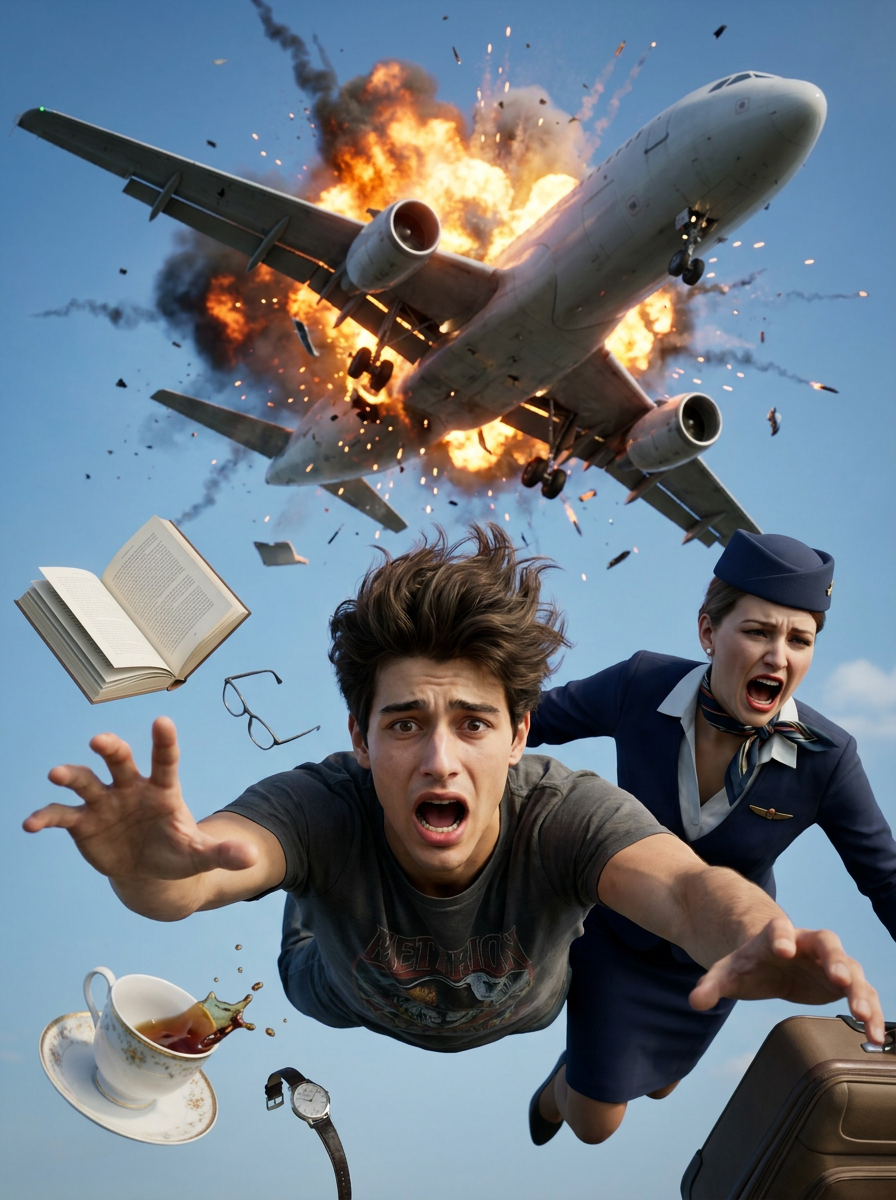
A cinematic, chaotic, high-action mid-air scene of a mid-air plane disaster. In the upper half of the frame, a large commercial passenger airplane is exploding violently in mid-air, with bright orange fire, thick black smoke, and shattering metal debris tearing across a bright blue sky with scattered clouds.In the foreground, falling directly toward the camera in free fall, a 25-year-old man with a lean athletic build, messy brown hair blowing upward, and a wide-eyed, panicked, terrified facial expression reaches his hand out toward the viewer. He is wearing a dark grey t-shirt with a graphic cartoon design on the front. Right next to him, a female flight attendant in a classic dark blue uniform, matching pillbox hat, and neck scarf is also falling, her mouth wide open in a scream of pure panic. No sunglasses or eyewear are worn by either person to ensure full clarity of their facial features and intense expressions.Floating all around them in a state of zero-gravity chaos are various loose objects: an open book with pages fluttering, a white porcelain teacup spilling dark brown coffee droplets, a wristwatch, eyeglasses, and pieces of luggage. The camera angle is looking slightly upward from a low position, capturing the terrifying drop with dramatic depth of field. Hyper-realistic, highly detailed textures on skin, fabric, and fire, shot on a professional 85mm lens, intense movie-poster action style, Unreal Engine 5 render quality.Remove sunglass. keep face 100% match uploaded photo. imafe ratio 3:4
Any aspect ratio
Overview
"Mid-Air Nightmare" is an AI Image Editor template designed to capture the thrilling essence of cinematic disaster scenes. Powered by the nano-banana-pro model, it allows creators to produce a hyper-realistic, high-action visual narrative that depicts a dramatic airplane explosion in stark detail. This template is perfect for generating striking images with intense character expressions and meticulously detailed environments.
What It Does
This template takes advantage of advanced AI capabilities, such as those available in the AI Image Editor suite, to seamlessly edit and enhance images. It provides users with the ability to render a scene of chaotic mid-air disaster with photorealistic detail. The tool ensures perfect facial match to uploaded reference photos, capturing the intricacies of human emotion and dynamic motion effectively.
Who It's For
This template is ideal for visual effects artists, filmmakers, and creative professionals looking to enhance their narratives with compelling visuals. If you're working in AI Video Extender to produce extended video content or using AI GIF Generator for short loops, this tool adds powerful still images to your toolkit.
Summary
The "Mid-Air Nightmare" template features a high-action scene with a focus on intense details and emotive expressions. By providing a 3:4 image ratio and maintaining facial feature accuracy, this tool empowers creators to engage their audiences with immersive, action-packed imagery.
How To
Choose Template

Customize Inputs

Generate Image

Use Cases
Film Concept Art
- Storyboarding for directors
- Pre-visualization concepts
Advertising Campaigns
- Movie posters
- Action product banners
Social Media Content
- Dramatic Instagram posts
- Engaging video thumbnails
Best Practices
Use High-Quality Inputs
To achieve the best results, ensure that your uploaded reference photos are high resolution.Fine-Tuning Details
Adjust lighting and object placement as needed to highlight specific features or actions within your scene.Leverage Model Capabilities
Utilize the full potential of nano-banana-pro for enhanced texture and depth in rendering scenes.