Shopping basket
- Model
- GPT Image 2
- Image
- 1024 × 1024 px
Prompt
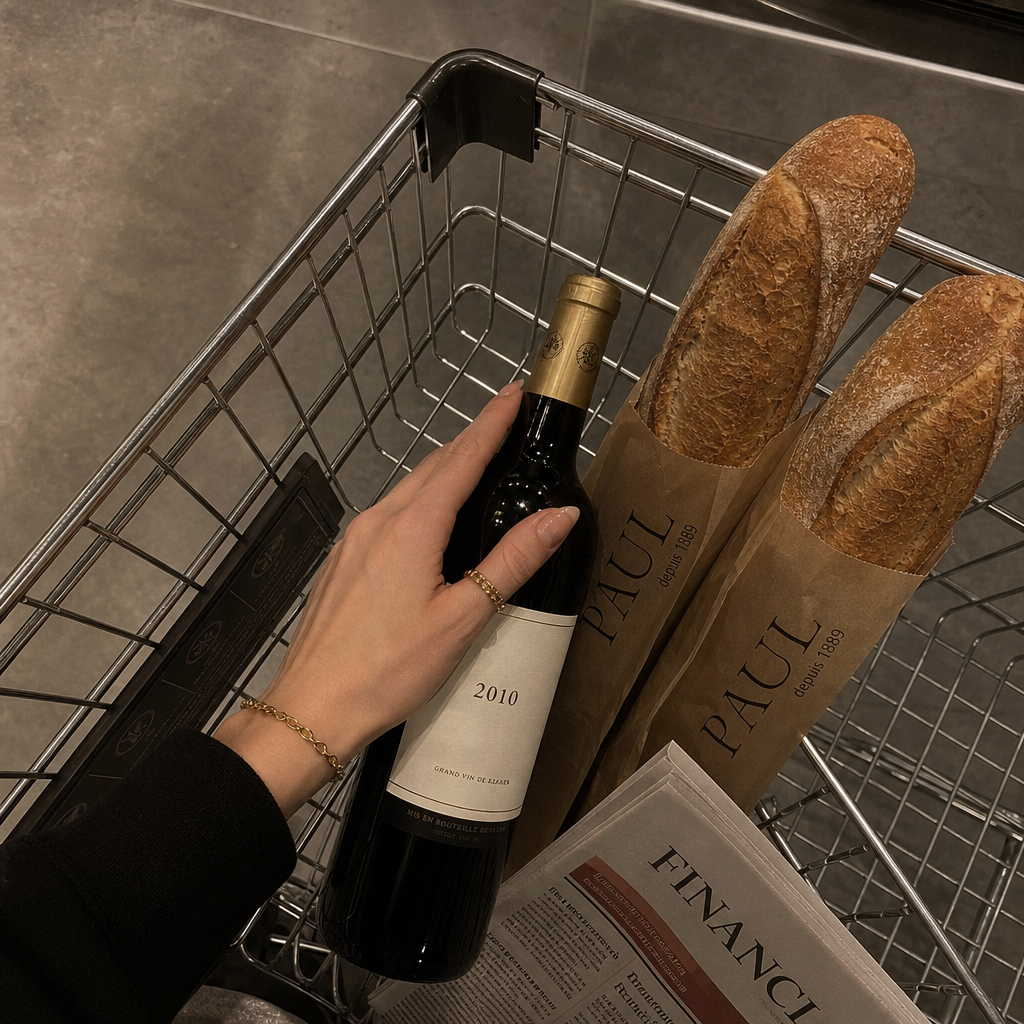
A high-angle close-up shot captures a fair-skinned hand, likely female, delicately placed on a wine bottle in a shopping basket. The hand, adorned with a gold ring and bracelet, suggests refined taste. In the basket are two baguettes in brown paper bags, a newspaper, and the wine bottle with a light-colored label featuring the number "2010." The setting implies an upscale grocery store or delicatessen, with a metal wire basket and neutral-toned floor. Warm, soft lighting illuminates the scene, casting gentle shadows and emphasizing a cozy atmosphere. The image accentuates muted earth tones, including beige, gold, and charcoal gray. Captured digitally with a modern smartphone, the photo maintains sharp focus with minimal noise or distortion. The overall mood conveys a sense of understated elegance and everyday luxury. HEX VALUES: ["#120f0e", "#352f2d", "#25201d", "#ceb082", "#4c453f", "#ba9b72", "#b27c57", "#625b53", "#a58864", "#936a48", "#797168", "#765235", "#59361c"]
Any aspect ratio
Overview
The "Shopping Basket" template on Magic Hour offers a sophisticated touch to your digital retail images. As part of the AI Image Editor suite, it utilizes the advanced capabilities of the gpt-image-2 model to enhance and modify images with remarkable precision. This template is ideal for depicting a scene filled with elegance and subtle luxury, making it perfect for upscale branding and advertising needs.
What It Does
The "Shopping Basket" template specializes in transforming ordinary grocery settings into images that convey elegance and sophistication. It captures the essence of a high-end shopping experience, highlighting the intricate details such as the gold jewelry and the 2010 wine bottle label. With muted earth tones and warm lighting, it creates an inviting and luxurious ambiance, ideal for brands aiming to showcase premium products in a refined manner.
Who It's For
This template is tailored for professionals in the retail and marketing sectors who need to elevate their visual content. Ideal for use by graphic designers, eCommerce managers, and marketing teams, the template helps create compelling imagery for high-end product launches, advertising, and promotional materials, especially in eCommerce ads and product launches.
Summary
Utilizing the "Shopping Basket" template aligns with creating a visual narrative of sophistication and luxury. Perfect for enhancing images with refined details, this template serves as a powerful tool for brands to communicate their premium positioning. Explore more on how to make your visuals stand out with our AI GIF Generator and other image enhancement tools.
How-To
Choose

Customize

Generate

Use Cases
High-End Product Photography
- Showcase gourmet items like wine and artisan bread
- Highlight upscale jewelry accessories
Brand Storytelling
- Feature in advertising campaigns
- Develop content for social media promotions
E-Commerce Advertisements
- Create standout product pages
- Boost engagement with visually appealing images
Best Practices
Consistent Color Palette
Ensure your branding remains consistent by coordinating the image's color palette with your brand's theme, utilizing the HEX values provided in the template.Focus on Details
Details such as jewelry and product labels add to the image's luxurious feel. Ensure these are clearly visible and well-integrated.Optimize for Platforms
Adjust image dimensions according to the platform you are targeting, such as websites or social media, to maintain quality and appeal.