Prom Hotline
- Model
- Nano Banana 2
- Image
- 800 × 1333 px
Prompt
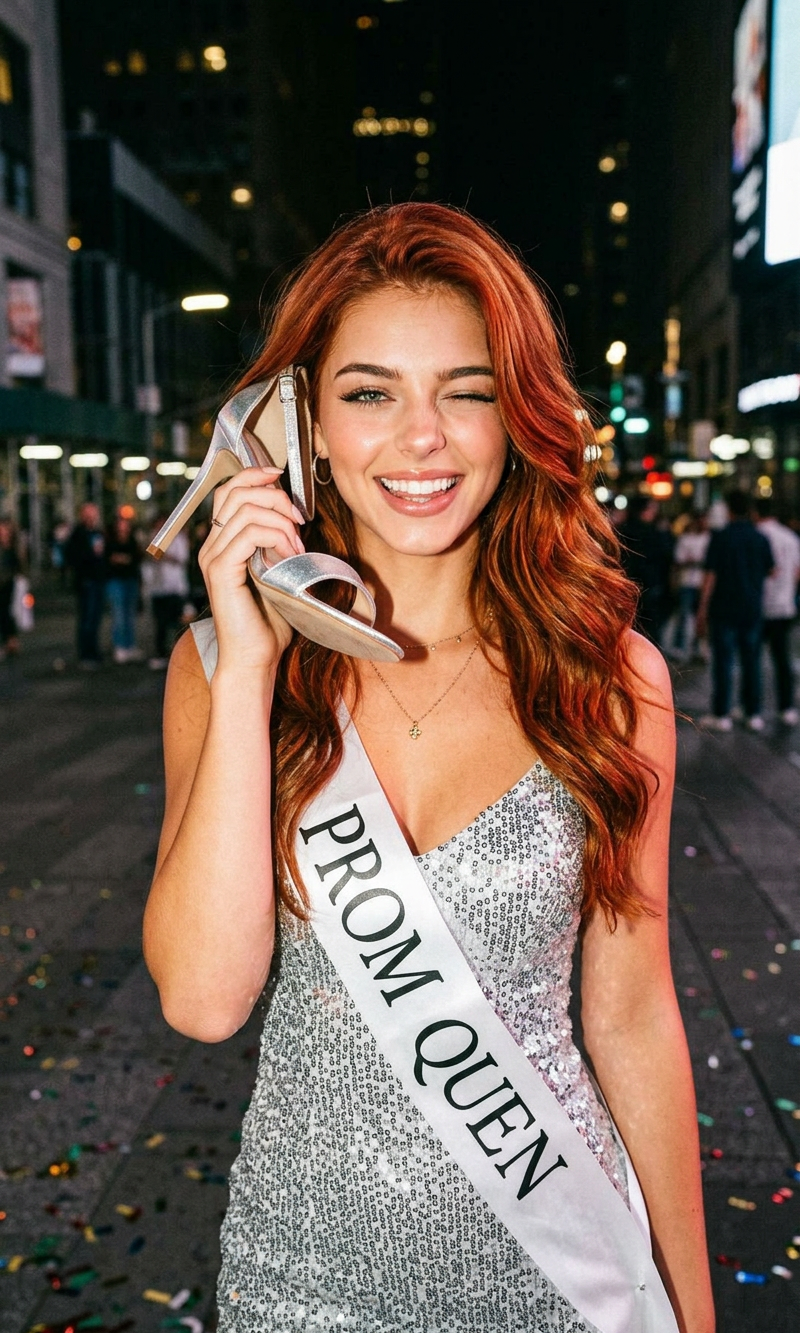
A playful nighttime portrait of a young red-haired woman wearing a sparkling silver sequin prom dress and a “PROM QUEEN” sash, posing on a quiet street at night. She is winking at the camera while holding a silver high heel shoe to her ear like a telephone. She wears a delicate tiara, with loose wavy ginger hair and soft glam makeup. Flash photography aesthetic with a candid party vibe, dark blurred background with subtle streetlights, cinematic grain, warm skin tones, fashion editorial style, ultra-realistic, high detail, youthful and fun atmosphere, 35mm film look.
Any aspect ratio
Overview
The Prom Hotline template in our AI Image Editor suite allows users to craft eye-catching, ultra-realistic portraits. Designed with the nano-banana-2 model, this template brings your creative vision to life with high detail and style. Perfect for capturing those unforgettable prom night moments.
What It Does
With the Prom Hotline template, transform ordinary images into stunning works of art. Use our AI Image Editor to create portraits that feature vivid details, vibrant colors, and a professional touch. The template highlights a playful yet cinematic aesthetic, making it ideal for anyone looking to enhance their photography or creative projects.
Who It's For
This tool is designed for photographers, influencers, and creatives aiming to add a unique flair to their visual content. Whether you're capturing high-school memories or creating editorial-style images, the Prom Hotline template provides the versatility you need. Those interested in dynamic visuals will also benefit from our AI GIF Generator.
Summary
Embrace your creativity with the Prom Hotline image editing template. Combining fashion-forward aesthetics with advanced AI capabilities, it offers a powerful way to turn simple photos into sophisticated portraits. Dive in and explore more options with tools like the AI Image Generator and the Face Swap tool for broader creativity.
How to Use
Choose the Template

Customize Your Inputs

Generate Your Image

Use Cases
High School Prom Photography
- Create memorable portraits of prom attendees.
- Enhance images with fashion editorial aesthetics.
Social Media Content Creation
- Boost engagement with creative imagery.
- Showcase fashion and lifestyle brands in a unique way.
Fashion Editorials
- Design promotional materials for fashion events.
- Curate a portfolio with standout images.
Best Practices
Lighting and Background
Ensure ambient lighting complements the model's features to make the most of the flash photography effect.Hair and Makeup Details
Small tweaks to hair and makeup can vastly change the photo's impact; experiment to find the best look.Experiment with Angles
Capture dynamic shots by varying the portrait angles to optimize the editor's capabilities.