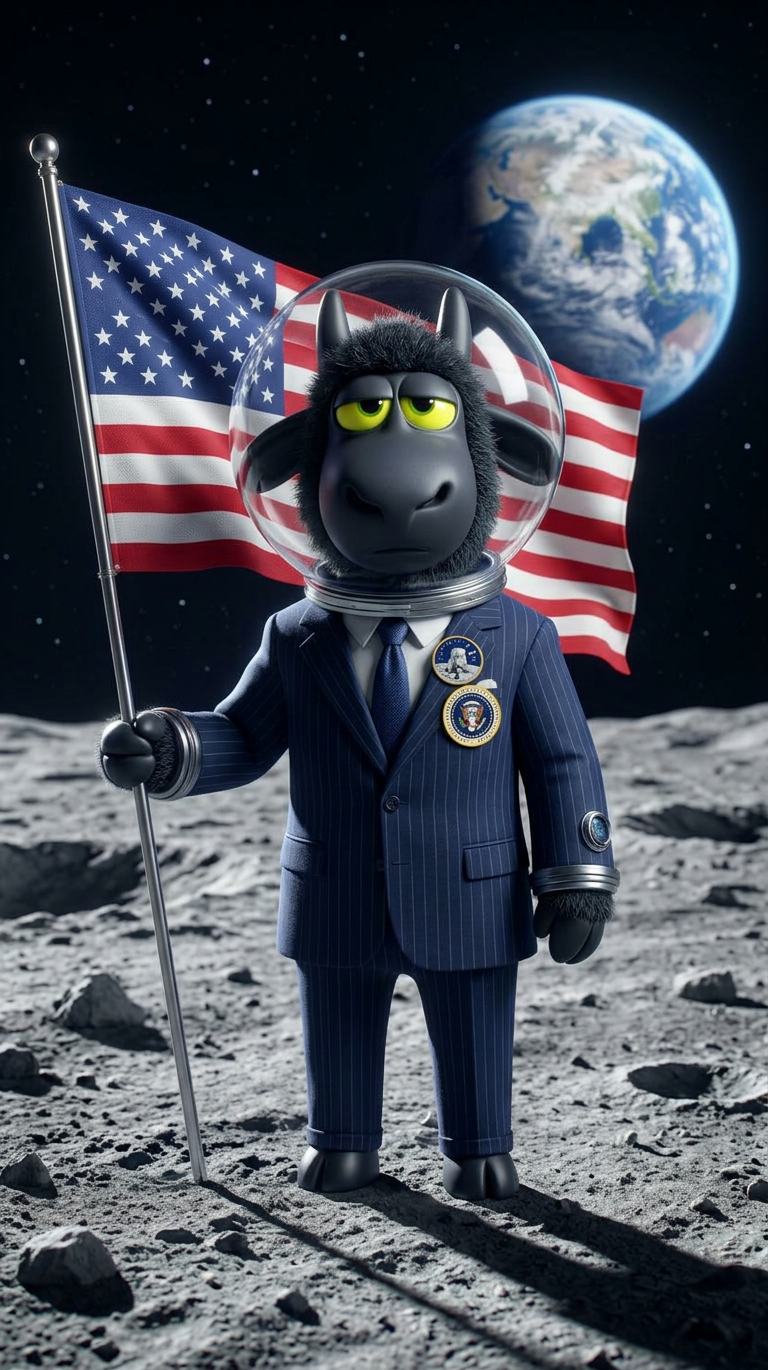
Cosmic Statesman
ai-image-editor
Any aspect ratio
A subject standing on the surface of the moon, wearing a formal presidential-style suit paired with a space-ready adaptation, holding or standing beside a flowing American flag; the Earth is visible in the distance against the deep black of space; the composition is cinematic and symbolic, with dramatic lighting casting long shadows across the lunar surface; high detail in fabric, suit textures, and lunar terrain; the mood is powerful, surreal, and iconic, blending political symbolism with space exploration.
AI Image Editor Template: Instantly Upgrade Product Photos for High-Converting Listings
Turn basic product shots into polished, studio-quality visuals in seconds with this AI Image Editor template on Magic Hour. Whether you’re optimizing an Amazon listing, polishing Shopify product pages, or A/B testing creatives for paid campaigns, this template gives you a repeatable, remixable workflow you can customize for your brand.
What This Template Does
This template is built with the AI Image Editor and is designed to help you:
- Clean up or replace messy backgrounds
- Remove distracting objects or props
- Sharpen and upscale low-res product photos
- Add consistent lighting and color across a full catalog
- Generate alternate stylized versions (lifestyle, studio, seasonal, etc.)
- Prepare product shots for ad creatives, thumbnails, and social posts
It’s ideal for ecommerce brands, marketplaces, growth marketers, designers, and indie builders who want consistent, high-quality visuals without a full photo studio or heavy Photoshop workflow.
How to Remix This Template in Magic Hour
You can use this template as-is, or treat it as a starting point and build your own customized version inside Magic Hour. Here’s a practical, repeatable workflow:
Open the template in Magic Hour
Start with this prebuilt template in the AI Image Editor. It’s already optimized for product-focused edits (background cleanup, lighting, object removal, and enhancements).Upload your product image
- Use your raw catalog shots: smartphone photos, studio images, or supplier photos.
- For very small or compressed images, pair this flow with AI Image Upscaler or Unblur Image to restore sharpness and detail.
Edit the background and scene
Use the template to:- Remove clutter or unwanted elements with AI Remover or Remove Object from Photo
- Generate clean, on-brand backgrounds with AI Background Generator
- Create marketplace-ready cutouts using Image Background Remover
Standardize color and lighting across your catalog
Build a consistent visual system:- Apply similar lighting and color moods across all product shots
- Use the same angles, shadows, and style so your storefront looks cohesive
- If needed, convert vintage or low-quality images with Photo Colorizer and Old Photo Restoration
Generate alternative creative versions
From a single product photo, you can branch into multiple use cases:- Ad creatives & thumbnails: Use Thumbnail Maker for sharp, scroll-stopping visuals
- Social & campaign visuals: Explore AI Art Generator, AI Illustration Generator, or Album Cover Generator to create stylized variants
- Brand & story assets: Use Book Cover Generator or Comic Book Generator for narrative-driven campaigns
Save as your own reusable template
Once you have a version you like, save and reuse it:- Apply the same editing logic to new photos for future launches
- Keep your brand’s visual identity consistent across product lines
- Share internally so your team can generate on-brand product images without manual design work
Example Use Cases for This Template
1. Ecommerce & Marketplaces (Shopify, Amazon, Etsy, Walmart)
- Clean white-background listings that meet marketplace standards
- Lifestyle variants featuring your product in on-brand environments
- Seasonal or themed product imagery without reshooting
2. Performance Marketing & Growth
- Rapid A/B testing of product imagery in paid ads
- Creative variations for Meta, Google, and TikTok campaigns
- High-conversion thumbnails for landing pages and advertorials
3. Brand & Content Teams
- Consistent hero images for websites, decks, and case studies
- Visual assets for newsletters, sales one-pagers, and product updates
- Fast iteration on visual concepts before committing to full production
4. Solo Founders, Indie Hackers, and Agencies
- Quickly polish supplier or manufacturer photos into brand-ready assets
- Build client-specific templates you can apply across multiple SKUs
- Prototype product imagery before you have final packaging or samples
Extend This Template With Other Magic Hour Tools
Because this template is built on the AI Image Editor, it plays well with the rest of Magic Hour’s ecosystem:
Generate products from scratch
- Use AI Image Generator or AI Photo Generator to create concept images, then refine them with the AI Image Editor.
- For brand mascots or characters, start with AI Character Generator or Animated Characters Generator.
Create video content from your edited product images
- Turn static images into motion using Image to Video or Text to Video.
- For more advanced sequences, explore Video to Video to stylize or transform existing product videos.
- Add automatic captions with Auto Subtitle Generator and enhance clarity using Video Upscaler.
Generate on-brand avatars and faces for your product imagery
- Create realistic or stylized models via AI Face Generator, Avatar Generator, or Full Body Generator.
- Modify expressions or details with AI Face Editor and Gender Swap.
Experiment with creative formats and campaigns
- Build memes around your product using AI Meme Generator.
- Create QR-linked visual experiences with AI QR Code Generator.
- Explore niche campaigns using tools like AI Fashion Generator, AI Outfit Generator, or AI Tattoo Generator when your product aligns with style, apparel, or aesthetics.
Advanced Ideas for Power Users
If you’re building more complex pipelines or marketing systems, this template can anchor a larger workflow:
Creative testing systems
- Generate multiple product variants, then standardize them through this AI Image Editor template.
- Use these consistent variants across ads, landing pages, and marketplaces to isolate which visual cues actually drive higher CTR and conversion.
Brand-guided content generation
- Combine this template with AI Logo Generator and AI Icon Generator to keep brand elements aligned.
- Use AI Background Generator to define a handful of repeatable backdrop “systems” (e.g., light gradient, concrete, soft studio, dark premium) and apply them predictably.
Product storytelling and vertical content
- Convert edited product shots into vertical videos for TikTok, Reels, and Shorts via Image to Video.
- Use AI Talking Photo with edited product or character imagery for explainer-style creatives.
- Enhance with AI Voice Generator or AI Voice Cloner to keep branding consistent across different campaigns.
Why Use Magic Hour for Product Image Editing?
Compared to manual photo editing workflows or traditional design tools, this template-based approach gives you:
- Speed: Turn raw photos into polished visuals in minutes, not hours.
- Consistency: Apply the same visual logic across your full catalog.
- Scalability: Support dozens or hundreds of SKUs without a large design team.
- Experimentation: Quickly spin up alternate versions to test new angles, styles, or narratives.
This AI Image Editor template is a practical starting point—remix it, extend it with other Magic Hour tools, and turn it into your team’s repeatable system for high-performing product imagery.