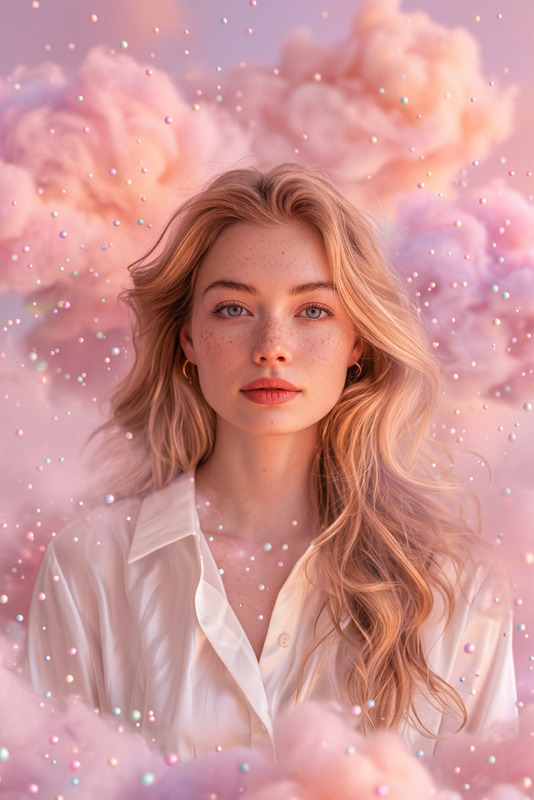
Laying in the pink cloud
- Model
- Nano Banana 2
- Image
- 843 × 1264 px
Prompt
Soft dreamy shot of a subject lying on a pink pastel cotton cloud in a heavenly sky, body gently sinking into fluffy layers. Golden light rays stream through vast clouds, creating a divine glow. Clouds drift and wrap around them in a soft haze, evoking a peaceful, celestial atmosphere. Ultra-realistic, HDR, shallow depth of field
Any aspect ratio
Overview
The "Laying in the Pink Cloud" template under the AI Image Editor category is designed to craft ethereal and enchanting visuals. This template provides users with the tools to create a scene of serene allure, ideal for transcending mundane imagery into the fantastical.
What It Does
This template allows you to transform ordinary subjects into a heavenly scene, laying on soft pink clouds with a surreal glow. Designed with the nano-banana-2 model, the output is ultra-realistic with an HDR finish. It creates an image that conveys tranquility and a celestial ambiance, perfect for projects that require a dreamy aesthetic.
Who It's For
This template is ideal for digital creators, photographers, and marketers seeking to enhance their visual content with a unique and dreamy touch. Particularly suitable for those in need of high-quality visuals for video style transfers, product promotions, or artistic projects where imagination reigns supreme.
Summary
The "Laying in the Pink Cloud" template presents a perfect opportunity for creators to effortlessly introduce a surreal, enchanting atmosphere to their visuals. By leveraging the capabilities of the AI Image Editor, users can transform regular images into scenes of divine tranquility and beauty, adding immense value to both personal and professional projects.
How to Use
Choose the Template

Customize Your Image

Generate and Download

Use Cases
Creative Advertising
- Social media campaigns
- Product launches
- Branded content
Artistic Projects
- Photography exhibits
- Digital art installations
- Personal creative portfolios
Event Promotion
- Wedding announcements
- Festival promotions
- Concert visuals
Best Practices
Image Selection
Choose a subject image with a clear outline to enhance the cloud wrapping effect.Lighting Adjustments
Experiment with lighting settings to complement the scene's divine glow.Depth of Field
Adjust the depth of field to precisely highlight the subject within the cloud setting.