Multi-Exposure Dance Motion
- Model
- Nano Banana
- Image
- 768 × 1344 px
Prompt
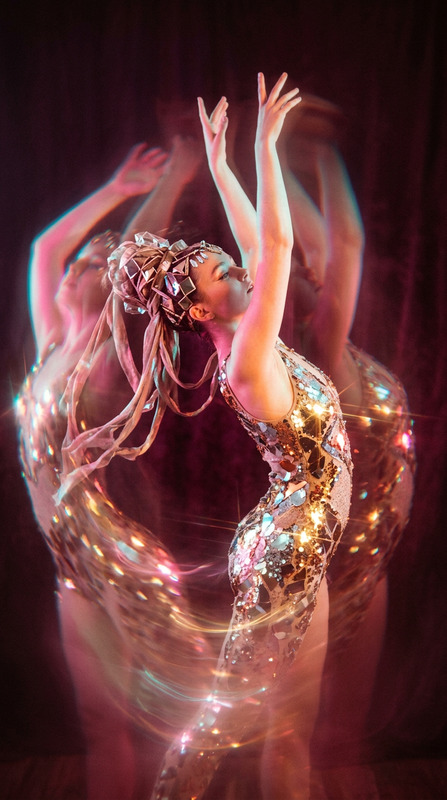
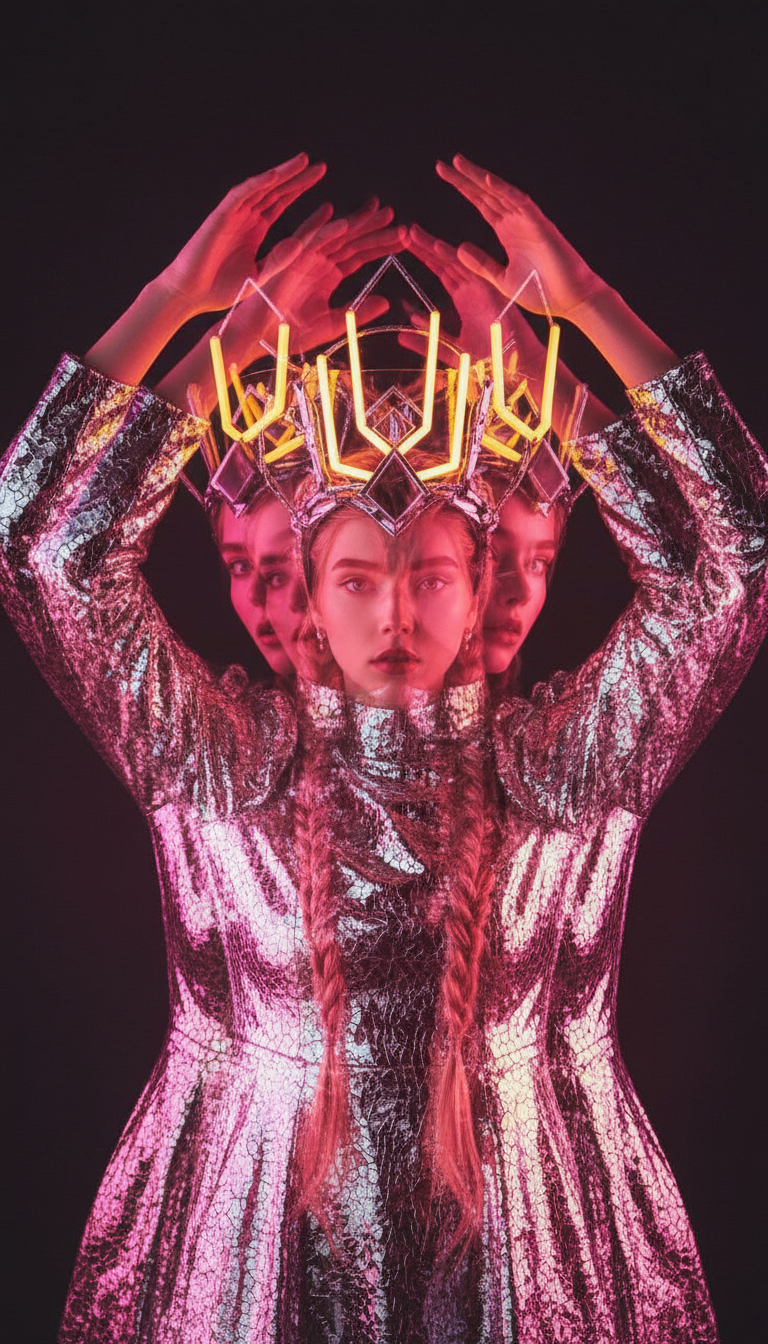
A medium shot of a subject captured in motion with multiple exposure effects, creating layered silhouettes as the subject raises their arms. The subject wears a reflective, textured outfit and an avant-garde headpiece. Neon pink and yellow lighting casts a warm, glowing aura against a dark background. Soft focus and motion blur create a dreamy, fluid atmosphere with a vibrant, surreal aesthetic.
Any aspect ratio
Overview
The Multi-Exposure Dance Motion template is designed for those looking to add artistic visual effects to their media projects. Leveraging the power of the AI Image Editor, this template utilizes the nano-banana model to create layered silhouettes that capture motion in a unique and dynamic way.
What It Does
This template applies an intricate multi-exposure effect to a dance sequence. By layering silhouettes and applying neon lighting in pink and yellow hues, it delivers a vibrant and surreal aesthetic. The end result is a harmonious blend of motion blur and soft focus, enhancing the fluidity and depth of the scene.
Who It's For
This template is ideal for creators, filmmakers, and marketing specialists aiming to add sophisticated visual effects to their projects. Whether you're working on a mood board or an advertisement, the Multi-Exposure Dance Motion can enhance your visuals with an artistic flair.
Summary
Capture and accentuate the grace and energy of dance with the Multi-Exposure Dance Motion template. Perfect for projects requiring a blend of movement and visual interest, it integrates well with other AI Video Generators to bring your creative visions to life.
How to Use
Choose the Template

Customize Your Inputs

Generate and Download

Use Cases
Dynamic Dance Videos
Creative Advertisements
Artistic Showreels
Best Practices
Select High-Quality Footage
Use high-resolution footage to ensure the multi-exposure effects are clear and impactful.Adjust Lighting Effects
Play with the neon lighting settings to enhance the mood and match your project’s tone.Experiment with Motion Blur
Subtle adjustments to motion blur can create a more fluid and dreamy appearance.