Eiffel Tower Infographic
- Model
- Nano Banana Pro
- Image
- 768 × 1392 px
Prompt
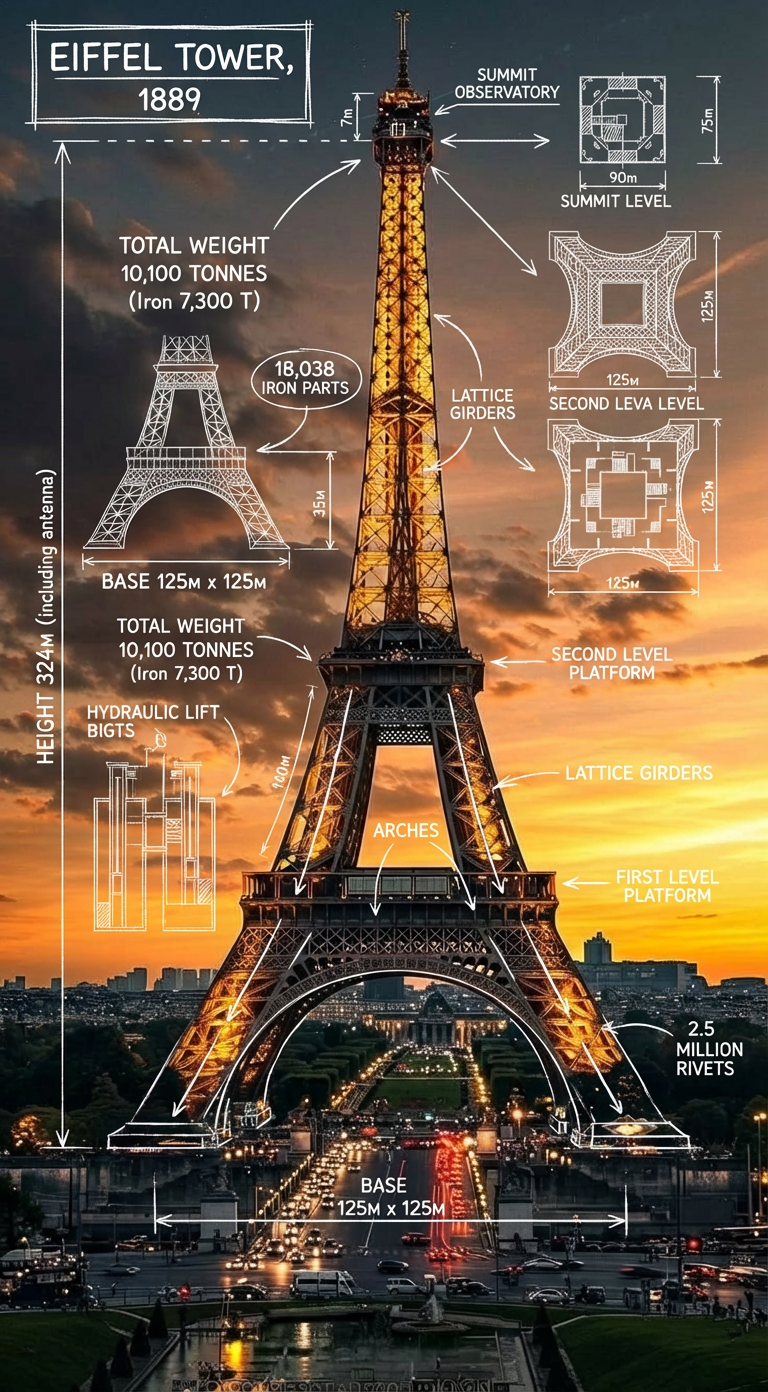
Create an infographic image of the Eiffel Tower, combining a real photograph of the landmark with blueprint-style technical annotations and diagrams overlaid on the image. Include the title ""EIFFEL TOWER, 1889"" in a hand-drawn box in the top left corner. Add white chalk-style sketches showing key structural data, important measurements, material quantities, internal diagrams, load-flow arrows, cross-sections, floor plans, and notable architectural or engineering features specific to the Eiffel Tower. Style: blueprint aesthetic with white line drawings on the photograph, technical/architectural annotation style, educational infographic feel, with the real environment visible behind the annotations.
Any aspect ratio
Overview
The Eiffel Tower Infographic template is crafted for creators seeking to blend visual artistry with technical insights. This AI Image Editor template enables you to style images with a blueprint aesthetic, overlaying intricate technical annotations onto real photographs of the Eiffel Tower.
What It Does
This template combines a real photograph of the Eiffel Tower with overlaying blueprint-style annotations. It features sketches displaying key structural data, measurements, material quantities, and architectural features. Ideal for presenting factual and architectural insights in an engaging format, this template helps convey complex information clearly and attractively.
Who It's For
Designed for educators, content creators, and travel enthusiasts, this template is perfect for enhancing travel blogs, educational content, and presentations. Whether you are explaining the intricacies of the Eiffel Tower in an academic setting or adding a creative edge to your travel website, this tool aligns with your needs. Consider using the AI Profile Picture Generator to complement your infographic with personalized visuals.
Summary
Explore the intersection of creativity and technical illustration with the Eiffel Tower Infographic template. Bring your images to life with detailed overlays and annotations. Pair this with the AI Background Changer to adjust your image settings for optimal clarity and impact in your infographics.
How to Use
Choose the Template

Customize Your Infographic

Generate Your Image

Use Cases
Educational Presentations
Travel Blogging
Online Courses
Best Practices
Use High-Quality Images
Ensure that the photograph of the Eiffel Tower you use is of high resolution for the best results in your infographic.Focus on Key Data Points
Highlight essential architectural elements and use clean lines to maintain readability.Balance Detail and Simplicity
While annotations are crucial, avoid overcrowding the image; leave space to appreciate the underlying photograph.