Mirror Selfie
image-to-video
Any aspect ratio
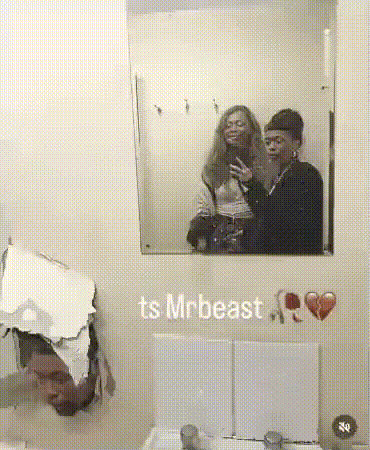
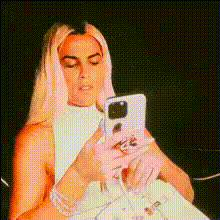
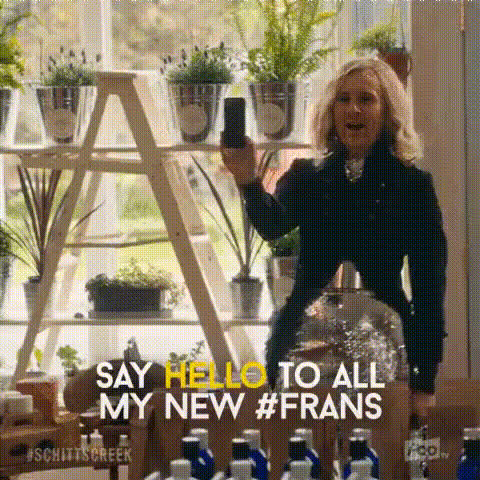
A person taking a mirror selfie, subtle movement as they slightly tilt the phone and shift their pose, adjusting their hair or outfit while looking at the mirror, natural and candid moment, the phone visible in their hand, relaxed and confident expression, casual everyday setting, soft natural lighting, realistic lifestyle photography, modern aesthetic, slight motion in body posture and hand movement, authentic and personal vibe. 📱🪞
Tags
transformationsBring Your Images to Life with Image‑to‑Video on Magic Hour
Turn a single still image into a smooth, dynamic video using Magic Hour’s powerful Image‑to‑Video technology. This template is built for creators, marketers, and founders who need high‑quality motion content fast—without learning complex video tools.
Use it to:
- Animate product shots for ads, landing pages, or app store creatives
- Add subtle camera moves to lifestyle photos and brand imagery
- Bring characters, concept art, and storyboards to life
- Create eye‑catching social posts, reels, and shorts from static visuals
Because it runs on Magic Hour’s AI video stack, you get smooth motion, natural lighting transitions, and consistent subject details—ideal for professional campaigns and rapid iteration.
How This Template Works
This template uses an image as input and generates a short video clip with believable motion and depth. Under the hood, it relies on modern diffusion‑based image‑to‑video models that can infer:
- Camera movement (pans, zooms, dolly‑style moves)
- Subtle subject motion (hair, fabric, light, reflections)
- Depth cues and parallax for a 3D‑like effect
You can remix this template in a few minutes:
- Upload or select an image (product shot, portrait, concept art, UI mock, etc.).
- Choose a motion style that fits your use case (e.g., gentle camera pan for hero shots, more dynamic movement for social content).
- Generate, review, and iterate until you’re satisfied.
Because Magic Hour keeps your original image as the visual anchor, the output video stays on‑brand and visually consistent.
Remixing This Template in Magic Hour
You can easily create your own version of this template by remixing and combining it with other Magic Hour tools and templates:
Start with a stronger image:
- Generate on‑brand visuals with the AI Image Generator or AI Photo Generator.
- Clean up and refine assets with the AI Image Editor.
- Improve quality using the AI Image Upscaler or fix blur with Unblur Image.
Turn that image into motion:
- Animate the still using Image‑to‑Video.
- If you want to go from an existing clip instead, explore the Video‑to‑Video template for style‑consistent video transformations.
- For animated characters or scenes, combine with the Animation template or Animated Characters Generator.
Add faces, voice, or lip movement (optional):
- Swap faces across your animated scenes using the Face Swap Video template or Face Swap.
- Turn a still portrait into a talking head with AI Talking Photo.
- Sync the lips of a character or spokesperson to audio using the Lip Sync template.
- Clone or generate voiceovers with AI Voice Cloner and AI Voice Generator.
Prepare assets for publishing:
- Upscale final videos for better clarity using Video Upscaler.
- Add subtitles automatically with the Auto Subtitle Generator.
This modular workflow lets you adapt the template for everything from UGC‑style ads to polished product explainers.
Practical Use Cases
This Image‑to‑Video template is particularly useful for:
Product & SaaS Marketing
- Animate static product mockups for landing pages
- Create short looping hero animations from UI screenshots
- Turn catalog photos into ad‑ready motion assets
Pair it with:
- AI Logo Generator for brand assets
- Thumbnail Maker for YouTube and paid social
Content & Social Creation
- Turn illustrations into scroll‑stopping animations
- Transform memes, screenshots, and quotes into motion posts
Explore:
Character & Worldbuilding
- Animate characters created with the AI Character Generator, AI Anime Generator, or AI Manga Generator.
- Bring fantasy maps (from the Fantasy Map Generator) or concept art to life with subtle camera moves.
Brand, Fashion & Commerce
- Show 360‑style product reveals or dynamic lookbooks starting from a single editorial shot.
- Combine with:
Tips for High‑Quality Image‑to‑Video Results
To get professional, remixable outputs:
Start with a strong base image
- High resolution, clear subject, and good lighting generally produce better motion.
- Use AI Headshot Generator for portraits or AI Selfie Generator for social‑ready faces.
Control visual clutter
- Busy backgrounds can cause distracting motion. Use Image Background Remover or Remove Object from Photo to simplify.
- For cleaner compositions, try AI Background Generator or AI Interior Design Generator.
Think in “shots,” not just images
- Frame your still as if it were a camera shot in a storyboard: clear subject, depth, and a sense of foreground/midground/background.
- Use parallax‑friendly scenes (e.g., objects at different depths) to get more cinematic motion.
Advanced Creative Workflows
For more technical or experimental users:
Storyboarding with Still Frames
- Generate a sequence of keyframes with the AI Art Generator or AI Illustration Generator.
- Convert each keyframe into short image‑to‑video clips and edit them together for a full micro‑explainer or trailer.
Mixed Modality Content
- Use Text‑to‑Video to draft rough motion concepts from prompts.
- Replace key moments with higher‑fidelity Image‑to‑Video shots built from carefully crafted still images.
Stylized Campaigns
- Create on‑brand art styles with tools like Disney AI Generator, Dark Fantasy AI, or Graffiti Generator.
- Animate those assets with Image‑to‑Video for consistent, stylized campaigns.
Combine with Other Magic Hour Templates
This Image‑to‑Video template can serve as the backbone of larger workflows:
- Use the Face Swap Video template to localize or personalize animated content for different markets or personas.
- Use the Lip Sync template to turn animated portraits into talking avatars for product explainers, onboarding flows, or customer education.
- Use the Animation template when you need more character‑driven or frame‑by‑frame‑style motion.
Getting Started
To create your own version of this template:
- Open the Image‑to‑Video product page: Image‑to‑Video.
- Upload a high‑quality image or generate one first with the AI Image Generator.
- Generate your first animated clip, then iterate, remix, and combine it with other Magic Hour tools as needed.
Use this template as a starting point, then build your own reusable workflows for:
- Always‑on ad creatives
- Product launch visuals
- Founder‑led content
- UGC‑style assets at scale
With a single strong still image, you can quickly produce a library of motion assets ready for testing, optimization, and deployment across all your channels.