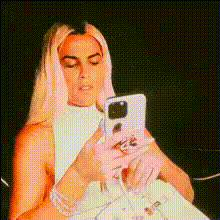
woman-with-phone-selfie
Overview
The Woman with Phone Selfie video face swap template allows you to infuse your selfies with playful creativity. This tool brings dynamic face-swapping effects right to your video content, adding a personal touch to selfies captured on your phone. Utilize this template to transform regular moments into engaging video experiences. The template supports various output formats common in multimedia projects, ensuring easy integration into your social media or personal archives.
What It Does
This Video Face Swap template offers the ability to switch your face with characters in dynamic selfie contexts. Using advanced AI models, the template ensures realistic blending for each transformation, making your new face appear natural and fully integrated. Compatible with standard video editing workflows, it supports quick sharing on social platforms.
Pair it with the versatile AI Image Editor to further refine your visuals. This combination allows you to adjust lighting, contrast, and other elements, enhancing the final output to meet your creative vision.
Who It's For
This template is perfect for content creators, social media influencers, and anyone looking to add a creative flair to their selfie videos. Whether you're preparing content for a TikTok video or crafting an engaging Instagram post, the template provides a user-friendly platform for experimentation.
Marketers can also leverage this tool to produce captivating ads with a personal touch, especially when combined with tools like the AI GIF Generator for vibrant, shareable content.
Summary
The Woman with Phone Selfie template offers a powerful and intuitive way to create unique video content through face swapping. Ideal for a variety of users—from novice editors to seasoned content creators—it provides the creative flexibility needed to make truly personalized videos. By integrating with other Magic Hour products, such as the AI Video Generator, you can craft videos that stand out, captivating your audience at every turn.
How To
Choose Your Template

Customize Your Inputs

Generate Your Video

Use Cases
Social Media Content
- Transform your selfies into engaging TikTok videos.
- Craft memorable Instagram stories with face-swapping effects.
Marketing Campaigns
- Create personalized ads that increase audience engagement.
- Utilize in e-commerce for product promotion.
Event Highlights
- Swap faces in videos from weddings, parties, or corporate events.
- Offer a playful recap of holiday moments with family and friends.
Best Practices
Select High-Quality Photos
For the best results, use photos with clear lighting and distinct features to ensure accurate face alignment.Experiment with Facial Expressions
Try various expressions to see how the face swap adjusts. Some templates adapt better to different emotions.Combine with Other Tools
Enhance your output by using the AI Image Upscaler to improve video resolution, ensuring clarity in your final video.