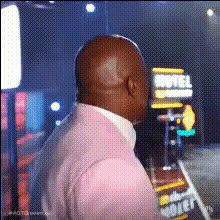
Kelly Jump Tyla

face-swap

1 clip
8 uses

Any aspect ratio

Kelly Jump Tyla – Face Swap Video Template

Overview

The Kelly Jump Tyla Face Swap Video Template lets you drop your own face (or a friend's) into a high-energy “jump” moment inspired by Tyla-style edits. It’s built on Magic Hour’s AI Face Swap technology, so you get clean, realistic swaps that are optimized for social platforms like TikTok, Instagram Reels, and YouTube Shorts.

Use this template to:

  • Quickly turn a trending “Kelly Jump Tyla” style clip into a personalized meme or reaction video
  • Create short, shareable content for campaigns, fan edits, or creator collaborations
  • Prototype creative ideas without needing advanced video editing skills

This page explains what the template does, how to remix it inside Magic Hour, and how to combine it with other Magic Hour tools for more advanced workflows.

What Is Face Swap in Magic Hour?

Magic Hour’s Face Swap uses generative AI to replace a person’s face in an image or video with another face while preserving:

  • Expressions & emotions – smiles, surprise, reactions
  • Lighting & perspective – shadows, camera angle, motion
  • Context – hair, background, body pose stay consistent

The Kelly Jump Tyla template packages this into a ready‑to‑run scene: you just provide photos or frames of the faces you want to swap in and Magic Hour handles the rest. This is similar in spirit to deepfake-style effects but designed for creators and marketers who need fast, safe, and controllable results.

How to Remix This Template in Magic Hour

You don’t need external editing software to use or customize this template. You can remix it directly inside Magic Hour using the Face Swap Video creation flow.

  1. Start from the Kelly Jump Tyla template
    Open Magic Hour and choose the Face Swap Video option at Create > Face Swap Video. Select the Kelly Jump Tyla template from the template gallery.
  2. Upload the source faces
    Add the face (or faces) you want to appear in the final clip. For best results:
    • Use clear, front-facing photos with good lighting
    • Avoid heavy filters, extreme motion blur, or very low‑resolution images
    • Match approximate age, skin tone, and expression to the target clip when possible
  3. Preview the face swap
    Generate a preview to see how your face looks in the iconic “jump” moment. If needed, try an alternative source photo (e.g., different expression or lighting) to improve realism.
  4. Remix and extend the idea
    Once you’re happy with the core swap, you can:
    • Create variations with different faces (friends, teammates, characters)
    • Export short vertical clips for TikTok, Reels, or Shorts
    • Combine this clip with other Magic Hour outputs (e.g., lip sync, talking photo, or text‑to‑video scenes)

Because this template lives inside Magic Hour’s ecosystem, you can clone it, tweak your media inputs, and rapidly A/B test different creative versions without ever leaving the browser.

Template Features

  • Face Swap Video–ready
    Built specifically for the Face Swap Video tool, so you get stable tracking and natural-looking swaps even during fast motion (like the jump moment).
  • Short‑form, social‑native format
    Optimized for vertical, short‑form video so it can drop directly into TikTok, Instagram Reels, YouTube Shorts, and Snapchat Spotlight.
  • Multiple use cases
    Works well for:
    • Reaction memes and humorous edits
    • Music‑adjacent fan edits (e.g., Tyla‑inspired clips)
    • Creator promos, channel intros, or social hooks
    • Campaign creatives where you want fast, attention‑grabbing motion
  • Beginner‑friendly, production‑grade output
    Designed so non‑editors can ship content quickly, but with high enough quality for professional creators, agencies, and startups running paid social tests.

How to Build Your Own Kelly Jump–Style Template

If you like this template and want your own variation or series, you can build a similar effect by chaining Magic Hour tools:

  1. Generate or import the base footage
  2. Apply AI Face Swap
    Run the base clip through Face Swap Video or use the core Face Swap product to create different variations with new faces.
  3. Refine visuals (optional)
    If you want a more polished version:
  4. Add voice, lip movements, or talking effects (optional)
    To turn your Kelly Jump edit into a speaking or singing character, combine with:

Advanced Remix Ideas for Creators & Marketers

For teams running campaigns, channels, or experiments, this template can be a building block in larger content systems.

  • Creator onboarding & UGC
    Hand creators a pre‑built Kelly Jump Tyla template and ask them to swap in their own faces or team members. This creates consistent campaign visuals with minimal friction.
  • AB testing hooks
    Generate multiple versions by:
    • Swapping different personas (customer avatars, fictional characters)
    • Pairing face swap with captions generated via your own LLM workflows
    Run these as hooks at the start of ads or organic posts to see which combinations drive clicks or watch time.
  • IP‑aligned characters
    Use tools like AI Character Generator, AI Anime Generator, or Animated Characters Generator to design a consistent character, then use face swap to drop that character into different Kelly‑style scenes.

Tips for Getting the Best Results

  1. Use high‑quality reference faces
    The more detail Magic Hour has, the more convincing the swap. Avoid heavily compressed screenshots when possible.
  2. Match lighting and angle when you can
    Faces shot in similar lighting and angles to the template clip generally produce more natural results.
  3. Leverage Magic Hour for polish
    After generating your core Kelly Jump Tyla clip, consider:

Related Magic Hour Tools You Might Use With This Template

  • Face Swap Video – core engine for turning this template into custom clips
  • Face Swap GIF – export face‑swapped GIFs for chats, Discord, and social
  • AI GIF Generator – loop the best part of your Kelly Jump for shareable GIF reactions
  • Video‑to‑Video – restyle your Kelly Jump Tyla clip (cartoon, cinematic, stylized)
  • AI Meme Generator – layer meme formats and captions over your face‑swapped jump
  • AI Selfie Generator – create on‑brand selfies to use as consistent face‑swap sources across templates

Why Use the Kelly Jump Tyla Template?

For creators, developers, marketers, and startup teams, the Kelly Jump Tyla Face Swap template is a fast way to:

  • Prototype new content concepts without a full production pipeline
  • Capitalize on recognizable, high‑energy visuals that drive short‑form engagement
  • Standardize “face‑in” content across teams and collaborators

If you already rely on LLMs or generative tools for scripting, copywriting, or ideation, this template fits directly into that workflow: generate the idea and script with your LLM, then produce the visual execution in Magic Hour using Face Swap Video and this template as your base.

More Like This

Insufficient credits