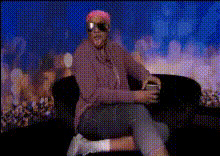
tamar-braxton-eyeroll
Overview
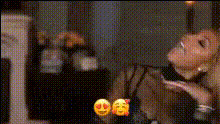
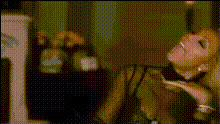
Welcome to the Tamar Braxton Eye-roll Video Face Swap template on Magic Hour, where you can inject humor and personality into your videos. With this template, replace any face in your video with Tamar Braxton's iconic eye-roll expression and give your content a memorable twist. Perfect for social media sharing or just to have some fun with your video projects.
What It Does
This template uses advanced Video Face Swap technology to map Tamar Braxton's classic eye-roll onto the face in your chosen video. It seamlessly integrates with your footage, maintaining the original video's quality while adding a captivating expressive touch. Pair this with our AI Voice Changer for a complete transformation.
Who It's For
This template is designed for content creators, video editors, and social media enthusiasts looking to add a splash of personality to their videos. Whether you're creating TikTok videos, crafting content for Instagram reels, or just looking to entertain your friends, this template offers endless creativity.
Summary
By using the Tamar Braxton Eye-roll Video Face Swap template, users can elevate their content into engaging and humorous pieces. This tool allows for seamless integration of fun expressions, making it easier than ever to captivate your audience. Explore our other tools like the AI Meme Generator to further enhance your projects.
How To
Choose Your Template

Customize Your Inputs

Generate Your Video

Use Cases
Social Media Content
- TikTok entertainment
- Instagram stories
- YouTube shorts
Video Memes
- Viral content
- Reaction videos
- Comedy skits
Personal Projects
- Birthday greetings
- Party invitations
- Just for fun clips
Best Practices
Select High-Quality Videos
Ensure the video you upload is of high quality to maintain clarity after the "face swap" process. This also helps in better tracking and integration.Prominent Face Positioning
Choose footage where the face is clearly visible to achieve a more effective and accurate swap.Combine with Other Tools
Utilize the AI Voice Changer for added comedic effect or AI Image Editor for adjusting video aesthetics.