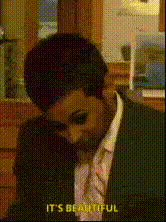
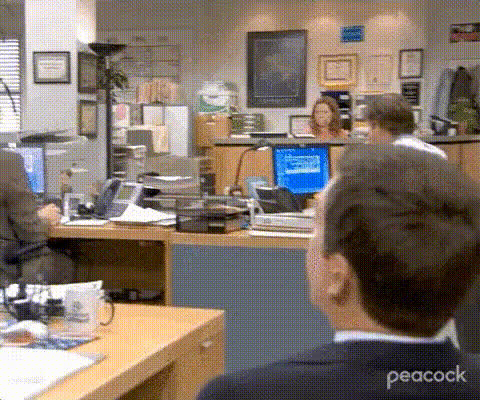
"How dare you?" - Kelly - The Office
face-swap
Any aspect ratio
“How Dare You?” – Kelly Kapoor (The Office) Face Swap Template
Turn Any Reaction Into a Kelly Kapoor Moment
The “How dare you?” scene from The Office (US) is one of Kelly Kapoor’s most iconic reactions. With this Magic Hour template, you can instantly turn your own footage into that exact meme by using AI-powered face swap video technology.
Swap your face (or a friend’s, a character, or a brand mascot) into the scene and create short, viral-ready clips for social, marketing, or internal team jokes — in minutes, directly in your browser.
What This Template Does
This template is built on Magic Hour’s Face Swap Video tool. It lets you:
- Replace Kelly’s face with any face you upload (selfies, headshots, character art, etc.).
- Keep the original performance, timing, and audio from the “How dare you?” scene.
- Export as a short video or GIF for platforms like TikTok, Instagram, X, Reddit, or Slack.
You get the meme’s emotional punch and recognizability, while fully personalizing who’s on screen.
Quick Start: How to Remix This Template in Magic Hour
- Open Face Swap Video
Go to Face Swap Video. This template is built on that workflow, so anything you learn there applies directly. - Upload your base face
Use a clear frontal photo or headshot. For best results, consider generating or refining your face image with:- Avatar Generator – for stylized profile faces.
- AI Headshot Generator – for professional, well-lit portraits.
- AI Face Generator – to create fictional characters.
- Apply the face swap to the “How dare you?” clip
Choose this template and map your uploaded face onto Kelly in the scene. Magic Hour automatically handles alignment, expressions, and blending. - Preview and refine
Play the preview, check lip movement, expressions, and identity. If needed, upload a sharper or more expressive source face. You can upscale the source with AI Image Upscaler before swapping for cleaner details. - Export and share
Download your clip and post it wherever you need a punchy “How dare you?” reaction — social media, pitch decks, internal Slack threads, or community chats.
Why Creators & Marketers Use This Template
- Fast meme production – Turn trending conversations into on‑brand memes in minutes instead of editing manually.
- Highly recognizable format – The Office is one of the most quoted sitcoms online; this reaction is instantly understood.
- Low effort, high payoff – You only customize the face; performance, timing, and punchline are pre‑baked into the template.
- Great for reaction content – Reply to product changes, market news, competitor moves, or internal decisions with a single clip.
Background: The “How Dare You?” Meme
The meme is based on Kelly Kapoor (played by Mindy Kaling) in The Office (US), where she fires back with an over-the-top “How dare you?” to a perceived slight. It’s been widely reused to signal mock outrage, playful indignation, or exaggerated offense across Reddit, Twitter/X, TikTok, and YouTube compilations.
Because The Office has a large, long‑running fanbase, this type of reaction meme performs well in:
- Social posts reacting to corporate announcements or product changes.
- Internal company memes about meetings, deadlines, or surprising decisions.
- Community jokes in fandoms or Discord servers.
Ideas: How to Customize This Template
You can turn this into more than just a one‑off joke. A few use cases:
- Founder / CEO reactions – Swap in a founder’s face to “react” to bad metrics, wild feedback, or investor requests.
- Brand character memes – Use a mascot or AI‑generated character for a recurring reaction series.
- Team shout‑outs – Swap in teammates to dramatize daily work frustrations (deploys, bugs, approvals).
- Customer education – Humorously “call out” common mistakes or misconceptions about your product.
To generate consistent characters you can reuse across multiple memes, try:
- AI Character Generator – for mascot‑style recurring characters.
- Animated Characters Generator – if you want cartoon/anime‑style faces that still work in live‑action swaps.
Advanced Remix: Build Your Own Kelly-Style Templates
Once you understand this template, you can quickly build related ones inside Magic Hour:
- Face Swap into different Office scenes
Use Face Swap Video on any reaction clip (not just this one) to make a full library of Office‑inspired reactions starring you or your character. - Turn your swapped Kelly into a lip‑sync meme
After creating a short clip, you can use Lip Sync to re‑dub the line with your own script or audio while keeping Kelly’s expressions. - Remap the performance onto other footage
If you have footage of yourself talking directly to camera, you can stylize it or match another look using Video to Video, then re‑use the “How dare you?” moment as a reaction sequence. - Animate static Kelly art
Create a stylized illustration of Kelly or your character and bring it to life with AI Talking Photo or Text to Video using the “How dare you?” line as the script.
Combine With Other Magic Hour Tools
For more polished or experimental versions of this meme, you can chain additional tools:
- Perfect the face source with:
- AI Image Editor – adjust lighting, remove distractions, tweak facial details before swapping.
- AI Remover or Remove Object from Photo – clean up backgrounds in your source photos.
- AI Face Editor – refine expressions, makeup, or subtle facial attributes.
- Generate faces from scratch with:
- AI Image Generator or AI Art Generator – design stylized or surreal faces to swap into the Kelly scene.
- AI Anime Generator or Disney AI Generator – create anime or Disney‑inspired versions of yourself, then use them as swap sources.
- Polish the final video with:
- Video Upscaler – improve resolution and sharpness for YouTube Shorts or Reels.
- Auto Subtitle Generator – add captions to improve watch‑through and accessibility.
- AI Voice Generator or AI Voice Cloner – create alternate language or alternate voice versions of the line.
- Create alternate formats:
- AI GIF Generator – turn your best frame into a looping reaction GIF.
- Face Swap GIF – build a Kelly‑style reaction GIF set instead of video.
- AI QR Code Generator – link to your meme from slides, posters, or merch.
Best Practices for High-Quality Face Swaps
- Use clear, front-facing images – Good lighting and visible facial features dramatically improve swap quality.
- Match approximate angle – If possible, choose source photos with a similar head angle to Kelly’s pose in the scene.
- Use high‑resolution sources – Upscale with AI Image Upscaler if your photo is low‑res or cropped.
- Test a few variants – Small differences in expression (neutral vs smiling) can change how natural the final swap looks.
From Single Meme to Reusable Reaction System
For teams, agencies, and creators who publish often, this template can become part of a reusable “reaction system”:
- Pick a small set of faces (founder, mascot, fictional character).
- Create 5–10 reaction templates (shock, delight, disappointment, “how dare you?” etc.) using Face Swap Video and similar clips.
- Store and reuse these as consistent visual language for your brand across social posts, newsletters, and internal comms.
Because the Kelly “How dare you?” moment is so instantly readable, it’s a strong anchor for that system.
Start Creating Your “How Dare You?” Reaction Now
Open Face Swap Video, upload a face, select this Kelly Kapoor template, and generate your first meme. From there, you can iterate quickly, build a whole set of Office‑style reactions, and combine them with other Magic Hour tools to match your brand, tone, and audience.