Iron Man Dies
Overview
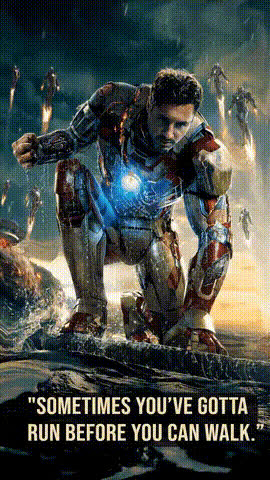
The 'Iron Man Dies' template capitalizes on the heart-wrenching finale of a beloved superhero saga. This Video Face Swap template lets you reimagine critical scenes from popular movies, adding a personal touch or creative twist to iconic moments.
What It Does
This template allows you to swap faces into the climactic scene where Iron Man makes his ultimate sacrifice. It uses advanced AI to maintain facial expressions and lighting, creating a seamless integration. The typical output includes MP4 or MOV video formats, making it easy to share across platforms.
For those interested in creating customized videos, our Video-to-Video product further expands your editing capabilities.
Who It's For
This tool is ideal for filmmakers, content creators, and fans eager to let their imagination run wild. Whether you're a seasoned editor looking to craft a unique story or a hobbyist wanting to share a personalized scene on social media, this template can be a valuable resource.
Summary
The 'Iron Man Dies' face swap template provides an emotionally engaging way to recreate pivotal scenes from memorable films. It's perfect for personal projects, promotional content, or just for fun. With a simple interface, users can generate high-quality swaps suitable for both professional and personal use.
Augment these creations with our AI Image Editor for more refined tweaks and adjustments.
How To
Choose Your Template

Customize Your Inputs

Generate and Download Video

Use Cases
Tribute Videos
- Customized farewell videos
- Fan memorials
Social Media Content
- Engaging Reels
- Viral TikToks
Entertainment Memes
- Unique content for meme pages
- Playful takes on iconic movie scenes
Best Practices
Use High-Quality Images
Ensure the face you upload is high-resolution to maintain quality in the final product.Adjust Lighting and Skin Tone
Match the skin tone and lighting of the insert to the original scene for a seamless effect.Preview Before Finalizing
Always preview the face swap before generating the final video to make necessary adjustments.