Iron Man Gets Drunk

face-swap

1 clip
6 uses

Any aspect ratio

Tags

movies

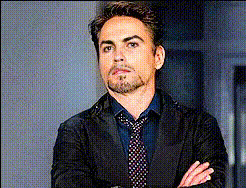
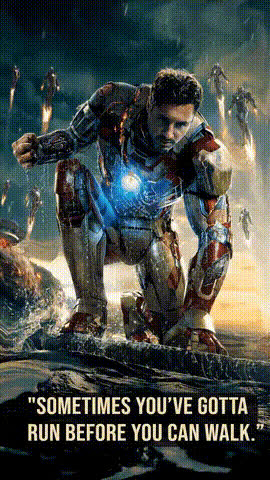
Iron Man Gets Drunk — Face Swap Video Template

Overview

This template lets you turn the iconic “party Iron Man” energy into a custom, comedy video using AI face swap. Built for creators, marketers, and meme makers, the Iron Man Gets Drunk template uses Magic Hour’s Face Swap Video tool so you can:

  • Drop your own face (or a friend’s) into a classic “drunk Iron Man” scenario
  • Remix the idea into brand-safe parodies, memes, and short-form content
  • Export ready-to-post clips for TikTok, Reels, YouTube Shorts, X, or Discord

You don’t need professional VFX skills: upload a video, add a face, and let Magic Hour’s AI do the matching, tracking, and blending.

Inspiration & Lore

The idea of a “drunk Iron Man” is rooted in Marvel’s portrayal of Tony Stark as a flawed, hard-partying genius:

  • Iron Man (2008) introduces Stark as a billionaire who leans heavily on alcohol and bravado.
  • Iron Man 2 (2010), directed by Jon Favreau, amplifies this in the infamous birthday party sequence, where Stark—wearing the suit—behaves recklessly while clearly intoxicated, firing repulsors inside his own house and fighting Rhodey in the Mark II armor.

In the comics, Marvel even tackled Tony’s alcoholism head-on in the Demon in a Bottle storyline (Iron Man #120–128, 1979). Online, this has fueled years of memes, fan edits, and video remixes around “drunk Tony Stark” and chaotic party Iron Man scenes.

This template distills that recognizable vibe into a reusable, remixable format: you control who’s in the suit, what they’re doing, and how over-the-top (or subtle) the comedy is.

What This Template Uses

This template is powered by Magic Hour’s AI face swap stack, designed for realistic, frame-accurate swapping:

  • Face Swap Video: Core engine for tracking facial motion, angle, and lighting across each frame. Try it directly via Face Swap Video.
  • Face Swap for GIFs: If you want shorter looping memes, you can repurpose your output with Face Swap GIF.
  • AI Face Editor & Generator: Need a stylized drunk expression, exaggerated smirk, or cartoony version of yourself? Use AI Face Editor or generate a new face concept with AI Face Generator.

You can also extend this template with other Magic Hour tools:

How to Remix This Template in Magic Hour

You can recreate or customize this template in a few steps using Magic Hour’s tools:

  1. Start with Face Swap Video
    Go to Face Swap Video. Upload a base clip that captures the “party Iron Man” vibe:
    • A person in a suit at a party
    • Someone dancing with dramatic gestures
    • A staged scene of clumsy or chaotic behavior
    For best results, use a video with clear lighting and visible facial expressions.
  2. Pick the Face You Want in the Suit
    Upload: Make sure your input face is high quality and front-facing when possible—this improves tracking and realism.
  3. Design the “Drunk” Expression and Style
    Instead of relying on copyrighted movie frames, build your own version:
    • Use AI Image Editor to tweak your face image: add redness, slightly droopy eyelids, or exaggerated smirks.
    • Generate alternate versions of your character (more cartoonish, more realistic, or stylized like comic art) via AI Art Generator or AI Manga Generator.
    These faces can be reused across multiple Face Swap projects to keep your character consistent.
  4. Apply Face Swap and Review
    Run the swap in Face Swap Video and preview the result:
    • Check if expressions and head turns look natural.
    • Ensure the swapped face matches the lighting and angle of the base clip.
    • Reupload a clearer base video or improved face image if you want higher realism.
  5. Add Voice, Dialogue, and Lip Sync (Optional)
    To give your “drunk Iron Man” analogue a voice:
  6. Polish, Resize, and Export
    Once your main swap looks right:

Use Cases for Creators & Teams

  • Content Creators & Streamers: Turn inside jokes into recurring “drunk armor” bits. Create short clips where your persona shows up in different party scenarios, all powered by the same swapped face.
  • Marketers & Growth Teams: Build safe, parody-style clips to promote launches or events (“our servers when traffic hits,” “our CTO at release party”). Use a brand mascot instead of an existing IP.
  • Founders & Startup Teams: Use a playful armored alter ego to explain complex ideas, celebrate milestones, or create internal culture content.
  • Memes & Social Campaigns: Generate GIFs with AI GIF Generator, layered with face swaps and text overlays, then distribute across your social stack.

Tips for High-Quality, Believable Swaps

  • Use clean, well-lit footage: The AI performs best when faces are unobstructed, with steady lighting and minimal motion blur.
  • Stay consistent across clips: Use the same base face image and style for all your videos so your “drunk armor” persona feels like a recurring character.
  • Control the tone: This concept works best as light-hearted parody. Avoid promoting harmful or real-life alcohol misuse; keep it clearly comedic or exaggerated.
  • Stay on the right side of IP & likeness: Instead of using actual movie scenes or real actors’ likenesses, create look‑inspired but distinct characters with tools like Superhero Generator, AI Character Generator, or AI Outfit Generator.

Advanced Remix Ideas

  • Animated Party Armor: Generate a stylized armored hero in motion via Animation or Image to Video, then swap in your face to create custom animated skits.
  • Parallel Universes: Use Gender Swap, Dark Fantasy AI, or Disney AI Generator to create multiple alternate versions of your armored character, then face-swap each into different scenes.
  • Comic & Meme Panels: Turn still frames into comic pages with Comic Book Generator, then export and share as multi-panel memes.
  • Short Narrative Arcs: Combine several swapped clips using Text to Video story prompts and Video to Video for style continuity.

Getting Started

To build your own version of the Iron Man Gets Drunk template:

  1. Open Face Swap Video.
  2. Upload a party or celebration clip that fits the tone.
  3. Add the face you want to feature (your own, a mascot, or an AI-generated hero).
  4. Optionally, enhance with Lip Sync, AI Voice Generator, and Video Upscaler.
  5. Export and share across your channels.

This template gives you a repeatable structure for “party armor” comedy while keeping you in control of style, character, and message—ideal for fast-moving creators, growth teams, and startups who need memorable content without a full VFX pipeline.

More Like This