Overview
The Speaking To Camera template utilizes advanced Video Face Swap technology to merge different face images into a single video, creating an engaging talking head effect. Ideal for content creators looking to elevate their video content with personalized touches.
What It Does
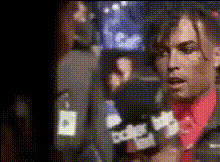
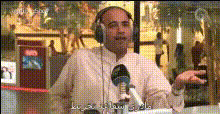
This template allows users to overlay a face onto a speaking actor in a video, maintaining natural expressions and speech. The result is realistic lip-syncing and facial movement that align with pre-recorded audio, significantly enhancing video personalization.
Who It's For
The Speaking To Camera template is perfect for marketers, educators, and social media influencers aiming to create personalized video messages. It's also suitable for film producers exploring Text to Video solutions to integrate dialogues seamlessly.
Summary
This template is a key addition for anyone interested in digital personalization or enhancing their communications through visual storytelling. Leveraging AI Talking Photo capabilities, it brings a human touch to digital interactions.
How-To
Choose a Template

Customize Your Input

Generate Your Video

Use Cases
Personalized Video Messages
- Birthday messages
- Corporate announcements
- Promotional greetings
Educational Content
- Lecture substitutes
- Student engagement
- Interactive lessons
Social Media Engagement
- Instagram campaigns
- TikTok challenges
- YouTube intros
Best Practices
Select High-Quality Images
Choose high-resolution images for better results to ensure the video face swap is realistic and seamless.Sync With Clear Audio
Use high-quality audio that matches the video to improve lip-sync accuracy.Test Different Lighting
Experiment with different lighting in the source image for better integration into the video.