Template preview

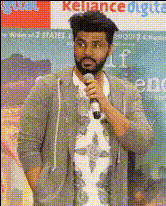
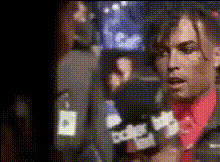
Man Speaking To Microphone

Video Face Swap
1 clip
0 uses

Any aspect ratio

Tags

transformations

Overview

The Man Speaking To Microphone template enables you to perform a Video Face Swap with ease. Swap a character's face with your own or that of a client, retaining all facial expressions and nuances. This high-impact template is ideal for anyone making interactive tutorials or fun presentations.

What It Does

This template lets you swap faces in a video clip where a man is speaking into a microphone. It's built to preserve the lip movements and expressions of the original speaker, ensuring a smooth and natural transformation. It's a powerful tool available through our AI Video Generator.

Who It's For

Creators of all kinds will find this template invaluable. It's designed for educators wishing to make engaging learning courses, marketers creating personalized content, or anyone looking to add a creative twist to their instructions or presentations.

Summary

Offering an easy way to customize face swaps within videos, this template is perfect for both professionals and hobbyists. It's part of a broader suite of interactive video tools, including Lip Sync and AI Voice Changer, enabling you to fully transform your audio-visual materials.

How To

    01

    Choose the Template

    Navigate to the Video Face Swap templates and select the 'Man Speaking To Microphone' option to start your project.
    02

    Customize Your Swap

    Select the face you'd like to insert into the video. You can upload a new image or choose from existing files in your library to suit your project needs.
    03

    Generate and Download

    Click 'Generate' to create your face-swapped video. Once complete, download the video file available in your dashboard.

Use Cases

🎓

Interactive Tutorials

Create tutorials where your face replaces that of the speaker, adding a personalized touch.
📊

Dynamic Presentations

Enhance presentations by swapping in faces of presenters to engage with audiences more directly.
📱

Social Media Content

Craft unique and eye-catching video content suitable for sharing on platforms like Instagram or TikTok.
📢

Marketing Campaigns

Develop personalized ads by placing marketers or brand spokespersons into relevant videos.
🎤

Virtual Events

Use face swaps for event videos, making them more relatable to specific audiences.

Best Practices

  • High-Quality Images

    Ensure the face image you upload is of high quality for the best results.
  • Lighting Considerations

    Match the lighting conditions of the photo to the video for a seamless look.
  • Facial Expressions

    Choose images where the face has a neutral expression to better match a variety of video contexts.

Frequently asked questions

The template supports PNG, JPG, and JPEG file formats for face images.

This template is designed for pre-recorded content; however, it can enhance videos intended for post-live distribution.

The current setup supports a single face swap per video. For multiple swaps, you'll need to create additional projects.

The template is optimized for shorter segments to ensure better quality swaps. For longer videos, consider splitting the video into parts.

More Like This

Man Holding A Microphone
2
Man Holding A Microphone
Man Holds A Microphone
Man Talking Into Microphone
4
Man Talking Into Microphone
Man Talking On Microphone
Man With Microphone 2
1
Man With Microphone 2
Man With Microphone
Man With Microphone
Man Holding Microphone
Man Smiling At Microphone
Man Talking On Mic
Man Talking On Mic
Man With Microphone 1
Man With Microphone 3
Man With Microphone 4

Face Swap Video