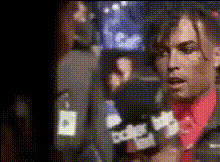
Speaking Expressively To Camera
- Video
- 647.53 sec
Any aspect ratio
Overview
Create dynamic videos with our Video Face Swap technology, "Speaking Expressively To Camera". This tool allows you to personalize videos by integrating your face onto a video template and making it speak expressively. The focus is on delivering natural, believable performances that captivate and engage.
What It Does
This template employs advanced Video Face Swap capabilities to place your face onto a pre-existing character, allowing it to mimic your expressions and voice with high accuracy. The output is a polished video that seems spontaneous and lively, ideal for various interactive media projects.
Who It's For
This tool is perfect for content creators, educators, and marketers who want to add a personal touch to their videos. Whether you're creating an explainer, storytelling segment, or promotional clip, this technology enhances viewer engagement by making videos more relatable and impactful.
Summary
"Speaking Expressively To Camera" simplifies the video production process, offering an engaging way to communicate messages. Integrate this tool with the AI Talking Photo or use the AI Voice Cloner for seamless voice integration, to enrich your video creation capabilities.
How-To Structure
Choose Your Template

Customize Your Video

Generate and Download

Use Cases
Interactive Learning
- Keep students engaged with familiar faces in learning materials.
- Easily create a virtual teacher presence in self-paced courses.
Personalized Marketing
- Add a human touch to automated marketing materials.
- Deliver personalized video messages for client engagement.
Entertaining Content
- Produce humorous and engaging content fit for viral sharing.
- Create relatable characters that resonate with your audience.
Best Practices
Choose High-Quality Images
Ensure the photo used for face swapping is high resolution for better results.Clear and Articulate Scripts
Use concise and clear scripts to ensure the generated speech is easily understood.Experiment with Expressions
Try different expressions to make your video more dynamic and engaging.