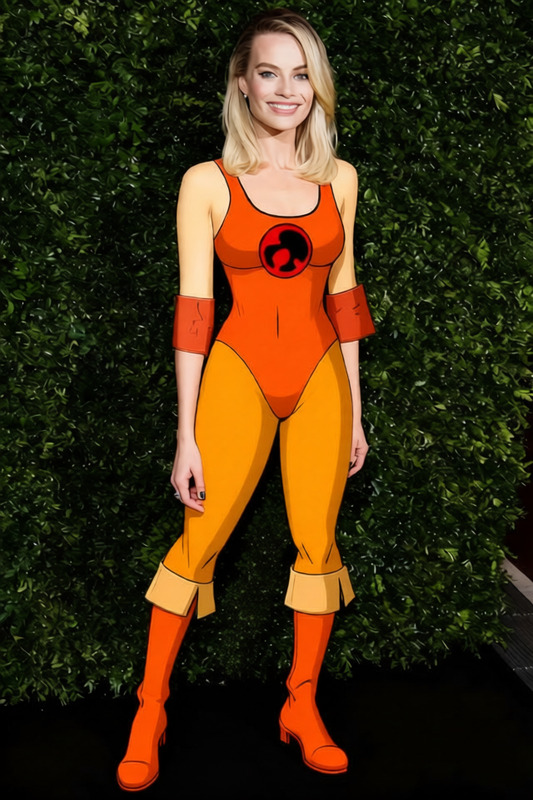
Shinobu Kocho Purple Butterfly Haori
- Model
- Qwen Edit
- Image
- 640 × 960 px
Prompt
remove the leg in the middle and keep the rest the same
Any aspect ratio
Overview
The Shinobu Kocho Purple Butterfly Haori template leverages the powerful capabilities of our AI Image Editor to transform your images with precision. Using the qwen-edit model, this template allows you to modify images by simply adjusting a few elements while maintaining the overall composition intact.
What It Does
This AI Image Editor tool lets you effortlessly remove unwanted objects, such as a leg in the middle of the frame, while leaving the rest of your image untouched. It uses sophisticated algorithms to preserve the original aesthetics, so your image looks exactly how you envisioned.
Who It's For
This template is perfect for photographers, graphic designers, and content creators who need to refine images post-capture. Whether you're preparing images for ecommerce ads or curating visual content for social media campaigns, this tool enhances your editing efficiency.
Summary
The Shinobu Kocho Purple Butterfly Haori template provides a targeted solution for image editing, removing unwanted elements while retaining the artistic integrity of your work. It's part of a suite of tools that includes options like the AI Image Upscaler and AI Profile Picture Generator, expanding your editing possibilities.
How To
Choose the Template

Customize Your Image

Generate and Download

Use Cases
Photography Touch-Ups
- Ideal for wedding photos
- Great for fashion photography
Ecommerce Visuals
- Remove distractions
- Highlight product features
Social Media Content
- Prepare images for Instagram
- Enhance Facebook ads
Best Practices
Focus on Specific Edits
Use the tool to make pinpoint adjustments rather than large-scale overhauls.Maintain Image Quality
Save the edited images in high resolution to prevent loss of quality.Test Different Prompts
Experiment with various prompts to achieve the best results for complex images.
Frequently asked questions
More Like This