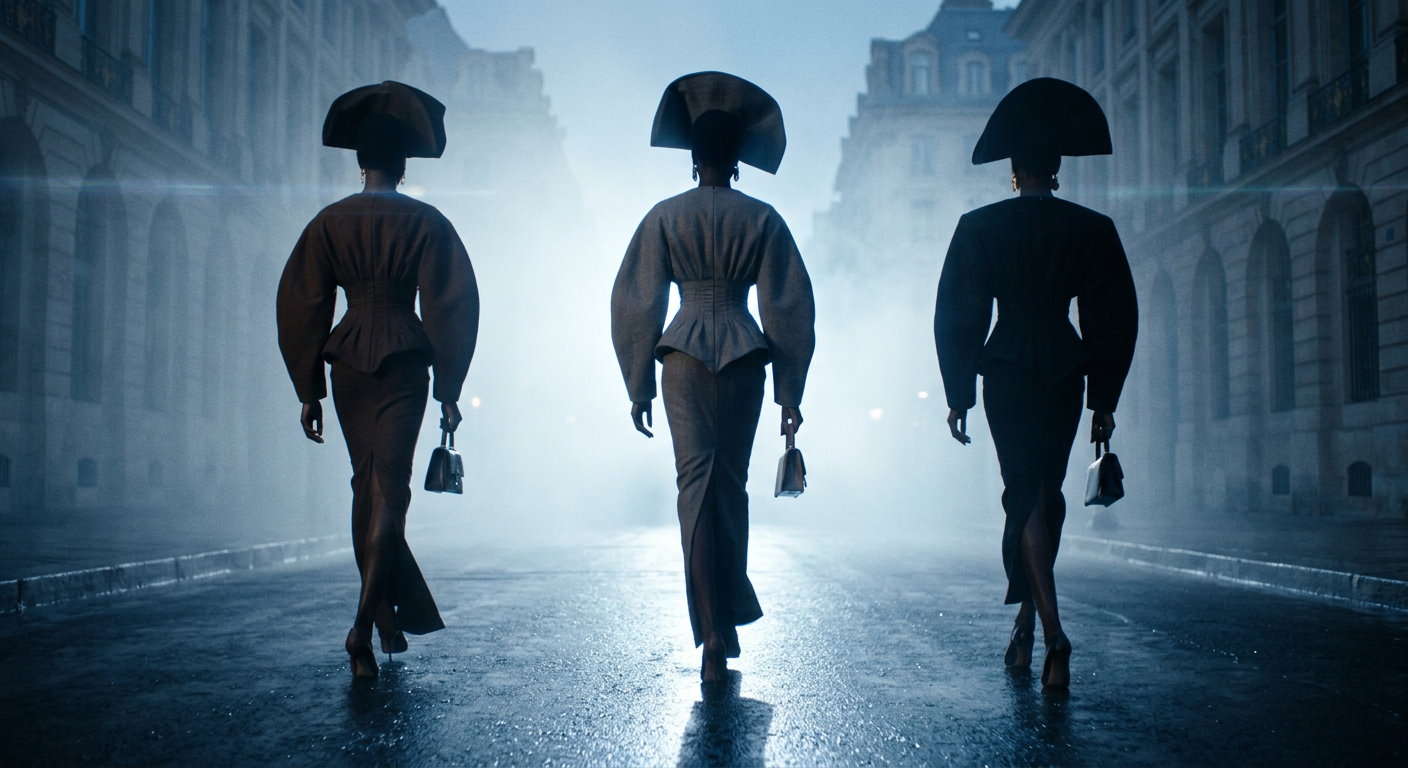
Noir Procession
- Model
- Nano Banana 2
- Image
- 1408 × 768 px
Prompt
Three statuesque subjects with deep brown skin tones stride slowly through a fog-drenched city avenue wearing sculptural haute couture with exaggerated silhouettes, voluminous sleeves, cinched waists, architectural headpieces, and carrying small structured handbags. Their movement is poised, confident, and runway-like, forming a silent procession through the mist. Powerful cool backlighting cuts through the dense fog, creating dramatic halos, bold silhouettes, and long shadows stretching across rain-soaked pavement that reflects blue-white light. The camera begins with a wide cinematic view before transitioning into a low-angle tracking shot behind the subjects, emphasizing elongated proportions and the geometric shapes of their couture. Captured on an ARRI Alexa Mini LF with anamorphic lenses (35mm and 50mm), featuring subtle horizontal lens flares, oval bokeh, moderate depth of field, gentle edge softness, and fine 35mm film grain. The color palette is dominated by muted teal-blue fog, charcoal, slate, deep umber, and restrained warm skin highlights, creating an elegant neo-noir editorial atmosphere inspired by high-fashion arthouse cinema. Photorealistic live-action cinematography with practical lighting, volumetric fog, realistic cloth movement, wet asphalt reflections, luxurious cinematic color grading, and absolutely no CGI appearance. The subject's appearance is determined only by the subject description and should never assume or infer gender unless explicitly specified.
Any aspect ratio
Overview
The "Noir Procession" template leverages the sophisticated capabilities of the AI Image Editor to create a striking visual narrative. This template uses the nano-banana-2 model to craft photorealistic and scenographic images that reflect high-fashion and neo-noir aesthetics, ideal for art-directed editorial projects.
What It Does
The "Noir Procession" template transforms image inputs by simulating an artfully cinematic environment. It enhances your scenes with features such as sculptural haute couture silhouettes, fog-densely drenched cityscapes, and dramatic lighting contrasts. The use of anamorphic lenses imparts a unique filmic quality, while meticulous color grading ensures a consistent neo-noir atmosphere.
Who It's For
This template is designed for photographers, filmmakers, and visionary marketers seeking to create distinct visual narratives that evoke the richness of high-fashion arthouse cinematography. It's particularly well-suited for brands wishing to communicate a sophisticated, luxurious brand identity in their campaigns or magazine editorials.
Summary
Redefine your artistic output with "Noir Procession," where every frame is a poised statement of fashion and cinematic artistry. This template offers an opportunity to blend high aesthetics with technology, providing tools essential for detailed and photorealistic image editing and storytelling.
How To
Choose

Customize

Generate

Use Cases
Fashion Editorials
- Exaggerate fashion silhouettes
- Capture moody, cinematic vibes
Marketing Campaigns
- Set luxurious tonal narratives
- Use in digital and print ads
Film Production
- Design scenes with dramatic flair
- Integrate into pre-visualizations
Best Practices
Maintain Consistency
Ensure that every aspect of your images—from couture details to fog effects—aligns with the neo-noir theme for a unified output.Experiment with Lighting
Adjust the backlighting carefully to enhance silhouettes and shadows, utilizing the template's capacity for detailed volumetric fog interpretation.Leverage Color Grading
Use the color adjustments to preserve the muted tones and luxurious color palette central to the template's visual storytelling.